EasyManua.ls Logo

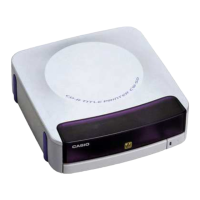
Casio CW-E60 - User Manual

Casio CW-E60
28 pages
Print Icon
To Next Page IconTo Next Page
Loading...
– 1 –
CW-E60
User’s Guide
In addition to CW-E60 operating precautions, these instructions
also include information about installing the software that comes
bundled with the CW-E60 and how to connect it to your computer.
For information about using the bundled software, see the
documentation on the CD-ROM that comes with the CW-E60.
Be sure to read the Safety Precautions contained in this manual
before trying to use the printer for the first time, and always
keep this manual on hand for future reference.
CASIO COMPUTER CO., LTD. shall not be held liable for any loss or
claims by you or any other person or entity that may arise through the
use of this product.
Reproduction of this manual in any form, either in part or its entirety, is
forbidden without the express permission of CASIO COMPUTER CO.,
LTD. You are granted permission to use this software for your own personal
use. Any and all other use of this software without the express permission
of CASIO COMPUTER CO., LTD. is forbidden under international
copyright laws.
The contents of the manual are subject to change without notice.
We recommend that you print on a disc* before you record anything on
it. Printing on a disc that already has data recorded on it can cause the
data to become corrupted.
Note that CASIO COMPUTER CO., LTD. shall not be held liable for any
loss or corruption of data on discs arising through the use of this printer.
* CD-R, CD-RW, DVD-R, etc.
RCA502822-001V01 MO0603-B
E

Questions and Answers

  • J
    James KennedyAug 9, 2025
    Why is my Casio Printer printing poor quality?
    • A
      Ashley LeeAug 9, 2025
      If your Casio Printer is not printing clearly, or the print quality is poor or too light, it could be due to: * Using a disc with a surface that is not smooth and flat, has a design or lines printed on it, or only supports ink jet printing. * An improperly loaded ink ribbon cassette. Try reloading the ink ribbon cassette properly.
  • M
    Miss Anne KellyAug 13, 2025
    What to do if Casio CW-E60 Printer finishes printing but nothing is printed?
    • D
      Deborah WatsonAug 14, 2025
      If the printing operation on your Casio Printer finishes normally, but nothing is printed, it is likely that the ink ribbon is used up. Load a new ink ribbon cassette.
  • K
    Kristi HernandezAug 18, 2025
    How to fix Casio CW-E60 Printer connection issues?
    • E
      Emily HolmesAug 19, 2025
      If you are unable to establish a connection between your Casio Printer and your computer, there are a few potential causes: * The USB cable or AC adapter might not be properly connected. Ensure both are securely plugged in. * The USB driver may not be correctly installed. Try unplugging the USB cable and plugging it back in. * Data communication issues can sometimes occur even with a correctly installed driver. Try using a different USB port or a different USB cable.
  • R
    Ryan PetersAug 25, 2025
    What to do if Casio CW-E60 Printer disc stops during printing?
    • J
      Jeff DonovanAug 25, 2025
      If your Casio Printer disc stops during printing, it could be due to: * An improperly connected power cord or AC adapter. Ensure they are fully plugged in. * A printer malfunction. If you cannot easily remove the disc, consult the "General Guide" explanation on page 17.
  • K
    Kelly RamosAug 29, 2025
    Why printed color on Casio Printer is different from the ink ribbon color?
    • T
      tammy11Aug 29, 2025
      If the printed color from your Casio Printer is different from the ink ribbon color, it may be due to: * Using a disc with a surface that isn't smooth and flat or has a design/lines printed on it or supports ink jet printing only. * An improperly loaded ink ribbon cassette. Make sure to reload the ink ribbon cassette properly. * You may also try using a lighter color disc or a darker color ink ribbon.
  • A
    Aaron ArellanoSep 3, 2025
    How to fix printing position on Casio CW-E60 Printer?
    • J
      Jimmy MitchellSep 3, 2025
      If the printing on your Casio Printer is not positioned correctly on the disc, it is likely due to improper alignment of the disc when placed in the printer. Use the positioning guide when aligning the disc. (See the DISC TITLE PRINTER Application User's Guide)

Casio CW-E60 Specifications

General IconGeneral
Print TechnologyThermal Transfer
ConnectivityUSB
Power SupplyAC Adapter
Tape Width6, 9, 12 mm
Printing Speed20 mm/s
TypeDesktop

Related product manuals