E-45
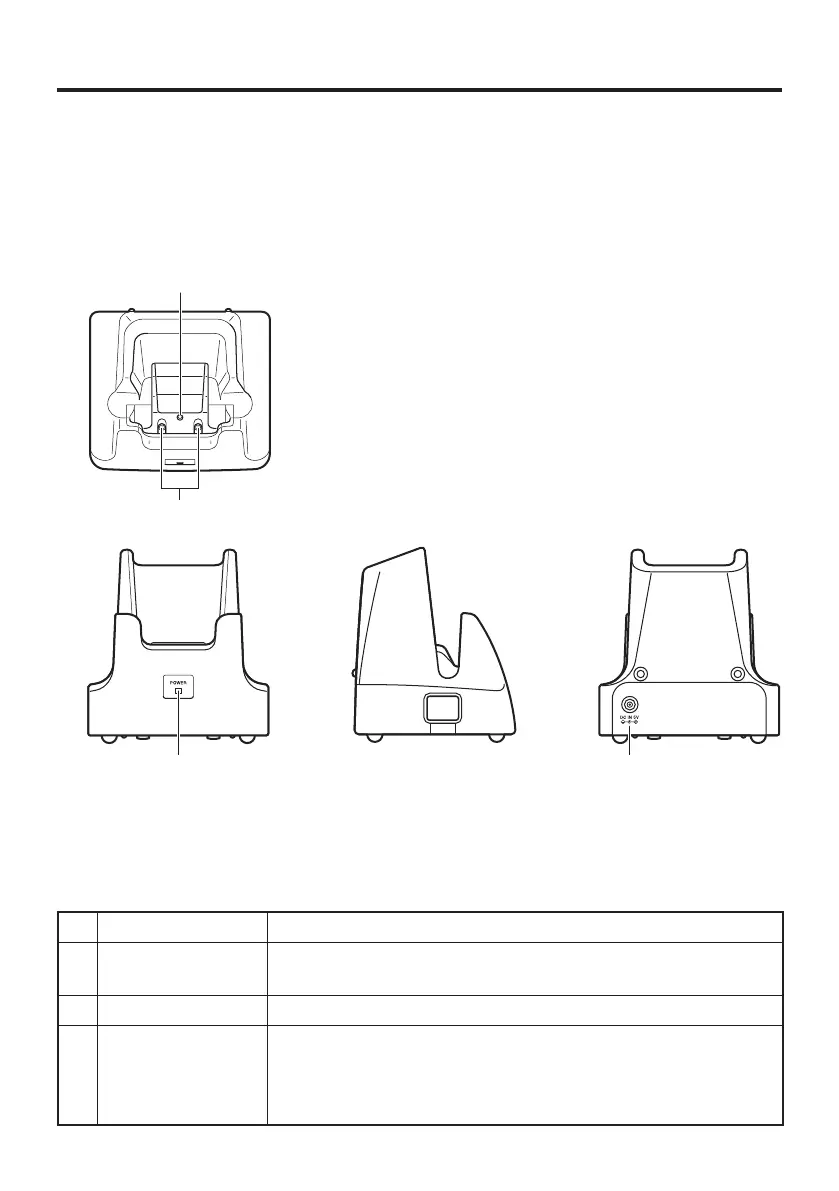
Using the Cradle-type Battery Charger (HA-F30CHG)
The optionally available Cradle-type Battery Charger (HA-F30CHG) lets you charge
the Handheld Terminal’s battery simply by placing the Handheld Terminal onto the
charger.
General Guide
Top
Front
Left
Back
1 AC Adaptor Jack Connect the AC adaptor here.
2 Terminal Detect
Switch
This switch detects when the DT-X100 is mounted correctly on
the charger.
3 Power Contacts Power is supplied to the DT-X100 via these contacts.
4 Power LED This LED indicates the power status and the mounting status of
the Handheld Terminal.
Off: DT-X100 is not installed
Green: Power on, DT-X100 mounted correctly



 To Next Page
 Loading...










