EasyManua.ls Logo

Casio FD-1 - Connecting to a General MIDI Keyboard

Casio FD-1
30 pages
Print Icon
To Next Page IconTo Next Page
To Previous Page IconTo Previous Page
Loading...
Connecting
to
a
General
MIDI
Key-
board
(CTK-631,
WK-1200,
WK-1300,
etc.)
Setting
Up
the
FD-1
In
adclition
to
the
following
settings,
also
see
the
set-
tings
under
"Making
Function
Settings"
on
page
E-19.
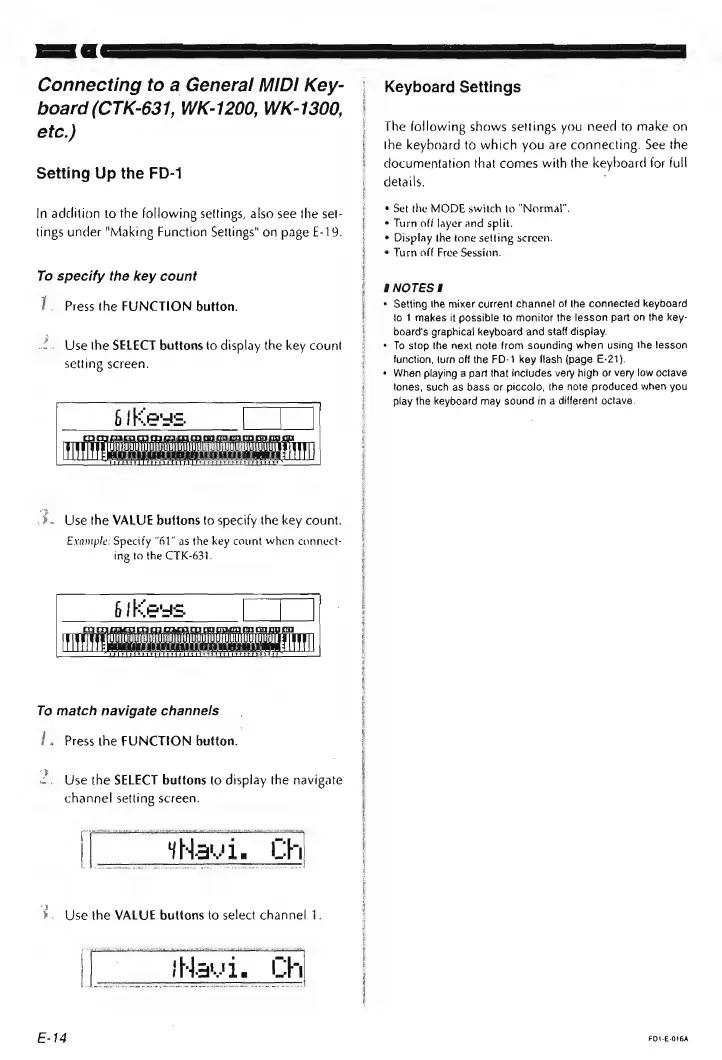
To
specify
the
key
count
I}
Press
the
FUNCTION
button.
Use
the
SELECT
buttons
to
display
the
key
count
setting
screen.
.».
Use
the
VALUE
buttons
to
specify
the
key
count.
Example:
Specify
“61"
as
the
key
count
when
connect-
ing
to
the
CTK-631.
I
Ok
233)
UO
UUUU
TO
+
Hic
TAA
6
(Reus.
To
match
navigate
channels
i.
Press
the
FUNCTION
button.
Use
the
SELECT
buttons
to
display
the
navigate
channel
setting
screen.
avi
th
'.
Use
the
VALUE
buttons
to
select
channel
1.
E-14
Keyboard
Settings
The
following
shows
settings
you
need
to
make
on
the
keyboard
to
which
you
are
connecting.
See
the
documentation
that
comes
with
the
keyboard
for
full
details.
®
Set
the
MODE
switch
to
“Normal”.
*
Turn
off
layer
and
split.
*
Display
the
tone
setting
screen.
¢
Turn
aff
Free
Session.
HNOTES!
Setting
the
mixer
current
channel
of
the
connected
keyboard
to
1
makes
it
possible
to
monitor
the
lesson
part
on
the
key-
board's
graphical
keyboard
and
staff
display.
To
stop
the
next
note
from
sounding
when
using
the
lesson
function,
lurn
off
the
FD-1
key
flash
(page
E-21)}.
When
playing
a
part
that
includes
very
high
or
very
low
octave
tones,
such
as
bass
ar
piccolo,
the
note
produced
when
you
play
the
keyboard
may
sound
tn
a
differant
octave.
FDI-E-016A