EasyManua.ls Logo

Casio FD-1 - Power Supply. Bopbbusstuiianesansedecees; Using the AC Adaptor; Power off Reset.0

Casio FD-1
30 pages
Print Icon
To Next Page IconTo Next Page
To Previous Page IconTo Previous Page
Loading...
Power
Supply
This
device
can
be
powered
by
current
from
a
standard
house-
hold
walt
outlet
(using
the
specified
AC
adaptor).
Always
make
sure
you
turn
the
device
off
whenever
you
are
not
us-
ing
it.
Using
the
AC
Adaptor
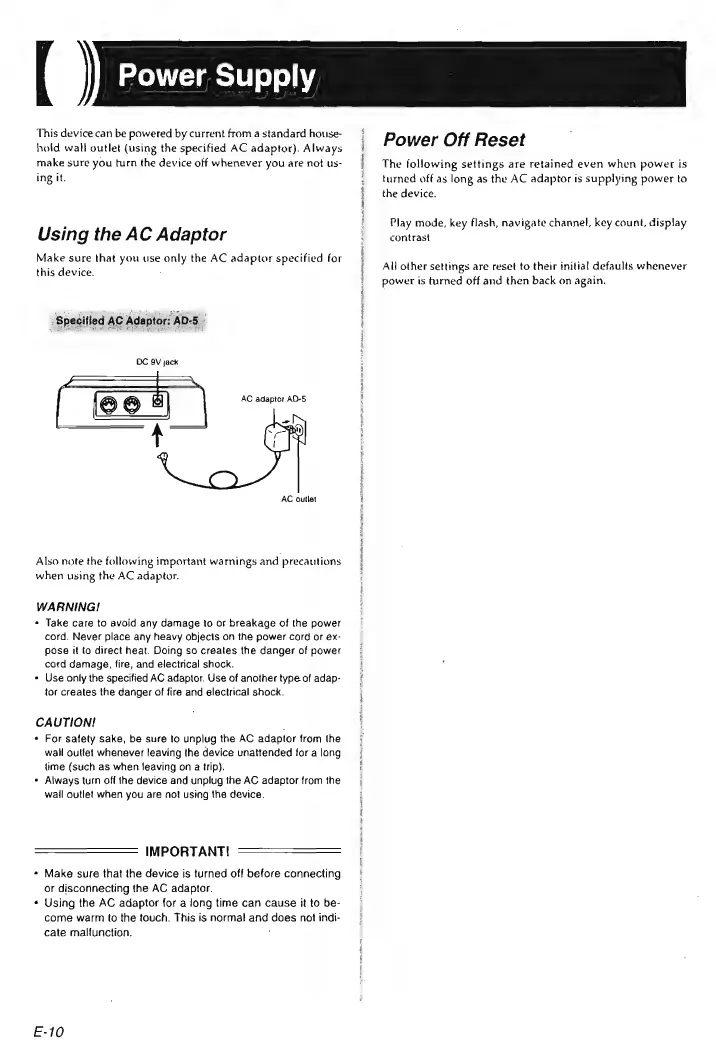
Make
sure
that
you
use
only
the
AC
adaptor
specified
for
this
device.
:
‘Specified
AC
Adaptor:
AD-5
DC
SV
jack
AC
adaptor
AD-5
AC
outlet
Also
note
the
following
important
warnings
and
precautions
when
using
the
AC
adaptor.
WARNING!
Take
care
to
avoid
any
damage
to
or
breakage
of
the
power
cord.
Never
place
any
heavy
objects
on
the
power
cord
or
ex-
pose
it
to
direct
heat.
Doing
so
creates
the
danger
of
power
card
damage,
fire,
and
electrical
shock.
Use
only
the
specified
AC
adaptor.
Use
of
another
type
of
adap-
tor
creates
the
danger
of
fire
and
electrical
shock.
CAUTION!
For
satety
sake,
be
sure
to
unplug
the
AC
adaptor
from
the
wall
outlet
whenever
leaving
the
device
unattended
for
a
long
lime
(such
as
when
leaving
on
a
trip).
Always
turn
off
{he
device
and
unplug
the
AC
adaptor
from
the
wail
outlet
when
you
are
not
using
the
device.
IMPORTANT!
———
Make
sure
that
the
device
is
turned
off
before
connecting
or
disconnecting
the
AC
adaptor.
Using
the
AC
adaptor
for
a
jong
time
can
cause
it
to
be-
come
warm
to
the
touch.
This
is
normal
and
does
not
indi-
cate
malfunction.
E-10
Power
Off
Reset
The
following
settings
are
retained
even
when
power
is
turned
off
as
long
as
the
AC
adaptor
is
supplying
power
to
the
device.
Play
mode,
key
flash,
navigate
channel,
key
count,
display
contrast
All
other
settings
are
reset
to
their
initial
defaults
whenever
power
is
turned
off
and
then
back
on
again.