EasyManua.ls Logo

Casio FD-1 - Page 18

Casio FD-1
30 pages
Print Icon
To Next Page IconTo Next Page
To Previous Page IconTo Previous Page
Loading...
This
section
describes
the
basic
operational
procedures
of
the
FD-1.
Playing
Back
a
Standard
MIDI
File
(SMF)
SMF
(Standard
MIDI
format)
is
a
standard
file
format
that
makes
MIDI
data
compatible
with
different
sequencers
and
musical.
There
are
actually
four
different
SMF
formats,
iden-
tified
by
the
numbers
0,
1,
2,
and
3.
The
FD-!
support
SMF
Format
0,
which
is
the
one
most
compatible
with
the
greatest
number
of
sequencers
and
available
software.
Most
commer-
cially
available
MID]
file
data
is
SMF
Format
0.
SMF
compatibility
also
means
you
can
play
computer-creat-
ed
data
without
converting
it.
To
play
back
an
SMF
Press
the
FD-1
POWER
button
to
turn
on
power.
Load
the
diskette
that
contains
the
SMF
into
the
FD-1.
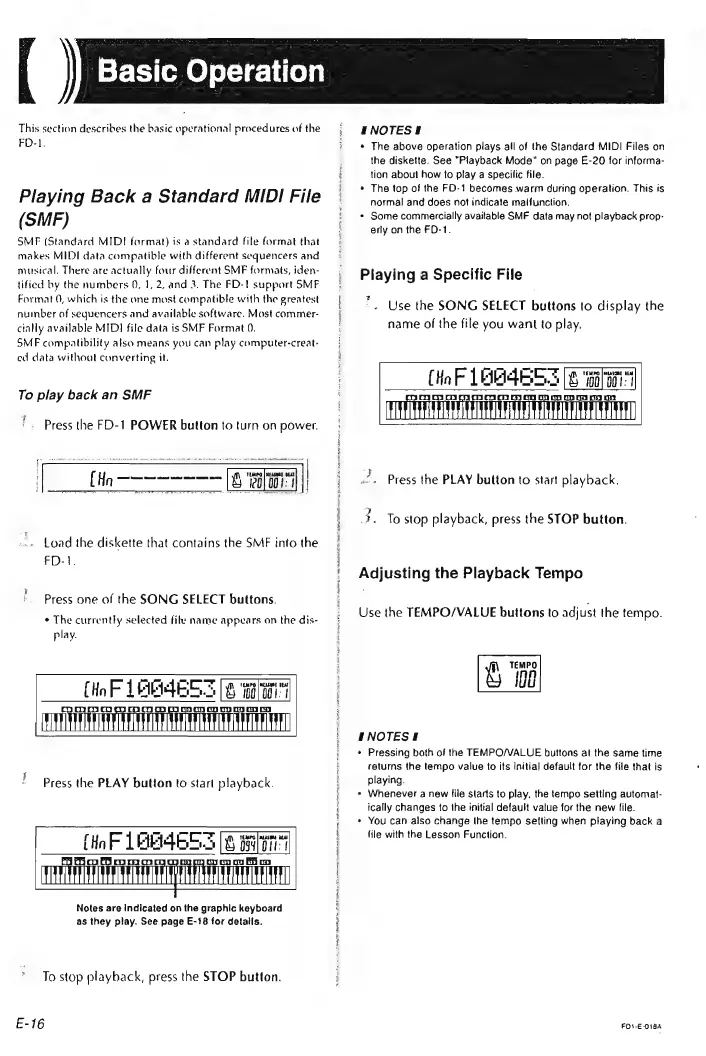
Press
one
of
the
SONG
SELECT
buttons.
¢
The
currently
selected
file
name
appears
on
the
dis-
play.
Press
the
PLAY
button
to
start
playback.
(ioF
LAR4ES3
[8
len
=,
De
yy
oy
H/MAGAAANI/AAAdbAdbAAMGAM/VAMATRAAGUANGATMAAH
Notes
are
Indicated
on
the
graphic
keyboard
as
they
play.
See
page
E-18
for
details.
To
stop
playback,
press
the
STOP
button.
E-16
ENOTES!
The
above
operation
plays
all
of
the
Standard
MIDI
Files
on
the
diskette.
See
"Playback
Mode”
on
page
E-20
for
informa-
tion
about
how
to
play
a
specilic
file.
The
top
of
the
FD-1
becomes
warm
during
operation.
This
is
normal
and
does
not
indicate
malfunction.
Some
commercially
available
SMF
data
may
not
playback
prop-
erly
on
the
FO-1.
Playing
a
Specific
File
*.
Use
the
SONG
SELECT
buttons
to
display
the
name
of
the
file
you
want
to
play.
BS.
(8
“aati
OD
15)
kn
ka?
(Ho
F
LA
Press
the
PLAY
button
to
start
playback.
3.
To
stop
playback,
press
the
STOP
button.
Adjusting
the
Playback
Tempo
Use
the
TEMPO/VALUE
buttons
to
adjust
the
tempo.
S108
#NOTESS
*
Pressing
both
of
the
TEMPO/VALUE
buttons
at
the
same
time
returns
the
tempo
value
to
its
initia)
default
for
the
file
that
is
playing.
»
Whenever
a
new
file
starts
to
play,
the
tempo
setting
automat-
ically
changes
to
the
initial
default
vatue
for
the
new
file.
«
You
can
also
change
the
tempo
setling
when
playing
back
a
(ile
with
the
Lesson
Function.
FOS-E-O18A