Introducing TE-2200
TE-2200 User’s Manual
23
E
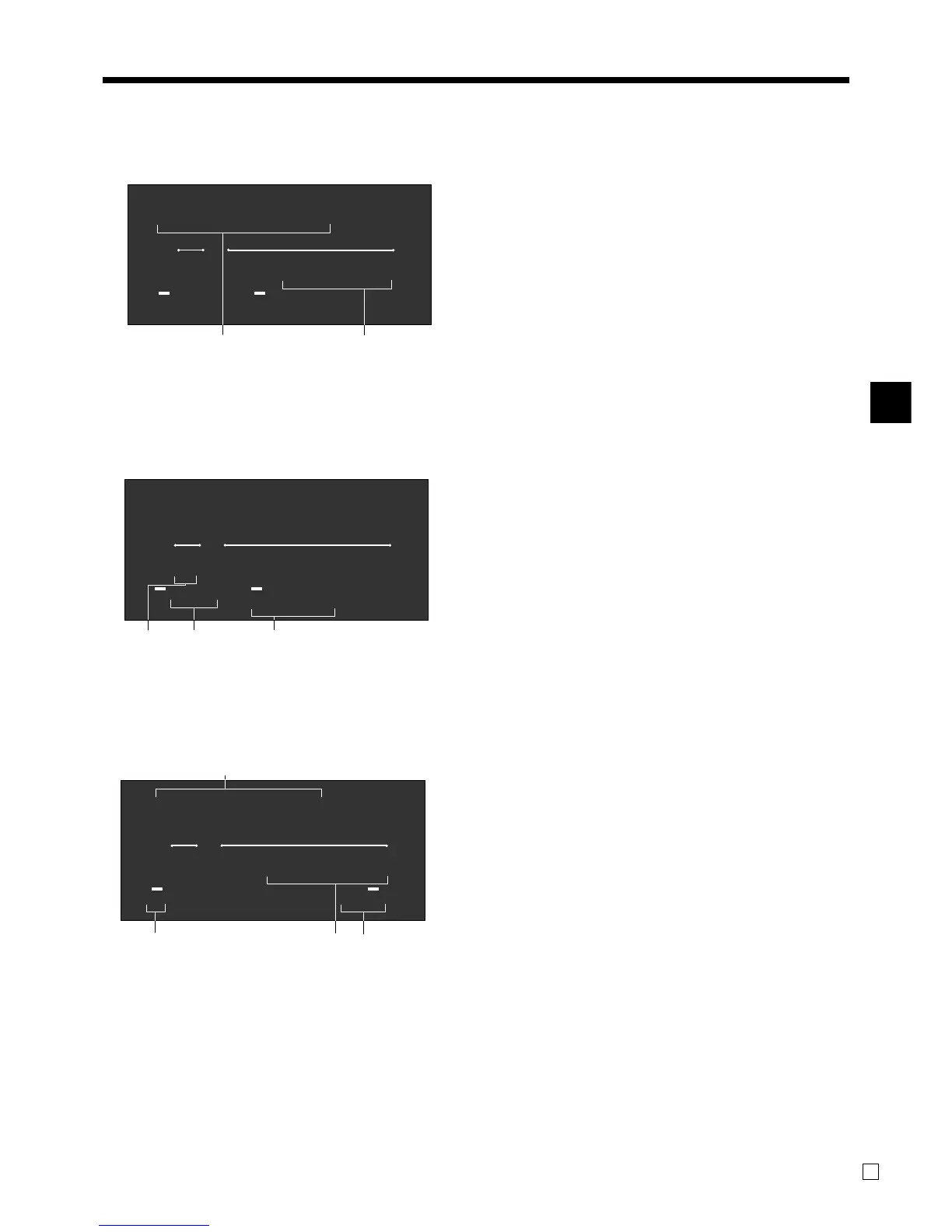
1 Amount/Quantity
This part of the display shows monetary amounts. It
also can be used to show the current time.
2 Item descriptor
When you register a department/PLU/scanning
PLU, the item descriptor appears here.
3 Number of repeats
Anytime you perform a repeat registration (pages
32, 37), the number of repeats appears here.
Note that only one digit is displayed for the number
of repeats. This means that a “5” could mean 5, 15
or even 25 repeats.
4 2nd, 3rd menu indicator
When you press B to designate the 2nd/3rd unit
price, the corresponding number is displayed.
5 Taxable / Food stampable sales status
indicators
When you register a taxable / food stampable item,
the corresponding indicator is lit.
6 Change descriptor/amount
7 Total/Change indicators
When the TOTAL indicator is lit, the displayed
value is monetary total or subtotal amount. When
the CHANGE indicator is lit, the displayed value is
the change due.
8 RCT indicator
When the register issues receipts, this indicator is lit.
12
2nd@
3rd@
"70
T/S1 T/S2 T/S3 T/S4
F/S
TOTAL CHANGE
RCT
AMOUNT
RPT
PRETZEL
34 5
2nd@
3rd@
3 "70
T/S1 T/S2 T/S3 T/S4
F/S
TOTAL CHANGE
RCT
AMOUNT
RPT
PRETZEL
768
6
2nd@
3rd@
"70
T/S1 T/S2 T/S3 T/S4
F/S
TOTAL CHANGE
RCT
AMOUNT
RPT
CG
Display example
Item registration
Repeat registration
Totalize operation
PRICE
SHIFT
www.cashregisters.net



 To Next Page