17
E
TE-2400 User's Manual
Getting Started
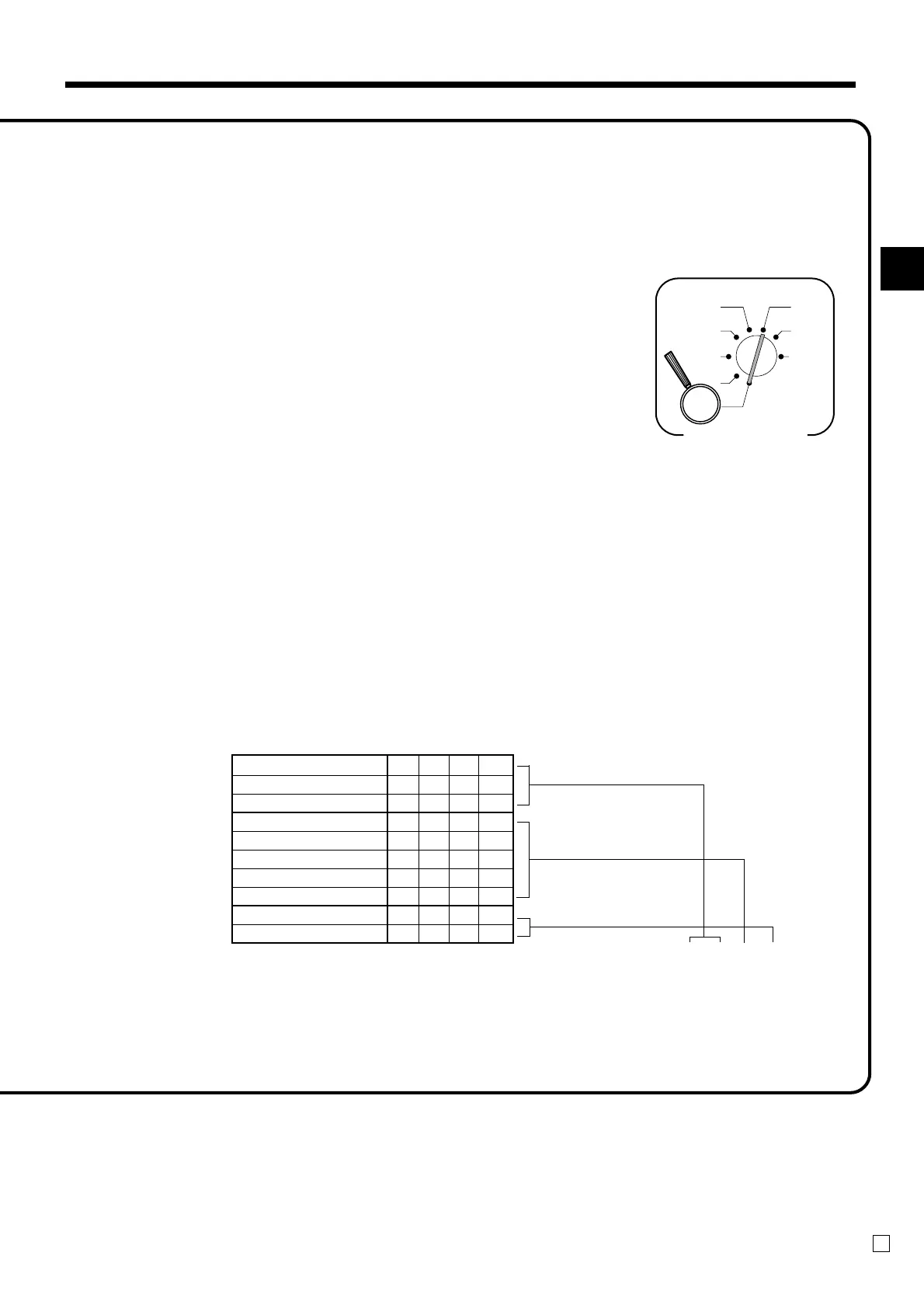
Programming tax calculations (with special rounding)
Prepare the following subjects:
1. Tax rates
2. Rounding method for tax calculation (Round up/Round off/Cut off)
3. Tax calculation system (No/Add-on/Add-in)
4. Rounding system (Special rounding 1/Special rounding 2/Special rounding 3/Danish rounding
/Australian rounding) :only effective for Tax Table 1
Programming procedure
Assign tax table 1. ................................................................................. 6
Assigning tax table 2, enter 0225.
Assigning tax table 3, enter 0325.
Assigning tax table 4, enter 0425.
Enter tax rate (2 integers and 4 decimals)
Example: 15% = 15
8.25% = 8^25
non tax = 0
................................................................ 6
Enter rounding method, tax calculation method..
................................................................................... 6
Terminate the procedure. ....................................................................... 6
D
4
D
3
D
2
D
1
Fraction round up 9 0
Fraction round off 5 0
Fraction cut off 0 0
Special rounding 1 * 1
Special rounding 2 * 2
Special rounding 3 * 6
Special rounding 4 * 3
Special rounding 5 * 7
Add-on tax 2
Add-in tax 3
* See the next page.
4
3s
4
0125s
4
::::::a
4
0a
4
::::a
4
s
X1
Z1
X2/Z2
REG2
REG1
OFF
RF
PGM
Mode Switch



 To Next Page