Introducing TE-2400
26
E
789
456
123
000•
SUB
TOTAL
CA
CH
4
3
2
1
AMT
TEND
714212835424956637077
613202734414855626976
512192633404754616875
411182532394653606774
310172431384552596673
291623 30 37 44 51 58 65 72
181522 29 36 43 50 57 64 71
RCRF
#
NS
%
–
PLU
VAT
RECEIPT
ERR.
CORR
CANCEL
PD
C X
RECEIPT JOURNAL
FEED FEED
CHK
MENU
123
456
CLERK
HELP
CONTRAST
LIGHT DARK
DATE/
TIME
RECEIPT
ON/OFF
1
2
J
3
L
4
5 6 7
8 9 0
M
K
C
I
E
HG
A
B
D
F
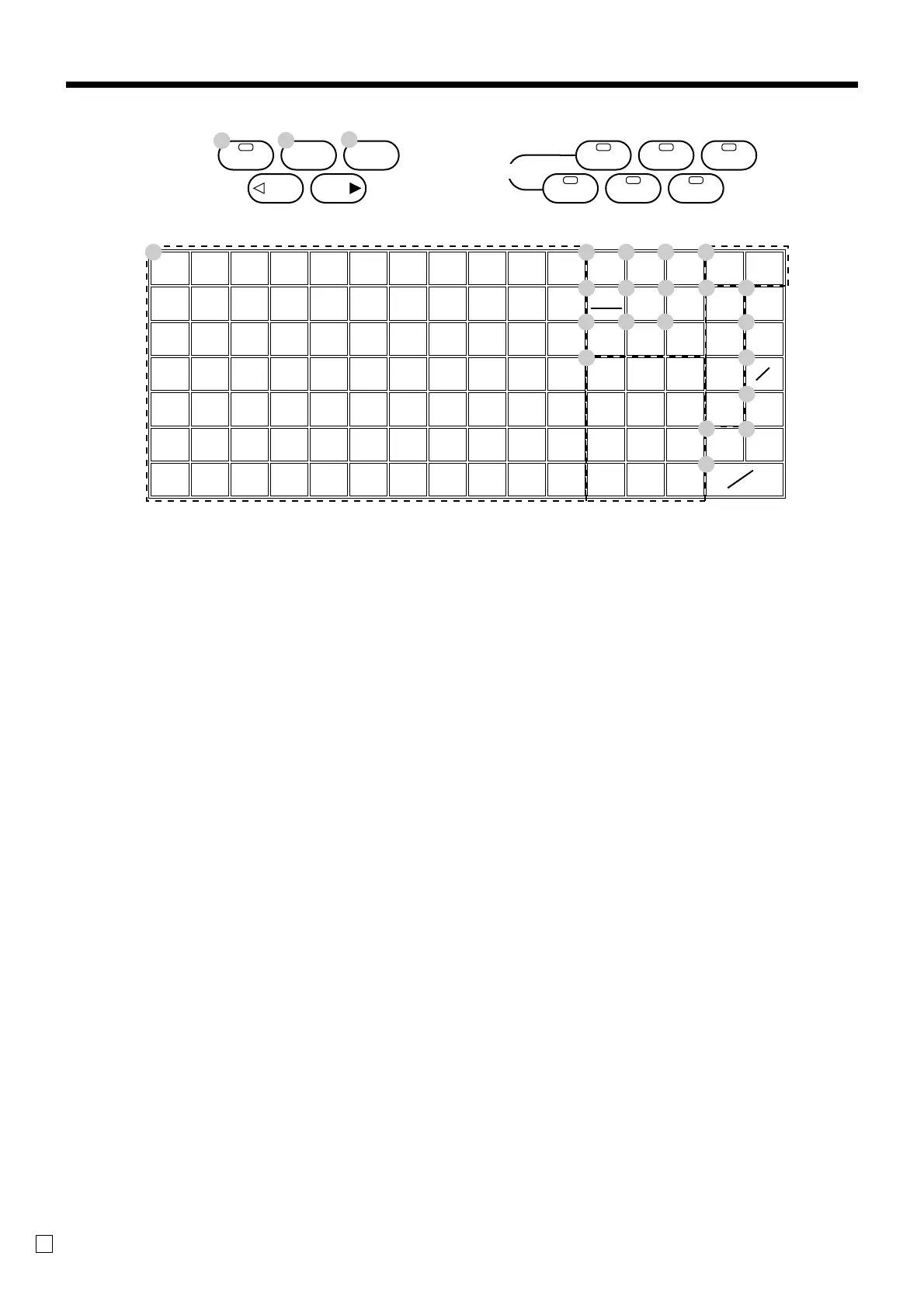
Keyboard
• Register Mode
1 Flat PLU key (, ), ~
Use these keys to register items to flat PLUs.
2 Menu shift key @
Use this key to shift key to the 1st ~ 6th menu.
3 Post receipt key ;
Press this key to produce a post-finalization receipt.
4 PLU key +
Use this key to input PLU numbers.
5 Error correction/Cancellation key e
Use this key to correct registration errors and to cancel
registration of entire transactions.
6 VAT key V
Use this key to print a VAT breakdown.
7 Discount key p
Use this key to register discounts.
8 Clear key C
Use this key to clear an entry that has not yet been
registered.
9 Multiplication key |
Use this key to input a quantity for a multiplication
operation.
0 Refund key R
Use this key to input refund amounts and void certain
entries.
A Ten key pad 0, 1 ~ 9, -, ^
Use these keys to input numbers.
B Department keys !, ", # ~ $
Use these keys to register items to departments.
C Paid out key P
Use this key following a numeric entry to register money
paid out from the drawer.
Use this key to convert the main currency to the sub
currency (the euro/the local money), when registering a
subtotal amount. This key is also used for specifying sub
currency while entering an amount of payment or
declaration in drawers.
D Received on account key r
Use this key following a numeric entry to register money
received for non-sale transactions.
E Non-add/No sale key N
Non-add key: To print reference number (to identify a
personal check, credit card, etc.) during a transaction, use
this key after some numerical entries.
No sale key: Use this key to open the drawer without
registering anything.
F Check key k
Use this key to register a check tender.
G Subtotal key s
Use this key to display and print the current subtotal
(includes add-on tax) amount.
H Charge key h
Use this key to register a charge sale.
I Cash/Amount tendered key a
Use this key to register a cash tender.



 To Next Page