EasyManua.ls Logo

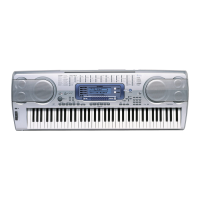
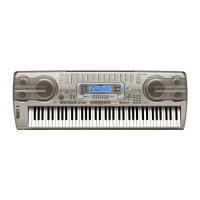
Casio WK-3300 - User Manual

Casio WK-3300
108 pages
Print Icon
To Next Page IconTo Next Page
Loading...
WK3300/8000E1A
E
USER’S GUIDE

Table of Contents

Other manuals for Casio WK-3300

Questions and Answers

  • W
    William WhiteAug 19, 2025
    Why is there no sound coming from my Casio Electronic Keyboard?
    • T
      Tracy KennedyAug 19, 2025
      There might be several reasons: 1. Check if the AC adapter is correctly attached, the batteries are properly inserted (+/–), and the batteries are not dead. 2. Ensure the power is on by pressing the POWER button. 3. Increase the volume using the MAIN VOLUME knob. 4. If the MODE button is set to CASIO CHORD or FINGERED, make sure you are not playing in the accompaniment keyboard area. Turn off Auto Accompaniment. 5. Turn on Local Control. 6. Turn on channel 1 using the Mixer. 7. Raise the volume setting for channel 1 using the Mixer. 8. Increase the DSP parameter value. 9. If playing an SMF file, exit and re-enter the SMF Player Mode, or change the play-along part.
  • L
    Luis CharlesAug 21, 2025
    What to do if auto accompaniment does not sound on Casio WK-3300?
    • J
      Jill AdkinsAug 21, 2025
      If the auto accompaniment isn't working, here's what you can check: 1. Make sure the accompaniment volume isn't set to 000. Increase it using the ACCOMP VOLUME button. 2. Ensure that Auto Accompaniment part Channels 6 through 10 are turned on using the Mixer. 3. Verify that the volume setting for Channels 6 through 10 isn't too low. Adjust it using the Mixer.
  • S
    Sarah HarrisAug 25, 2025
    What to do if some parts do not play at all during song memory playback on Casio WK-3300 Electronic Keyboard?
    • A
      alex75Aug 25, 2025
      If some parts aren't playing during song memory playback, it could be due to: 1. Channels being turned off. Use the Mixer to turn the channels on. 2. The volume setting being too low. Use the Mixer to check the volume setting.
  • S
    Steven TorresAug 26, 2025
    How to fix Casio WK-3300 Electronic Keyboard when the keyboard starts up abnormally?
    • M
      Matthew DouglasAug 26, 2025
      If your keyboard starts up abnormally, it might be due to: 1. Flash memory corruption or a problem with the card. a. Remove the batteries and disconnect the AC adapter, then press the POWER button. b. Reload the batteries and/or reconnect the AC adapter, and then press the POWER button again to turn on power. c. Perform the system reset operation using the TRANSPOSE/ FUNCTION button. 2. The keyboard detecting abnormal flash memory data and automatically resetting the system. Wait (about 40 seconds) until the “Pls Wait” message disappears from the display.
  • T
    Tina ClarkAug 27, 2025
    Why does playing on Casio WK-3300 Electronic Keyboard produce unnatural sound when connected to a computer?
    • J
      Jason ArmstrongAug 27, 2025
      If you get an unnatural sound when connected to a computer, it's likely because the computer’s MIDI Thru function is turned on. You should turn off the MIDI Thru function on the computer or turn off Local Control on the keyboard.
  • D
    David HallAug 29, 2025
    What to do if sound output does not change when key pressure is varied on Casio Electronic Keyboard?
    • A
      Anthony JohnsonAug 29, 2025
      If the sound doesn't change when you vary key pressure, it means the touch response is turned off. Press the TRANSPOSE/ FUNCTION button to turn it on.
  • M
    Mark KelleyAug 31, 2025
    Why does playing the Casio WK-3300 sound two tones?
    • S
      Samuel ShermanSep 1, 2025
      If playing the keyboard sounds two tones at once, it means that Layer is turned on. Press the LAYER button to turn off layering.
  • A
    Andrea BrooksSep 2, 2025
    Why do different tones sound when keys in different keyboard ranges are pressed on Casio WK-3300 Electronic Keyboard?
    • K
      Karen WilliamsonSep 3, 2025
      If different tones sound when you press keys in different keyboard ranges, it means Split is turned on. Press the SPLIT button to turn off split.
  • G
    gregoryschroederSep 4, 2025
    How to fix key or tuning mismatch when playing with MIDI machine on Casio WK-3300?
    • C
      Cindy RussellSep 4, 2025
      If the key or tuning doesn't match when playing with another MIDI machine: 1. Check if the tuning or transpose parameter is set to a value other than 00. If so, change it to 00. 2. Verify that the Mixer's coarse tune, fine tune, and/or octave shift settings are not values other than 00. Use the Mixer to change them to 00.
  • M
    Michael PaceSep 6, 2025
    What to do if parts suddenly drop out during song memory playback on Casio WK-3300 Electronic Keyboard?
    • D
      dwalkerSep 6, 2025
      If parts suddenly drop out during song memory playback, it's likely because the number of tones being played at the same time exceeds the keyboard’s limitation. Use the Mixer to turn off unneeded channels and decrease the number of parts being played.

Casio WK-3300 Specifications

General IconGeneral
Recording6 tracks, 5 songs
MIDIYes
Amplifier Output6W + 6W
Digital EffectsReverb, Chorus, DSP
Auto AccompanimentYes
Sampling FunctionYes
MetronomeYes
Keyboard76 keys
Rhythms120 rhythms
DisplayLCD display
Speakers2 x 12 cm
Power SupplyAC adapter or 6 D-size batteries
Sound SourceAHL sound source
ConnectionsMIDI In/Out
Polyphony32 notes

Related product manuals