EasyManua.ls Logo

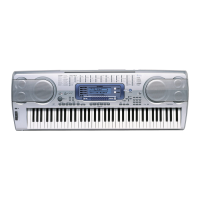
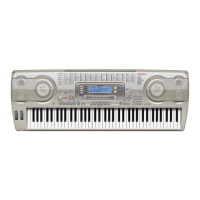
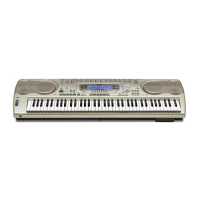
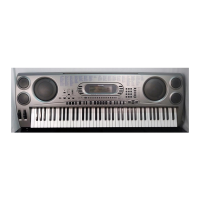
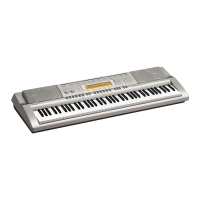
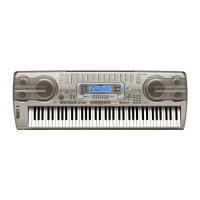
Casio WK-3300 - User Manual

Casio WK-3300
108 pages
Print Icon
To Next Page IconTo Next Page
Loading...
WK3300/8000E1A
E
USER’S GUIDE

Table of Contents

Other manuals for Casio WK-3300

Questions and Answers

  • J
    Jamie KramerSep 8, 2025
    What to do if nothing happens when LAYER or SPLIT button is pressed on Casio WK-3300?
    • C
      Caleb JacksonSep 8, 2025
      If nothing happens when you press the LAYER or SPLIT button, here are a few things to check: 1. Make sure that melody channels 2 through 4 are turned on using the Mixer. 2. Ensure the volume setting of melody channels 2 through 4 isn't too low. Adjust it using the Mixer. 3. Note that the LAYER and SPLIT buttons are disabled during recording and record standby. 4. Turn off the SMF Player Mode, as LAYER and SPLIT are not available while it's in use.
  • N
    nancy21Sep 12, 2025
    Why no sound is produced when playing MIDI data from a computer on Casio WK-3300?
    • J
      Jennifer EvansSep 12, 2025
      If no sound is produced when playing MIDI data from a computer: 1. Ensure the USB cable is properly connected. 2. Check if the channel is turned off or the volume setting is too low. Use the Mixer to turn the channel on or raise the volume setting.
  • E
    elijah30Sep 12, 2025
    What causes noise or abnormal operations when using downloaded tone with waveform on Casio Electronic Keyboard?
    • R
      Ryan VelezSep 13, 2025
      If a downloaded tone with waveform contains noise or keyboard operations become abnormal when user data is selected, it could be because someone turned off the keyboard while data was being stored in Flash memory, or something else corrupted the Flash memory contents. Perform a system reset operation using the TRANSPOSE/FUNCTION button.
  • J
    Jennifer AllisonSep 14, 2025
    Why can't I save data to an SD memory card on Casio Electronic Keyboard?
    • A
      Alexis DonaldsonSep 14, 2025
      If you cannot save data to an SD memory card, it could be due to several reasons: 1. The memory card is write-protected. Adjust the memory card’s write protect switch to enable data storage. 2. The memory card is not inserted correctly into the card slot. Correctly insert the memory card into the card slot. 3. There is not enough space left on the memory card. Use a different memory card or delete files you no longer need from the memory card you are using. 4. You are trying to use a memory card whose capacity is not supported by this keyboard. Use only a memory card of the capacity specified for this keyboard. 5. The memory card is damaged. Use a different memory card.
  • T
    Tamara VangSep 17, 2025
    Why can't I recall data from an SD memory card on Casio Electronic Keyboard?
    • C
      chelseagarciaSep 17, 2025
      If you cannot recall data from an SD memory card, it could be due to these reasons: 1. The memory card is not inserted correctly into the card slot. Correctly insert the memory card into the card slot. 2. There is not enough space available in the area into which you are trying to import the data. Delete rhythm, SMF, or tone with wave data currently in the keyboard’s Flash memory to make room for the imported data. 3. You are trying to use a memory card whose capacity is not supported by this keyboard. Use only a memory card of the capacity specified for this keyboard. 4. The memory card is damaged. Use a different memory card.

Casio WK-3300 Specifications

General IconGeneral
Recording6 tracks, 5 songs
MIDIYes
Amplifier Output6W + 6W
Digital EffectsReverb, Chorus, DSP
Auto AccompanimentYes
Sampling FunctionYes
MetronomeYes
Keyboard76 keys
Rhythms120 rhythms
DisplayLCD display
Speakers2 x 12 cm
Power SupplyAC adapter or 6 D-size batteries
Sound SourceAHL sound source
ConnectionsMIDI In/Out
Polyphony32 notes

Related product manuals