EasyManua.ls Logo

Casio WK-3000 - User Manual

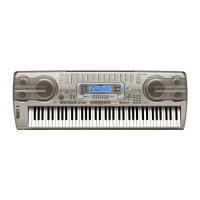
Casio WK-3000
148 pages
Print Icon
To Next Page IconTo Next Page
Loading...
WK3100-E-1
E
USER’S GUIDE
WK3100_e_cover.p65 04.3.26, 0:10 PM1

Table of Contents

Questions and Answers

  • D
    dominique81Sep 9, 2025
    Why do parts suddenly drop out during song memory playback on Casio WK-3000?
    • P
      Patrick ChambersSep 10, 2025
      If parts suddenly drop out during song memory playback, it could be that the number of tones being played at the same time exceeds the keyboard’s limitation. Use the Mixer to turn unneeded channels off and decrease the number of parts being played.
  • K
    Kathy SmithAug 22, 2025
    What to do if Auto Accompaniment does not sound on Casio Electronic Keyboard?
    • D
      derrick54Aug 22, 2025
      If the auto accompaniment isn't working, check the following: * Increase the volume using the ACCOMP VOLUME button. * Use the Mixer to ensure channels 6 through 10 are turned on. * Use the Mixer to raise the volume setting for channels 6 through 10.
  • J
    jessica59Aug 25, 2025
    What to do if some parts do not play at all during song memory playback on Casio Electronic Keyboard?
    • P
      Phillip MooreAug 25, 2025
      If some parts aren't playing during song memory playback: * Use the Mixer to turn on the channels. * Use the Mixer to check the volume setting.
  • C
    claytonbrianAug 26, 2025
    How to fix Casio WK-3000 Electronic Keyboard producing unnatural sound when connected to a computer?
    • M
      Mrs. Jessica TurnerAug 26, 2025
      If the sound is unnatural when connected to a computer, the computer’s MIDI Thru function might be turned on. Turn off the MIDI Thru function on the computer or turn off Local Control on the keyboard.
  • D
    Derek GutierrezAug 27, 2025
    What to do if Casio Electronic Keyboard starts up abnormally?
    • R
      Russell AndersonAug 27, 2025
      If your keyboard starts up abnormally: 1. Remove the batteries and disconnect the AC adapter, then press the POWER button. 2. Reload the batteries and/or reconnect the AC adapter, then press the POWER button again. 3. Use the TRANSPOSE/ FUNCTION button to perform the system reset operation. If this does not solve the problem, contact your nearest authorized CASIO Service Provider to request repair.
  • J
    Joe PowellAug 29, 2025
    Why does my Casio Electronic Keyboard play two tones at once?
    • T
      timothybrownAug 29, 2025
      If your keyboard is playing two tones at once, the Layer function may be turned on. Press the LAYER button to turn off layering.
  • D
    dustinsandovalSep 18, 2025
    Why is there no microphone sound on my Casio WK-3100 Electronic Keyboard?
    • C
      Chris NielsenSep 18, 2025
      If there is no microphone sound: * Increase the microphone volume setting. * Change the microphone’s on/off switch setting to ON.
  • H
    Howard MccormickSep 12, 2025
    How to fix no sound being produced when playing MIDI data from a computer on Casio Electronic Keyboard?
    • J
      James OlsonSep 12, 2025
      If no sound is produced when playing MIDI data from a computer: * Connect MIDI cables properly. * Use the Mixer to turn the channel on, or raise the volume setting.
  • C
    Christy ClarkSep 8, 2025
    What to do if Casio WK-3000 Electronic Keyboard is not recalling data from a card?
    • A
      Angela BellSep 8, 2025
      If you're having trouble recalling data from a card: * Ensure the card is correctly inserted into the card slot. * Delete rhythm, SMF, or tone with wave data currently in the keyboard’s Flash memory to make room from the imported data. * Use only a card of the voltage and capacity specified for this keyboard. * Try using a different card.
  • B
    Brittney AliSep 4, 2025
    What to do if Casio WK-3000 Electronic Keyboard is not saving data to a card?
    • P
      Paul JensenSep 5, 2025
      If you're unable to save data to a card: * Remove the write-protect sticker from the card. * Correctly insert the card into the card slot. * Use a different card or delete files you no longer need from the card you are using. * Use only a card of the voltage and capacity specified for this keyboard. * Use a different card.

Summary

Safety Precautions

Symbols and Safety Indicators

Explains symbols and safety level indicators used in the manual.

AC Adaptor Precautions

Details important precautions for using the AC adaptor safely.

Water and Foreign Matter Hazards

Explains risks associated with water and foreign matter ingress and necessary steps.

Power Supply

Using Batteries

Explains how to load and replace batteries, and important battery information.

Using the AC Adaptor

Details how to use the specified AC adaptor and important warnings.

Important Battery Information

Lists symptoms of low battery and warnings for battery handling.

Using the Drawbar Organ Mode

Drawbar Organ Tone Selection

Details how to select drawbar organ tones and the function of channel buttons.

Selecting a Drawbar Organ Tone

Guides on finding and selecting drawbar organ tones by number.

Editing a Drawbar Organ Tone

Explains how to change parameters for drawbar organ tones.

Applying Effects to Tones

Selecting a DSP Type

Guides on selecting and editing DSP effect types.

Changing DSP Parameter Settings

Details how to control the strength and application of DSP effects.

Auto Accompaniment

Selecting a Rhythm

Explains how to select rhythms and transfer them from a computer.

Using Auto Accompaniment

Guides on using the auto accompaniment feature with various chord modes.

Using Auto Harmonize

Explains how auto harmonize adds melody notes to chords for richer harmony.

Mixer Function

Using Parameter Edit Mode

Details how to change settings for channels 1-16 in the Mixer.

Editing DSP Channel Parameters

Explains how to select and edit DSP channel parameters.

Synthesizer Mode

Synthesizer Mode Parameters

Lists and describes parameters used for creating original tones.

Tone Characteristic Waveform Parameters

Covers tone setting, attack, release, cutoff, resonance parameters.

Tone Pitch Parameters

Details vibrato type, delay, rate, depth, and octave shift parameters.

Tone Characteristic Setting Parameters

Covers level, touch sense, reverb, chorus, DSP parameters.

Registration Memory

Registration Memory Settings

Lists the settings saved in registration memory for instant recall.

Saving Setups to Registration Memory

Guides on saving keyboard setups into registration memory.

Setup Names and Banks

Explains how to assign setups to areas using bank and registration buttons.

Recalling Setups from Registration Memory

Explains how to recall saved setups from registration memory.

Song Memory Function

Using Real-time Recording

Details how to record keyboard performance in real-time.

Playing Back Songs from Memory

Guides on selecting and playing back recorded songs.

Correcting Mistakes While Step Recording

Explains how to correct input mistakes during step recording.

Recording Melody and Chords with Step Recording

Explains how to record chords and notes step-by-step.

Using the SMF Player

Playing Back SMF Files

Guides on playing back Standard MIDI Files from flash memory, card, or diskette.

MIDI

Using the Data Download Service

Explains how to download data from CASIO MUSIC SITE and transfer it to the keyboard.

Saving Data

Saving Files to External Storage

Details procedures for saving Song Memory, Synthesizer data, etc. to media.

Loading Files from External Storage

Guides on loading data from SmartMedia cards or floppy diskettes into the keyboard.

Troubleshooting

Troubleshooting Common Issues

Provides solutions for common keyboard problems like no sound or abnormal operation.

Specifications

Keyboard Specifications

Details technical specifications for the keyboard, including tones, rhythms, polyphony, and effects.

Casio WK-3000 Specifications

General IconGeneral
Number of Keys76
Polyphony32 notes
SpeakersYes
Weight7.5 kg
Auto AccompanimentYes
Power SupplyAD-12 AC adapter or 6 D-size batteries
DisplayLCD
MIDI16-channel multi-timbre receive
KeyboardTouch Response
Song Memory5 songs
Lesson FunctionYes
Speakers Details12 cm x 2
TerminalsPedal, MIDI IN/OUT
EffectsReverb, Chorus
ConnectionsUSB, MIDI

Related product manuals