EasyManua.ls Logo

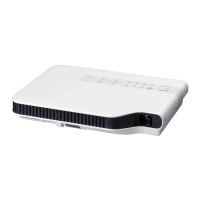
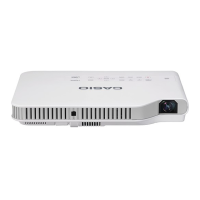
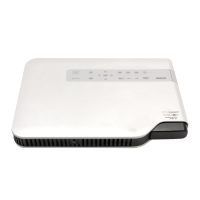
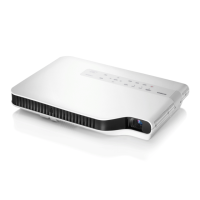
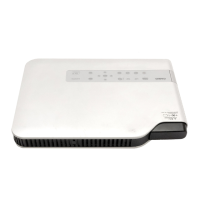
Casio XJ-A147 - User Manual

Casio XJ-A147
103 pages
Print Icon
To Next Page IconTo Next Page
Loading...
1
DATA PROJECTOR
XJ-A Series
XJ-A142/XJ-A147*
XJ-A242/XJ-A247*
XJ-A252/XJ-A257*
XJ-M Series
XJ-M141/XJ-M146*
XJ-M151/XJ-M156*
XJ-M241/XJ-M246*
XJ-M251/XJ-M256*
User’s Guide
In this manual, “XJ-A Series” and “XJ-M Series” refer only to the specific models listed above.
Be sure to read the “Safety Precautions” and “Operating Precautions” in the “Setup Guide”
document that comes with the Data Projector, and make sure you use this product correctly.
Keep this manual in a safe place for future reference.
Visit the site below for the latest version of this manual.
https://world.casio.com/manual/projector/
*USB Models
EN
D

Table of Contents

Other manuals for Casio XJ-A147

Questions and Answers

  • K
    Kimberly RobinsonAug 26, 2025
    Why Casio Projector doesn't show digital camera memory contents via USB?
    • R
      ramosheatherAug 27, 2025
      If your Casio Projector isn't displaying the contents of your digital camera's memory when connected via USB, consult your digital camera's user documentation for information about the required settings and operations. It's possible the camera's USB mass storage class setting isn't configured correctly or that you need to perform a specific action on the camera. Also, your camera may not support USB mass storage class, and if it doesn't, you won't be able to view the contents.
  • L
    Lisa EdwardsAug 25, 2025
    What to do if Casio XJ-A147 Projector doesn't recognize all devices connected via USB hub?
    • M
      Mr. Christopher JacksonAug 26, 2025
      If your Casio Projector isn't recognizing all connected devices via a USB hub or card reader, it's because the projector can only recognize up to four drives. Ensure that you connect no more than four memory devices at a time.
  • R
    Robert ArnoldAug 23, 2025
    Why some folders and files are not displayed in the file menu of Casio XJ-A147?
    • T
      Tara RichardsonAug 25, 2025
      If your Casio Projector doesn't display all folders or files in the file menu, it might be because there are too many items in a single folder. If a folder contains more than 999 folders or files, the projector won't display all of them. To fix this, reduce the number of folders and files within that folder.

Casio XJ-A147 Specifications

General IconGeneral
Display TechnologyDLP
Light SourceLaser & LED Hybrid
Zoom Ratio1.2x
ZoomManual
Max ResolutionUXGA (1600 x 1200)
Lamp Life20000 hours
Weight2.3 kg
ConnectivityHDMI, VGA, USB
Speakers1W
Input TerminalsHDMI, VGA, USB
Resolution1280 x 800
Projection Size30 to 300 inches

Related product manuals