To count the bills, place them in hopper. (follow the procedure described in 2.2.
loading bills). The machine will automatically start to count bills when the hopper
sensor detects a bill in the hopper. While counting, the machine will display the
numbers of bills on the LED display. The machine will stop operating and a
confirmation beep.
2.3 Counting
Pressing the button activates the summation mode, and the corresponding ADD
indicator lights up on the display.
Put the banknotes in the loading pocket and start recounting. Each downloadable
bundle of banknotes will be recalculated and each subsequent conversion result will
be added to the previous one.
2.4 ADD mode
moving money forward
5. Carry out the unit only after powering it off.
6. If the unit was kept extended period of time in low temperatures, keep it in normal
temperature conditions at least 2 hour prior powering on.
In order to use the unit without technical support of engineers please follow below
rules:
1. Make sure the device is installed on a flat surface.
2. This product is designed for indoor use in a ventilated environment. Keep the unit
away from direct sunlight and strong magnetic fields which could interfere with the
counterfeit detection sensor.
3. Do not operate the unit in areas with high dust humidity. High dust level may
prevent it proper operation.
2.
GETTING STARTED
2.1 Powering up
Please make sure the hopper is empty and turn the powers switch on. The unit will
conduct a self-check by spinning the counting wheels several times. The screen will
display “0” when the unit is ready.
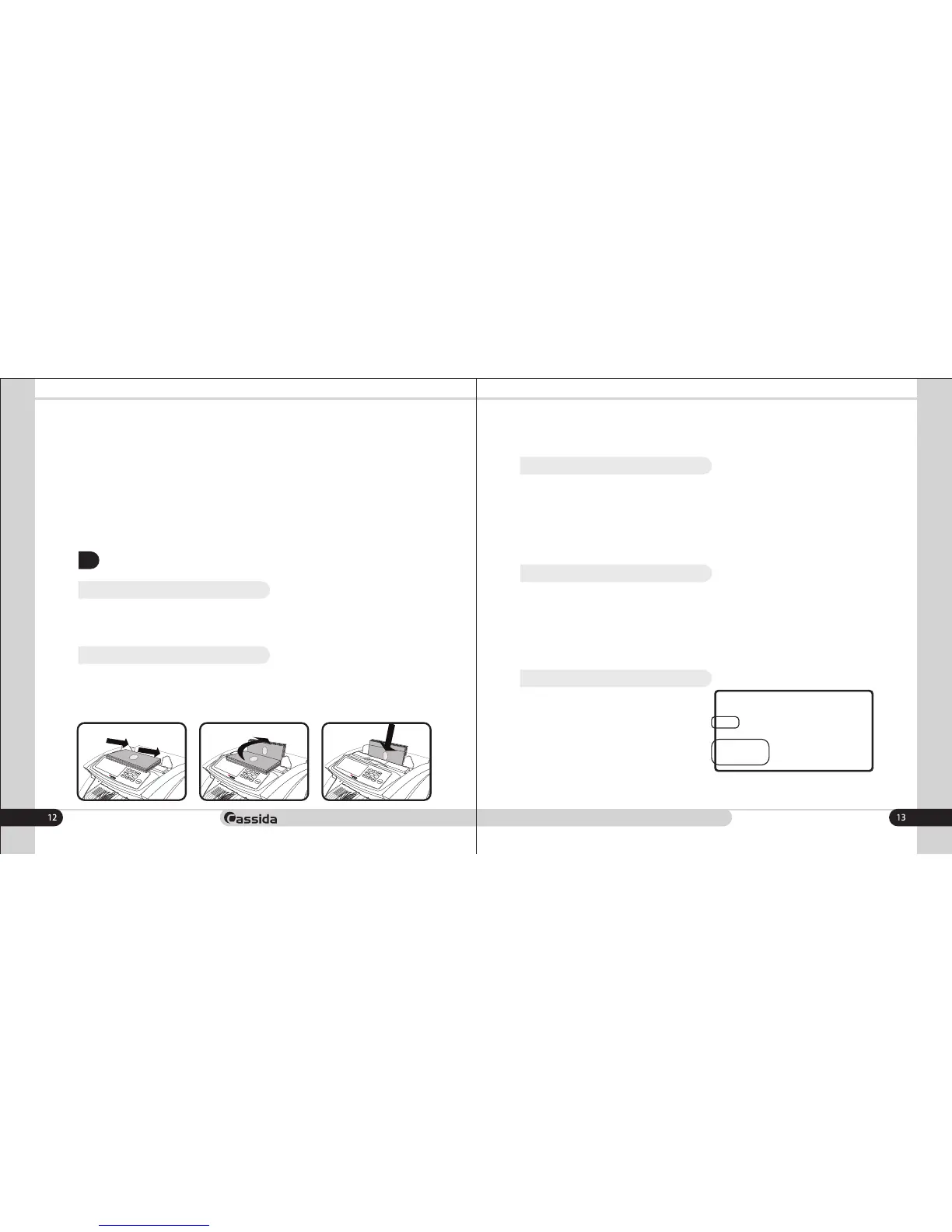
2.2 Loading bills
It is very important to place bills into the hopper correctly, because the counting
process and counting speed is highly affected by the arrangements of the bills. Bills
should be places in a neat stack prior to being placed into the hopper.
Proper hopper loading is shown in the following diagrams.
Depending on the thickness and quality of the banknotes, adjust the loading pocket
gap with the banknote thickness adjuster.
8888 888888
COUNT VAL UV
MG
BATCH ADD
A M S
DETEC 1 2 3
T
O
T
A
L
8888
PCS
AED
When the button is pressed, the BATCH
batch mode is activated, and the
corresponding indicator lights up on the
display.
After the mode is activated, the display
shows the value of the batching in the
lower left corner.
2.5 Batch mode
By successive pressing of the button, select the preset packing values 20, 50, BATCH
100 or enter the desired packing value manually using the " " and " " buttons. + -



 To Next Page