EasyManua.ls Logo

Cassida C200 - User Manual

Cassida C200
11 pages
Print Icon
To Next Page IconTo Next Page
Loading...
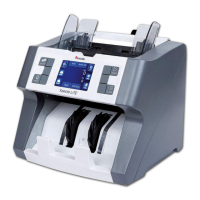
CASSIDA C200 COIN COUNTER/SORTER/WRAPPER
USER MANUAL
ver.:250817

Questions and Answers

  • A
    anthonyscottAug 3, 2025
    What to do if coins are in the hopper when turning on the Cassida C200 Cash Counter?
    • X
      xrossAug 3, 2025
      If the Cassida Cash Counter displays an error because coins were left in the hopper when it was turned on, press the “START/STOP” button to clear the error. Then, empty any coins from the coin trays back into the hopper.
  • J
    joedavisAug 10, 2025
    How to clean a dusty counting sensor on a Cassida C200?
    • R
      ricardo10Aug 10, 2025
      If the counting sensor of your Cassida Cash Counter has collected dust or is obscured by a foreign object, clean it using a Cassida air duster and CleanPro swab. Also, inspect coin outlet openings for any foreign material such as rubber bands or paper.
  • N
    Nicholas MiddletonAug 18, 2025
    How to clean a dirty coin sensor on a Cassida C200?
    • N
      Norman FieldsAug 18, 2025
      If the coin sensor of your Cassida Cash Counter is dirty, clean it using a CleanPro swab.
  • R
    Rodney KimAug 27, 2025
    What to do if the running sensor on my Cassida C200 Cash Counter doesn't detect rotation?
    • L
      Lance MorganAug 27, 2025
      If the running sensor of your Cassida Cash Counter does not detect rotation of the coin platter, clean the running sensor. Inspect the interior of the machine for any foreign material that might be preventing the coin platter from rotating. If the error persists, contact Cassida Technical Support.

Summary

Introduction

About the Cassida C200

Overview of the Cassida C200 coin counter/sorter/wrapper machine and its features.

Box Contents

Lists all items included in the Cassida C200 packaging.

Front and Rear Views

Identifies and describes the physical parts of the Cassida C200.

Control Panel

Details the buttons and functions of the Cassida C200 control panel.

Specifications

Lists technical specifications like capacity, speed, power, and dimensions.

Important Safety Notes

Crucial safety precautions and warnings for operating the coin sorter.

Getting Started

Powering Up

Instructions on how to safely turn on and initialize the Cassida C200.

Counting

Step-by-step guide on how to operate the coin counting function.

Adding

Explains the ADD mode for accumulating counts from previous batches.

Setting Batch Quantities

How to set desired batch counts for individual coin denominations.

Clearing Batch Quantities

Procedure to reset or clear pre-set batch quantities for denominations.

Maintenance and Troubleshooting

Maintenance

Guidelines for regular cleaning and preventative care of the machine.

Troubleshooting

Common error codes, their causes, and corrective actions for the C200.

Warranty

Information on the product warranty period and terms.

Contact Information

Details for contacting technical support and customer service.

Cassida C200 Specifications

General IconGeneral
Stacker Capacity200 bills
Power SupplyAC 100-240V, 50/60Hz
DisplayLCD
Power Consumption60W
Counting Speed1, 000 notes/min
Hopper Capacity200 bills
Counterfeit DetectionUV, MG, IR
Operating Temperature0 - 40 °C

Related product manuals