EasyManua.ls Logo

Cassida 5520 UV - User Manual

Cassida 5520 UV
10 pages
Print Icon
To Next Page IconTo Next Page
Loading...
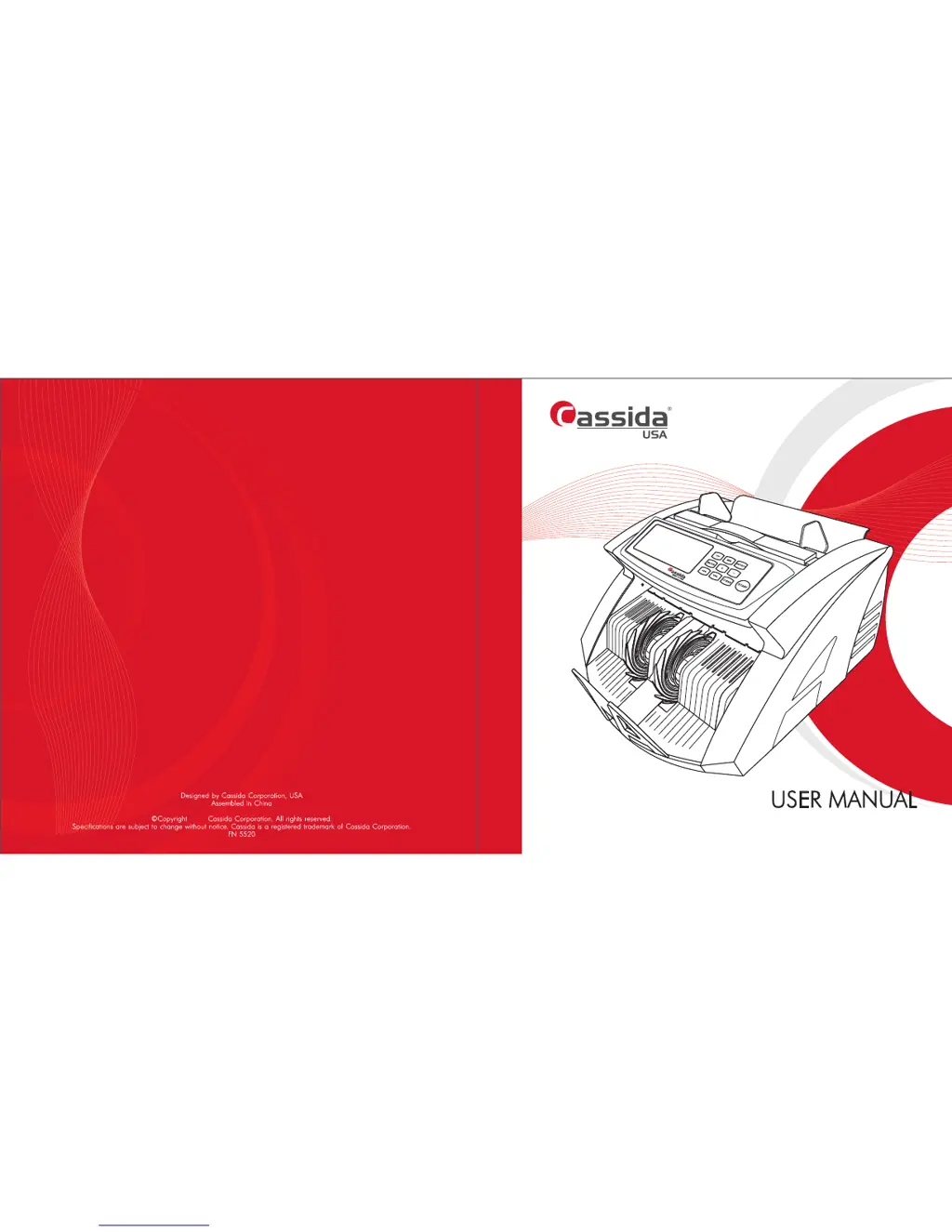
CASSIDA 5520 series (5520 UV, 5520 UV/MG)
2017

Questions and Answers

  • J
    Jacqueline LivingstonAug 16, 2025
    Why does my Cassida Cash Counter show 'MG' error?
    • D
      Deborah RodriguezAug 16, 2025
      If your Cassida Cash Counter displays the error code 'MG', it means the device has detected a suspicious MG (magnetic) level on the bill. To fix this, simply remove the last bill from the stacker and press the Start key to continue counting.
  • V
    Victoria FloresAug 19, 2025
    What to do if my Cassida 5520 UV shows 'DBL' error?
    • D
      Deborah ClarkeSep 12, 2025
      If your Cassida Cash Counter displays 'DBL', this indicates that a duplicated, dirty, or glued bill has passed through the counter. To fix this, remove all bills from the counter and start the counting process again by pressing the START key.
  • M
    Melissa TorresAug 22, 2025
    What to do if my Cassida Cash Counter shows 'UU' error?
    • M
      Matthew JonesAug 22, 2025
      If your Cassida Cash Counter displays the error code 'UU', it indicates a suspicious FL (fluorescent) level of the bill. To resolve this, remove the last bill from the stacker and press the Start key to continue counting.
  • P
    pmccarthyAug 25, 2025
    What does 'Chn' mean on my Cassida 5520 UV Cash Counter?
    • R
      Ralph AcevedoAug 26, 2025
      If your Cassida Cash Counter displays 'Chn', it indicates that two or more bills passed through the counter simultaneously. To resolve this, remove all bills from the counter and begin the counting process again by pressing the START key.
  • W
    William HortonAug 28, 2025
    What does 'HLF' error mean on my Cassida 5520 UV?
    • K
      Kevin JohnsonAug 28, 2025
      If your Cassida Cash Counter displays 'HLF', it means that a half bill has passed through the counter. To resolve this, remove all bills from the counter and begin the counting process again by pressing the START key.
  • A
    Aaron BeckerAug 31, 2025
    How to fix 'ÑÅ5' error on my Cassida 5520 UV Cash Counter?
    • M
      Mrs. Amy MorenoAug 31, 2025
      If your Cassida Cash Counter displays the error code 'ÑÅ5', it indicates that the hopper sensor may have collected dust or is out of order. Clean the sensor using a soft bristle brush and compressed air.
  • J
    Jeffery WestSep 2, 2025
    How to resolve 'ÑÅ8' error on my Cassida 5520 UV Cash Counter?
    • J
      Jennifer VazquezSep 3, 2025
      If your Cassida Cash Counter displays the error code 'ÑÅ8', it indicates that the stacker sensor may have collected dust or is out of order. Clean the sensor with a soft bristle brush and compressed air, or replace it.
  • J
    James BrownSep 6, 2025
    How to fix 'ÑÅ1' error on my Cassida 5520 UV Cash Counter?
    • B
      Brandon ChavezSep 6, 2025
      If your Cassida Cash Counter displays the error code 'ÑÅ1', it indicates that the UV sensor may have collected dust. Clean the sensor with a soft bristle brush and compressed air.
  • C
    Christopher KingSep 9, 2025
    How to fix 'ÑÅ3' error on my Cassida Cash Counter?
    • H
      Hunter BurkeSep 9, 2025
      If your Cassida Cash Counter displays the error code 'ÑÅ3', it indicates that the left counting sensor may have collected dust or is out of order. Clean the left counting sensor or replace it.
  • O
    ojohnsonSep 12, 2025
    How to fix 'ÑÅ4' error on my Cassida 5520 UV?
    • R
      Rodney WintersSep 12, 2025
      If your Cassida Cash Counter displays the error code 'ÑÅ4', it indicates that the right counting sensor may have collected dust or is out of order. Clean the right counting sensor or replace it.

Summary

Introduction

About the Cassida 5520 Series

Overview of the Cassida 5520 series money counter, highlighting its ease of use, performance, and detection capabilities.

Box Contents

Lists all items included in the Cassida 5520 series product package for initial setup.

Front and Rear Views

Visual identification of the machine's front and rear components and their labels.

Control Panel Overview

Detailed explanation of the buttons and indicators on the Cassida 5520 series control panel.

Specifications

Technical specifications including counting speed, capacity, power, and dimensions.

Important Safety Notes

Essential safety precautions to follow when operating the Cassida 5520 series money counter.

Getting Started

Powering Up the Unit

Instructions on how to correctly power on the Cassida 5520 series money counter.

Loading Bills Correctly

Proper methods for loading banknotes into the hopper for optimal counting performance.

Counting Bills

Step-by-step guide on how to perform a basic count of banknotes.

Using ADD Mode

How to activate and use the ADD mode for cumulative counting of banknotes.

Using Batch Mode

Instructions on setting up and using the batch mode for counting predefined bill quantities.

Value (Calculation) Mode

How to use the value or calculation mode for currency counting with value determination.

Counterfeit Detection

Explanation of the counterfeit detection features, including UV and other sensors.

Maintenance and Troubleshooting

Routine Maintenance

Guidelines for regular cleaning and care to ensure optimal performance and longevity.

Troubleshooting Common Errors

A guide to identifying and resolving common error codes and operational issues.

Warranty and Contact Information

Product Warranty Details

Information regarding the product warranty period and its coverage.

Contacting Technical Support

How to reach Cassida Technical Support for assistance and inquiries.

Cassida 5520 UV Specifications

General IconGeneral
Model5520 UV
Denomination DetectionYes
Stacker Capacity200 notes
DisplayLCD
BatchingYes
Add FunctionYes
Power Consumption60W
Counterfeit DetectionUV, MG, IR
Power SupplyAC 100-240V

Related product manuals