EasyManua.ls Logo

Cassida Cube - User Manual

Cassida Cube
28 pages
Print Icon
To Next Page IconTo Next Page
Loading...
Moving money forward
®
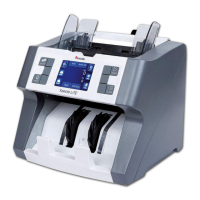
CASSIDA CUBE MIXED BILL COUNTER

Questions and Answers

  • L
    lpatrickSep 3, 2025
    What to do if my Cassida Cube displays a banknote feeding sensor error?
    • A
      Amanda BradleySep 4, 2025
      If your Cassida Cash Counter displays an error related to the banknote feeding sensor, remove all bills and clean the hopper assembly.
  • W
    walshpamelaSep 18, 2025
    How to resolve internal memory fault on Cassida Cash Counter?
    • W
      william89Sep 18, 2025
      To resolve an internal memory fault on your Cassida Cash Counter, resume to factory setting.
  • S
    Scott HumphreySep 16, 2025
    Why does my Cassida Cube show magnetic sensor errors and how to fix it?
    • C
      candace90Sep 16, 2025
      If your Cassida Cash Counter displays errors related to the Magnetic A, Magnetic B, Magnetic C, or Magnetic D sensors, the solution is to remove the bills and clean the magnetic sensor.
  • A
    Alvin SparksSep 14, 2025
    How to fix rotate speed sensor error on Cassida Cash Counter?
    • E
      Edward OrrSep 14, 2025
      To resolve a rotate speed sensor error on your Cassida Cash Counter, try cleaning the code wheel and sensor. If the problem persists, consider replacing the rubber belt.
  • M
    Mary WestSep 12, 2025
    What to do if Cassida Cash Counter displays 'Incomplete notes'?
    • K
      Kim Reed DDSSep 13, 2025
      If your Cassida Cash Counter shows 'Incomplete notes,' it means a half or incomplete bill was detected. Remove the problematic bill and press the “RESET” button to continue counting.
  • C
    chambersstaceySep 12, 2025
    What to do if my Cassida Cube Cash Counter shows a magnetic feature fail error?
    • B
      Bobby FriedmanSep 12, 2025
      If your Cassida Cash Counter displays an error related to magnetic feature failure, IR error, UV error, image error, paper error, spectrum error, holograph error, or denomination difference, it likely indicates a counterfeit or suspicious bill. Remove the bill and press the “RESET” button to continue counting.
  • L
    Lauren ChambersSep 9, 2025
    What causes a Rotate speed sensor error on my Cassida Cash Counter, and how can it be fixed?
    • M
      martinnobleSep 9, 2025
      To address the Rotate speed sensor issue on your Cassida Cash Counter, clean the encoder wheel and sensor, or replace the drive belt. This will need to be done by a trained specialist.
  • E
    Eugene RussellSep 7, 2025
    How to fix an internal memory fault on my Cassida Cube?
    • M
      Miss Heidi LarsonSep 7, 2025
      If your Cassida Cash Counter displays an 'Internal memory fault', reset the unit to factory settings by holding both and MENU while the unit is off. After a self test, “Set default parameter” will display, and the unit will return to its normal state within seconds.
  • A
    Anthony LandrySep 5, 2025
    How to resolve Magnetic A, B, C, or D sensor errors on my Cassida Cube Cash Counter?
    • R
      rowerebeccaSep 6, 2025
      If your Cassida Cash Counter displays errors related to the Magnetic A, B, C, or D sensors, remove all bills and clean the magnetic sensor.
  • R
    Robyn BrownAug 20, 2025
    What to do if my Cassida Cube shows a magnetic feature, IR, UV, image, paper, or spectrum error?
    • B
      brian02Aug 21, 2025
      If the Cassida Cash Counter displays errors related to magnetic features, infrared (IR), ultraviolet (UV), image, paper, or spectrum, it indicates a counterfeit or suspicious bill. Remove the flagged bill from the stacker, then press the START button to continue counting the remaining bills.

Summary

Introduction

Control Panel Functions

Explanation of the control panel buttons (CUR, MODE, ADD, BATCH, etc.) and their respective functions.

Specifications

Technical specifications including counting speed, capacity, power, dimensions, and weight of the Cassida Cube.

Important Safety Notes

Crucial safety guidelines for operating the Cassida Cube, including electrical safety and environmental considerations.

Loading Bills

Operation

Troubleshooting

Self-test Error Message Display and Solutions

Troubleshooting guide for self-test errors, including sensor cleaning and restarting procedures.

Defective Bill Error Message Display and Solutions

Solutions for error messages related to defective bills like incomplete, magnetic feature fail, slant, double, or passing errors.

Maintenance, Warranty and Contact Info

Maintenance

Regular maintenance procedures to ensure optimal performance and prolong the service life of the Cassida Cube.

Cassida Cube Specifications

General IconGeneral
BrandCassida
ModelCube
CategoryCash Counter
LanguageEnglish

Related product manuals