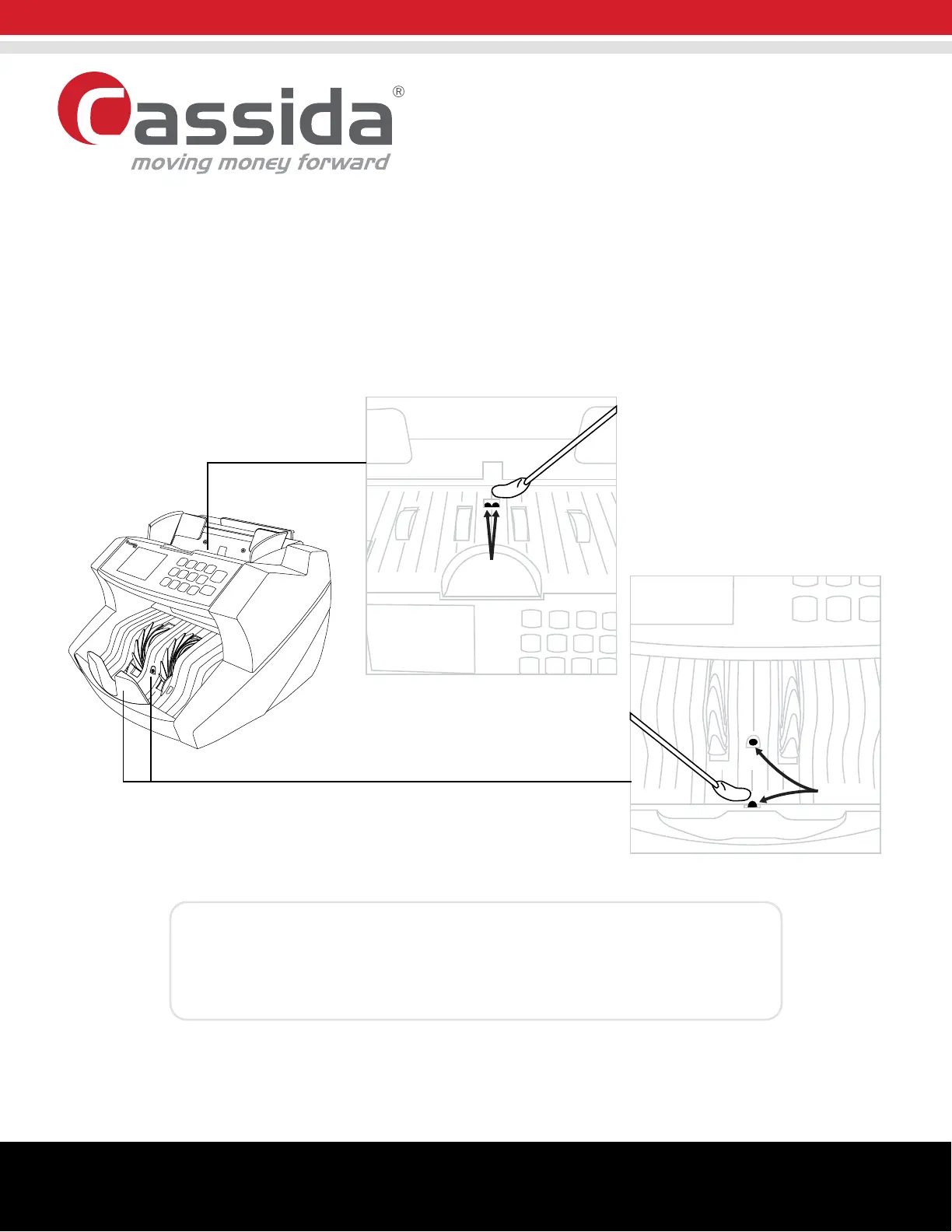
3. After spraying the unit with the air duster, gently wipe the hopper and stacker sensors with a special cleaning
cotton swab (or a microfiber cloth/cotton swab lightly moistened with isopropyl alcohol) shown below.
4. Reconnect the power cord to the unit and turn the machine on.
A. HOPPER SENSOR
B. 2-PART STACKER SENSOR
6600
Cleaning Procedure
Sensors
Sensors
NOTE:
Applying too much pressure on the sensors may result in damaging the sensors.
Make sure to wipe the sensors gently.
Cassida Corporation • 11035 Technology Place, Suite 500 San Diego, CA 92127 • www.CassidaUSA.com
©2019 Cassida Corporation. All rights reserved. Specifications subject to change without notice. Cassida is a registered trademark of the Cassida Corporation.
REV0319



 To Next Page