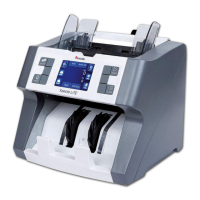
Cassida Xpecto LiTE MIX value counter
moving money forward
11
10
2.3 Counting Modes
ADD mode
MIX mode
SORT mode
ORIENT (Orientation) mode
There are 7 counting modes on Xpecto LiTE
BATCH mode
COUNT mode
FACE mode
2.3.1 MIX mode
This mode is available from the home screen by touching the button that corresponds to
the MIX icon, or by touching the MIX icon directly on the touch display.
MIX mode is used to count a stack of mixed denominations. Total number of bills and total
value will be displayed on screen. When operation is complete, you can view a detailed
report by pressing the TOTAL icon on the touch screen, or by pressing the corresponding
button.
MIX
2.3.2 SORT mode
This mode is available from the home screen by touching the button that corresponds to
the SORT icon, or by touching the SORT icon directly on the touch display.
SORT mode allows the user to count and sort bills
by one denomination which is automatically
determined by the first bill scanned in a stack. This
can be useful when you have a large strap of one
denomination, but you want to be sure that there
are no bills of other denominations in the strap.
After the first bill is identified, the machine will stop
every time a bill of a different denomination passes
through the machine. When this occurs, a message
will pop up onscreen with directions for the user to
remove the top bill from the stack and continue
counting.
DENOMINATION ERROR
Remove top bill from stacker.
Not added to count.
Press start to continue.
!
The result of this process is a uniform stack of bills of a single denomination. When
operation is complete, you can view a detailed report by pressing the TOTAL icon on the
touch screen, or by pressing the corresponding button.
2.3.3 COUNT mode
This mode is available from the home screen by touching the button that corresponds to
the COUNT icon, or by touching the COUNT icon directly on the touch display.
COUNT mode allows the user to simply count the total number of bills. It does not
recognize or record the denomination of any bills. During COUNT mode, there is no
counterfeit detection active.
2.3.4 FACE mode
This mode is available from the home screen by touching the FACE on the
display, or by selecting FACE/Orientation from the menu.
FACE mode allows the user to sort bills based on whether they are loaded into the Domino
face up or face down. The first bill in the hopper determines the sorting and counting
orientation.
FACE ERROR
Remove top bill from stacker.
Not added to count.
Press start to continue.
!
Face Message
If the first bill through the machine is face up, all
bills in the stack that are face up will end up in the
stacker. Any time a bill passes through the
Domino that is not face up, the machine will stop
and prompt the user to remove that bill from the
stack. Total number and total value of the counted
bills will be displayed on the home screen.
C-SORT
10
20
50
COUNT
FACE


 To Next Page