This function allows you to serve a predetermined amount of food without programming meal times. Proceed as
follows:
1. Calculate the number of feed units you would like to serve per meal (section 5).
2. Set `MEAL 1′ with the number of feed units (section 6.1).
3. Whilst the `MEAL 1′ setting is flashing, press and hold the `+’ and `-‘ buttons together for 5 seconds until `OFF’
is displayed (Fig. 9). Each time you now press and hold the `FEED’ button for 5 seconds, the programmed
`MEAL 1′ will be dispensed. To turn the feeder back on:
4. Press and hold the `+’ and `-‘ buttons together for 5 seconds. The LCD will flash until clock setting is restored.
Frequent feed (small feeds at regular intervals)
The Frequent Feed function allows the daily feed units (section 5) to be served over the course of a day, dispensing
a single feed unit at a regular interval between a programmed start and finish time. The function is designed for pets
with specific dietary requirements (e.g. diabetic cats) or if you wish to regulate the speed of your pet’s food intake.
The start/finish times and the feed units can be programmed as follows:
1. Press and hold the `TIME’ and `FEED’ buttons together for 5 seconds until the Frequent Feed indicator (`F’)
appears on the LCD (Fig. 2).
2. Press and hold the `TIME’ button for 5 seconds until the hour figure on the clock starts to flash.
3. Press the `TIME’ button twice – the hour figure and the `MEAL 1′ (start time) indicator will flash.
4. Set the start time in the same way as setting the clock, by pressing the `+’ or `-‘ buttons to adjust the hours, then
pressing the `TIME’ button again to adjust the minutes.
5. Press the `TIME’ button. The `MEAL 3′ (finish time) indicator will flash. Repeat 13.4 to set the finish time.
6. Press the `TIME’ button, the letter `F’ next to two zeros (`00′) will appear and flash on the display (Fig. 8). Press
the `+’ or `-‘ buttons to set the total daily feed units.
7. Press the `TIME’ button to save these settings.
The LCD will return to displaying the clock with the `Frequent Feed’, `MEAL 1′ and `MEAL 3′ indicators
displayed.
To review, press the `TIME’ button once to view the start time and again for the finish time. Press again to view
the feed units and press finally to return to the clock.
To return the feeder to standard operation, press and hold the `TIME’ and `FEED’ buttons together for 5
seconds. The `Frequent Feed’ indicator will disappear and the clock indicator will be displayed along with the
meal indicators of any previously saved settings programmed.
Turning the feeder off and on
To turn off the feeder and keep the programmed settings:
1. Press and hold the `+’ and `-‘ buttons together for 5 seconds until `OFF’ is displayed on the LCD (Fig. 9). To
turn the feeder back on:
2. Press and hold the `+’ and `-‘ buttons together for 5 seconds until LCD displays the clock and the set meal
indicators.
Changing the batteries
When the low battery indicator (Fig. 2.) flashes on the LCD, the batteries need replacing. Good quality alkaline
batteries should normally last approximately 12 months (depending on the number of feed units dispensed).
IMPORTANT:
To keep the clock and all the meal settings, you must remove and replace all of the batteries within 60 seconds!
The low battery indicator should extinguish when the next meal is served.
DO NOT press any buttons during the removal or replacement of the batteries. Doing so will reset the unit and
you will need to re-programme your settings.
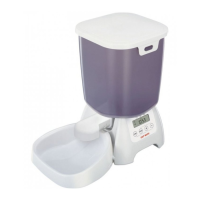
Securing the feeder to a board
If your pet(s) are likely to interfere with the feeder, we recommend the feeder is screwed to a suitably sized wooden
board. By the following method, the feeder is easily removed from the board without tools when required:


 To Next Page