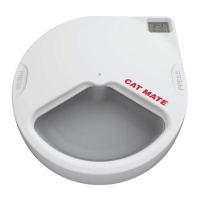
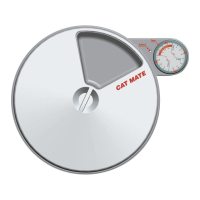
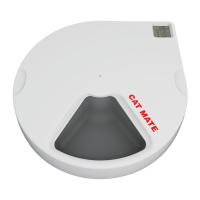
1. Place the base unit in the desired position on the board. With a pencil, draw around the footprint (Fig. 10).
2. Draw a centre line on the base unit outline and mark the screw position as shown in Fig. 11.
3. Select a suitable screw (Fig. 12) and screw it into the board, leaving a distance of 25mm (1″) between the board
and the base of the screw head to enable the feeder to be removed for battery replacement and cleaning.
4. Locate the base unit on to the screw and slide it in to the fastened position (Fig. 13).
5. Line up the base unit within the drawn outline and mark the front screw positions at the narrowest end of the
screw holes (Fig. 14).
6. Remove the base unit from the board. Apply 2 further screws (as specified in 16.3) and locate the base unit
back on to the board (as 16.4). If necessary, these 2 screws may be screwed down further to secure the feeder
more firmly.
Cleaning
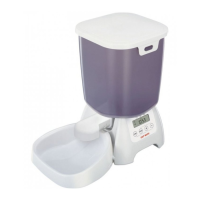
The hopper, hopper lid, feeding bowl and feeding mechanism (F) are made from food-safe materials that may be
washed in a dishwasher. Clean the base unit using a cloth dampened with water only – detergents and polishes may
cause damage.
1. Remove the feeding bowl from the base unit by holding in the sprung clips on either side and pulling the bowl
away from the unit (Fig. 15). 17.2 Remove the feeding mechanism by releasing the retaining clip (Fig. 16).
Troubleshooting
1. Feeder Blockage
Your Cat Mate feeder has been extensively tested with a variety of dry foods but in the unlikely event that the
feeder becomes jammed, the base unit is programmed with an automatic cleaning function. If however, the
feeder is unable to clear the blockage, the whole LCD screen will flash. The blockage will need to be cleared
manually, as follows:
• Lift the hopper out of the base unit.
• Rotate the feeding mechanism by hand as shown in Fig. 17 until food is moving freely again.
NOTE: Before reassembling the feeder, we recommend the batteries are replaced (see section 15). Also,
consider the use of a different feed that may be less prone to blockage.
• Reassemble the feeder and press the `TIME’ button to stop the display flashing and resume normal operation.
2. Display non-responsive
In the unlikely event that the display becomes non-responsive, wait 3 minutes before attempting to press any
buttons. If full function is not returned remove batteries for 5 minutes. Then replace batteries and re-program the
feeder.
GUARANTEE
Pet Mate Ltd. guarantees your product for a period of 3 years from the date of purchase, subject to proof of purchase
date. The guarantee is limited to any defect arising due to faulty materials or manufacture. Any defective item will be
repaired or replaced free of charge at the manufacturer’s discretion, provided that the defect has not been caused by
neglect, misuse or normal wear and tear. Your statutory rights are not affected.
© PET MATE Ltd.
Lyon Road, Hersham, Surrey KT12 3PU, England.
N. America only:
ANI MATE
104A Longview Drive, Conroe, TX 77301
34716/0810
File Downloads


 To Next Page