
 Need help?
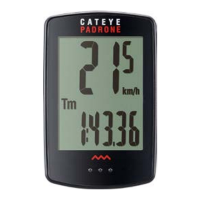
Do you have a question about the Cateye Padrone CC-PA100W and is the answer not in the manual?
Instructions for attaching the bracket to the stem or handlebar.
Safety instructions for cutting the bracket band to prevent injury.
Guidance on positioning the speed sensor on the front fork.
Instructions for attaching the magnet to the bicycle spoke.
Fine-tuning sensor and magnet positions for optimal signal reception.
Procedure for connecting and disconnecting the computer unit from its mount.
Verifying correct installation and functionality of the computer system.
Resetting the computer to its factory default settings.
Choosing between kilometers per hour (km/h) or miles per hour (mph).
Inputting the front wheel's circumference for accurate speed and distance.
Adjusting the time display format and current time.
Methods for determining and using tire circumference values from a chart.
How the MODE button functions when the computer is attached to the bracket.
Navigating through different data displays on the computer screen.
Automatic measurement start when bicycle moves and stop when stationary.
Clearing all measurement data except the total odometer reading.
How the computer conserves power when no signal is received for 10 minutes.
Step-by-step guide to setting the tire circumference value.
Step-by-step guide to setting the clock time and display format.
Procedure for manually entering the total distance traveled.
Step-by-step guide to changing the unit of measurement (km/h or mph).
General safety advice and handling precautions for the computer and its use.
Details on signal range, potential interference, and sensor reception.
Instructions for cleaning the computer and accessories with mild soap.
Procedures for replacing the batteries in the computer and speed sensor.
Solutions for common issues like no speed display or blank screen.
Key technical details, dimensions, weight, and operating parameters.
Details of the 2-year warranty for the computer and speed sensor.
 General
| Display Type | LCD |
|---|---|
| Wireless | Yes |
| Functions | Current Speed, Total Distance, Trip Distance, Elapsed Time, Average Speed, Maximum Speed, Clock |
| Current Speed | Yes |
| Total Distance | Yes |
| Trip Distance | Yes |
| Elapsed Time | Yes |
| Average Speed | Yes |
| Maximum Speed | Yes |
| Clock | Yes |
| Battery Life | Approx. 1 year |
| Power Source | CR2032 battery |
| Water Resistance | IPX8 |










 To Next Page
