8
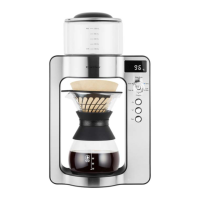
OPERATING YOUR CM 4012 COFFEE MAKER
OPERATING YOUR CM 4012 COFFEE MAKER
BEFORE FIRST USE
Before rst use, remove all packaging
and advertising labels / stickers from the
appliance.
Remove the silicone cover from the carafe
and then wash the carafe and the stainless-
steel lter in the warm water with alittle
amount of the kitchen agent for washing
dishes, rinse by the clean water and dry
thoroughly. Attach the silicone cover back to
the carafe neck.
Wipe the co ee maker body, water tank
and water tank lid with asponge slightly
moistened. Dry thoroughly with aclean
cloth.
COFFEE MAKER FLUSH
We recommend ushing the co ee maker by
clean and hot water before rst use, or after
along period of non-use.
Fill the water tank by clean and cold water up
to Max mark.
1. Place the carafe under the water
dispensing vent. There is no need to
place the stainless-steel or paper lter in
this mode.
2. Turn the rotary knob to the “Hot Water”
position. The display shows the current
temperature in the water tank.
3. Use the / buttons to set “100°C”.
4. Press the button to turn the co ee
maker on. The co ee maker will start to
heat the water and the display will show
the actual water temperature in the
water tank.
5. Once the temperature reaches the set
level, the co ee maker will stop heating
and start to dispense the whole amount
of the hot water in the water tank into
the carafe.
CAUTION:
Always make sure the silicone cover is
correctly attached to the carafe neck
before each use.
WARNING!
Never remove the
water tank lid if
the coffee maker is
operating or shortly
after finishing the
brewing process.
Wait at least
30seconds before
removing the lid.
Otherwise, there is
arisk of burns.
CLOCK SETTING
Insert the power plug into apower socket
and the display and indicator lights will
shortly ash. Wait till “0:00” ashes on the
display.
Use the / buttons to set hours and press
the button for con rmation. Then use the
/ buttons to set minutes and press the
button for con rmation.
Wait till the clock shows on the display. The
co ee maker will enter the stand-by mode
and it is ready to use.


 To Next Page