9
OPERATING YOUR CM 4012 COFFEE MAKER
NOTE
The correct clock setting is important
if you use the delay start functions.
However, the co ee maker can be
operated without clock setting.
If you disconnect the power plug from the
power socket, you will need to set the clock
after reconnecting.
FILLING THE WATER TANK
Use only clean and cold water for co ee
making.
Remove the water tank lid and pour clean
and cold water into it. Always observe the
minimum and maximum marks which are
marked on the tank.
Replace the lid on the water tank.
NOTE
There is asensor which measures
the water temperature on the tank
bottom. Therefore, it is important the
lid is placed correctly. Otherwise, the
water may take along time to heat up,
or the water may not heat up at all.
OPERATING THE COFFEE MAKER
AUTOMATIC COFFEE BREWING
1. Pour clean and cold water into the water
tank. Always observe the minimum and
maximum marks which are marked on
the tank.
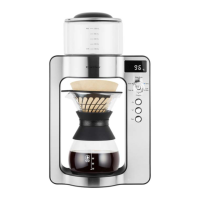
2. Place the stainless-steel lter into the
carafe neck and place a“V”-shaped
paper lter, size 4, suitable for drip-co ee
machine, into it, and insert the carafe into
the co ee maker.
NOTE
Paper lters are not included in
the packaging and these can be
purchased at aregular retailer.
3. Turn the rotary know to the “Brew Mode
A/M” position. The indicator light will be
lit. Use the / buttons to select “AUTO”
(automatic co ee brewing).
4. Press the TARE button and then, remove
the carafe from the co ee maker.
5. Put the required amount of the grounded
co ee into the paper lter. Ensure you
use the grounded co ee for drip-co ee
machines. The amount of co ee depends
on your personal preferences.
6. Place the carafe back into the co ee
maker and the display will show the
weight of the grounded co ee.
7. Press the button to turn the co ee
maker on. The button will start to ash,
and the co ee maker will start to heat
up the water. The display will show the
actual water temperature in the water
tank while heating.
8. You can check the preset temperature,
co ee-to-water ratio, or co ee volume by
rotating the knob while brewing.
NOTE
It is not possible to change the
temperature or co ee-to-water ratio
at the automatic co ee brewing. These
parameters are set at the factory. The
preset temperature is 93°C and ratio
is 1:15.
9. Once the water temperature reaches
the preset temperature of 93°C, the
co ee maker will stop heating and start


 To Next Page