Technical manual Tild v1.0QC
Usually, on the ignition board, you will be able to find a contact named "POOL" and "SPA". Using a 2
wires 22 AWG, connect the heater terminal block from the Tild to the "POOL" and "SPA" entry.
Into the Heater parameters, set "POOL" to 0°C and "SPA" to 40°C.
Depending model, other parameters must set ON or OFF, please refer to the heater manual.
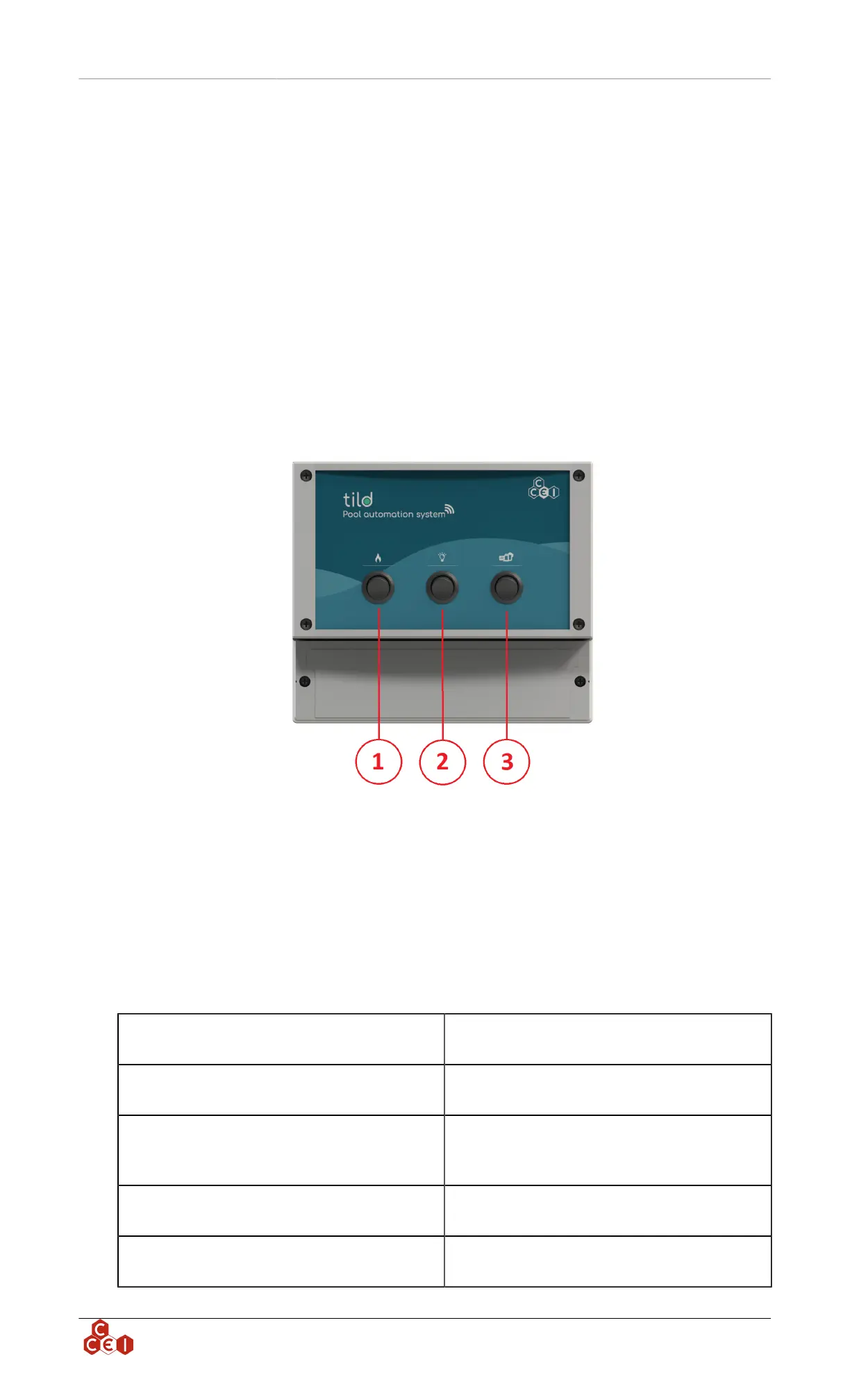
6. Front panel description
On the front panel you have the possibility to put ON and OFF a device without using the app:
• If the rocker switch is on its top position (=), the device is set in automatic mode. The app will define
if the device has to be running or not.
• On the middle position (O), the device won't run. This mode can be used for device servicing.
• On the bottom position ( - ), the device will run. (For security purpose, the heater can't be run when
the pump is not running)
1. Heater control
2. Light control
3. Pump control
7. Connection indicator
The indicator on the Tild unit lights in different colors depending on the controller status and may also
flash. Below is a table listing all conditions:
Flashes blue every 2 seconds
The device is configured for Bluetooth® and is
waiting for a smartphone connection
Blue (not flashing)
There is a smartphone connected with the device
using Bluetooth®
Flashes green every two seconds
The device is configured for Wi-Fi and is con-
nect-ed to the router. It is waiting for a smartphone
connection
Green (not flashing)
There is a smartphone connected to the controller
using Wi-Fi
2 green flashes per second
SSID configuration in progress - Password to con-
nect to the router
ccei.ca
6


 To Next Page