3 FUNCTIONALITY / SCREENSHOTS
3.1 Terminal Status
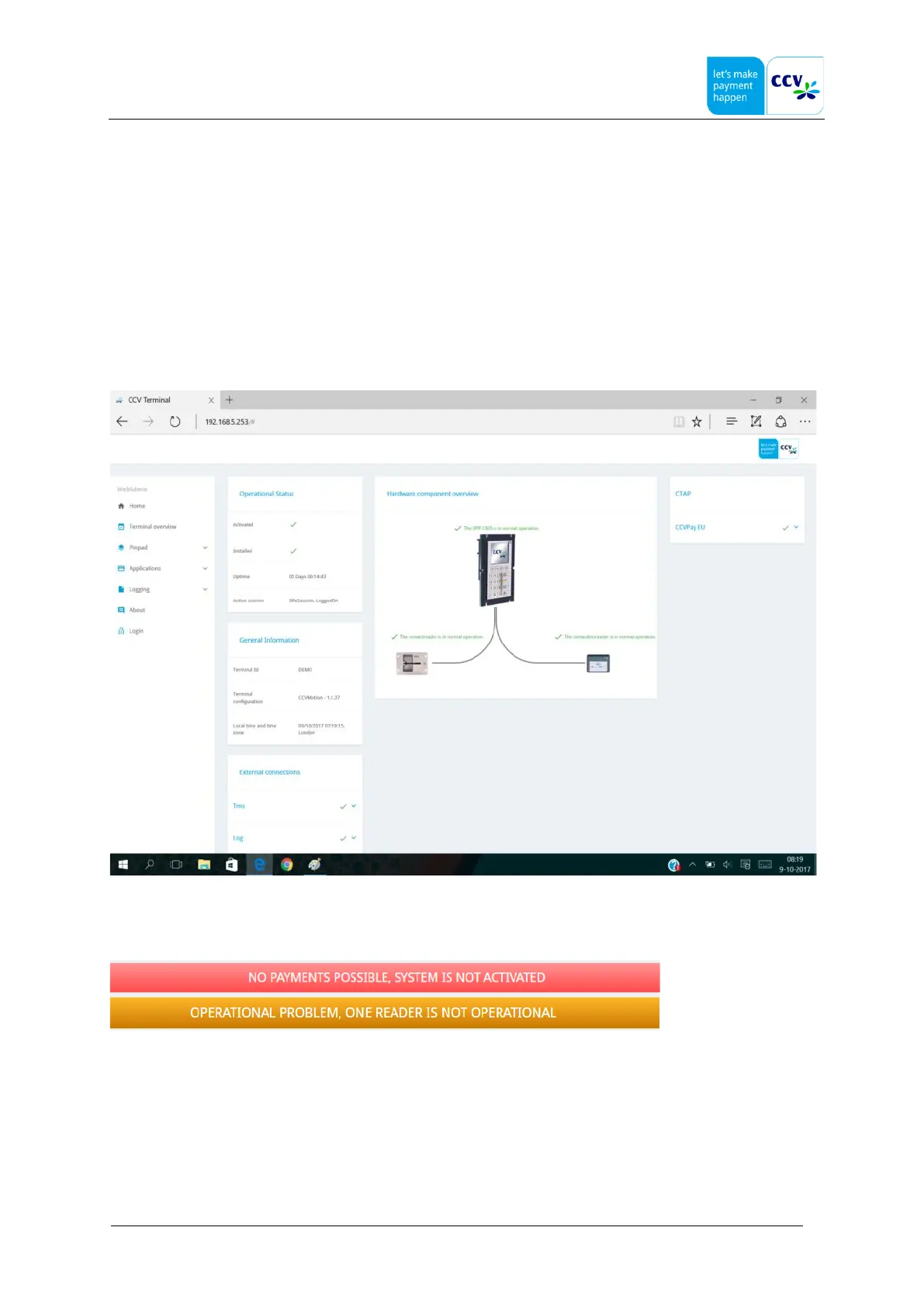
The Terminal Status page reports the payment terminal’s own status, it is meant as a status-in-one-overview page.
It will do a self check, a kind of health monitoring on its own internal state, but also its hardware connection state. It also
reports the status of the external connections, such as TMS-host, Logging-host and C-TAP hosts.
This is a page that refreshes its state automatically every few seconds. It will not disturb the terminals normal operation, so
it can be used during normal operation like payments, TMS-sessions, etc.
3.2 Overall status
The actual status is summarized in the top bar, the status bar is only shown if there is an operational problem.
The two basic colors Red and Orange are used, it indicates with Red that no payment is possible, with orange that payments
are possible but there is an operational problem that needs attention.



 To Next Page