EasyManua.ls Logo

CCV COR-A10 - 6 LOGGING AND ACTIVITY MONITORING; 6.1 View Terminal Logs; 6.2 Download Log Files

CCV COR-A10
65 pages
Print Icon
To Next Page IconTo Next Page
To Previous Page IconTo Previous Page
Loading...
CCV Motion
Installation Manual
V1.1
CID181/12052022
CCV Netherlands
9 / 65
2.2 Mounting hardware
Component
Description
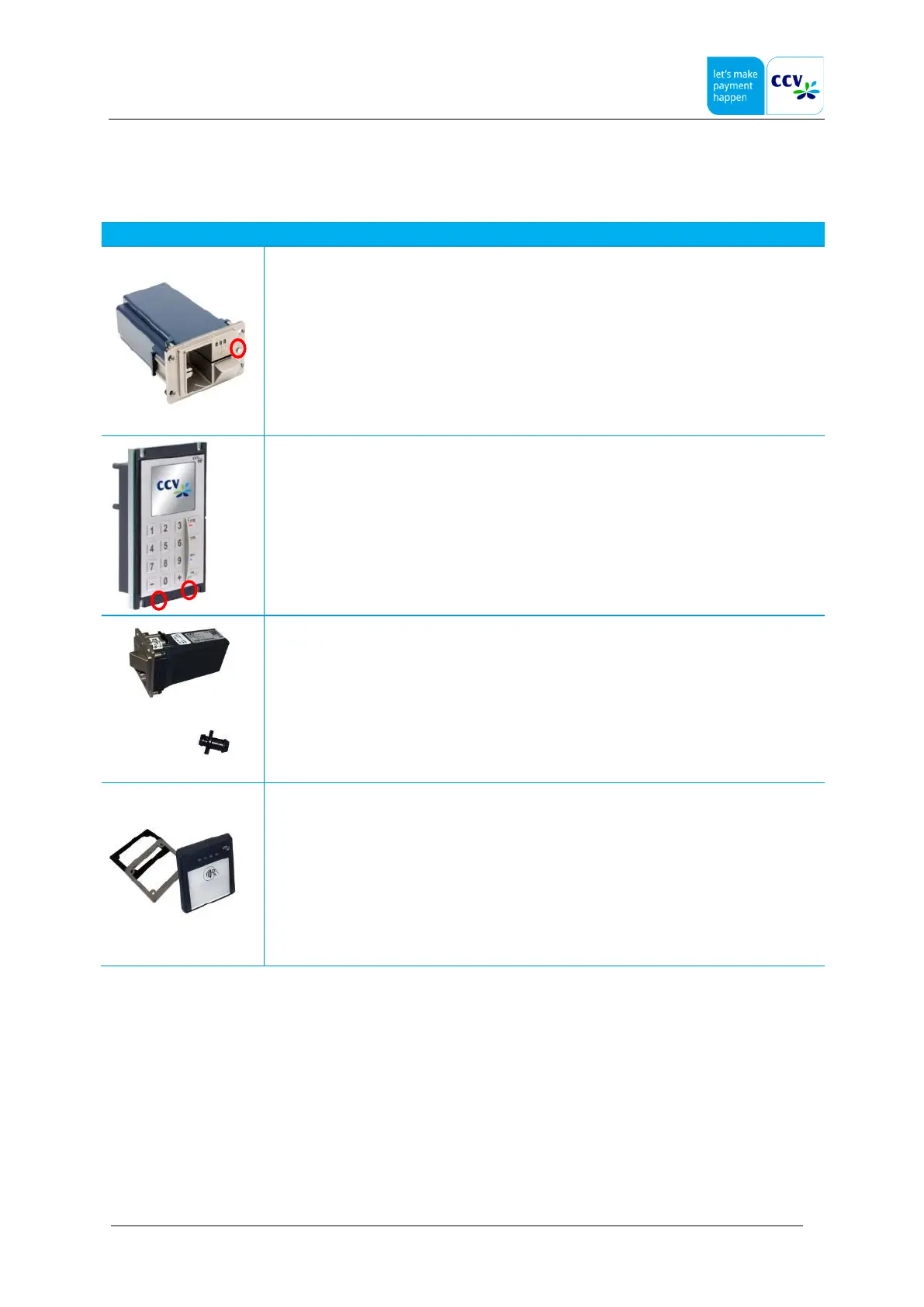
SCR-C60
Security switch on the Card Reader type C60. On the left side.
These must be pressed in order to be able to do an activation
Security switch on the Pinpad type C60. On the bottom there are two switches.
These must be pressed in order to be able to do an activation
SCR also has a drain outlet to drain water.
Remove the cap with a small screwdriver and place the drain outlet
At the COR there is a metal plate to prevent bending during assembly and prevent tampering.

Other manuals for CCV COR-A10

Related product manuals