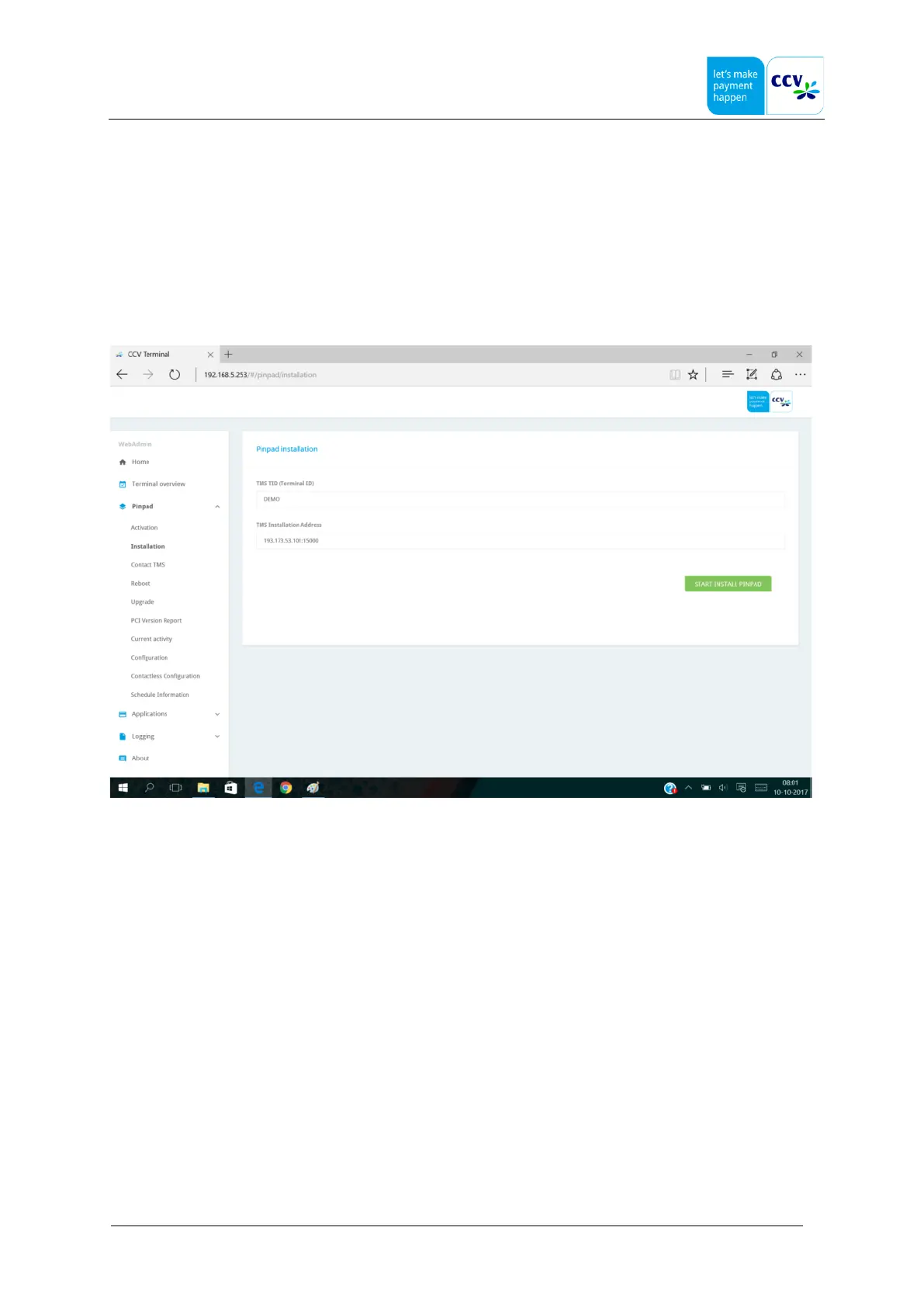
4.9 Installation
Installation is always required after replacement or new terminal installation.
If installation is needed, it is shown in the home page at “Notifications”, that page shows all actions that need to be
performed.
To start the installation just click on that notification text “Pinpad installation is needed” or select the Pinpad page and
select Installation.
Warning if a terminal has been used in another location, there may already be parameters in the terminal from the other
location. With a new hardware installation, these are overwritten.
Check the version of the terminal at Terminal Management System (TMS) to avoid unexpected upgrades or downgrades.
Also, it is still of importance in order to ensure that the correct type of communication state (or PoIP open internet and
country settings) are selected in TMS. (Poip only available for Dutch market)
If all this has been checked and everything is connected properly, you can initiate a hardware Installation. Just click on that
notification text “Pinpad installation is needed” or select the Pinpad page and select Installation.
Fill in two fields:
• TMS TID (Terminal ID)
this is the unique identifier for this specific terminal and location.
• TMS Installation Address
enter the correct IP address and portnumber to connect to TMS
Open Internet = 193.173.53.101:15000
PoIP = 194.104.96.44:15000 (only in the Netherlands)



 To Next Page