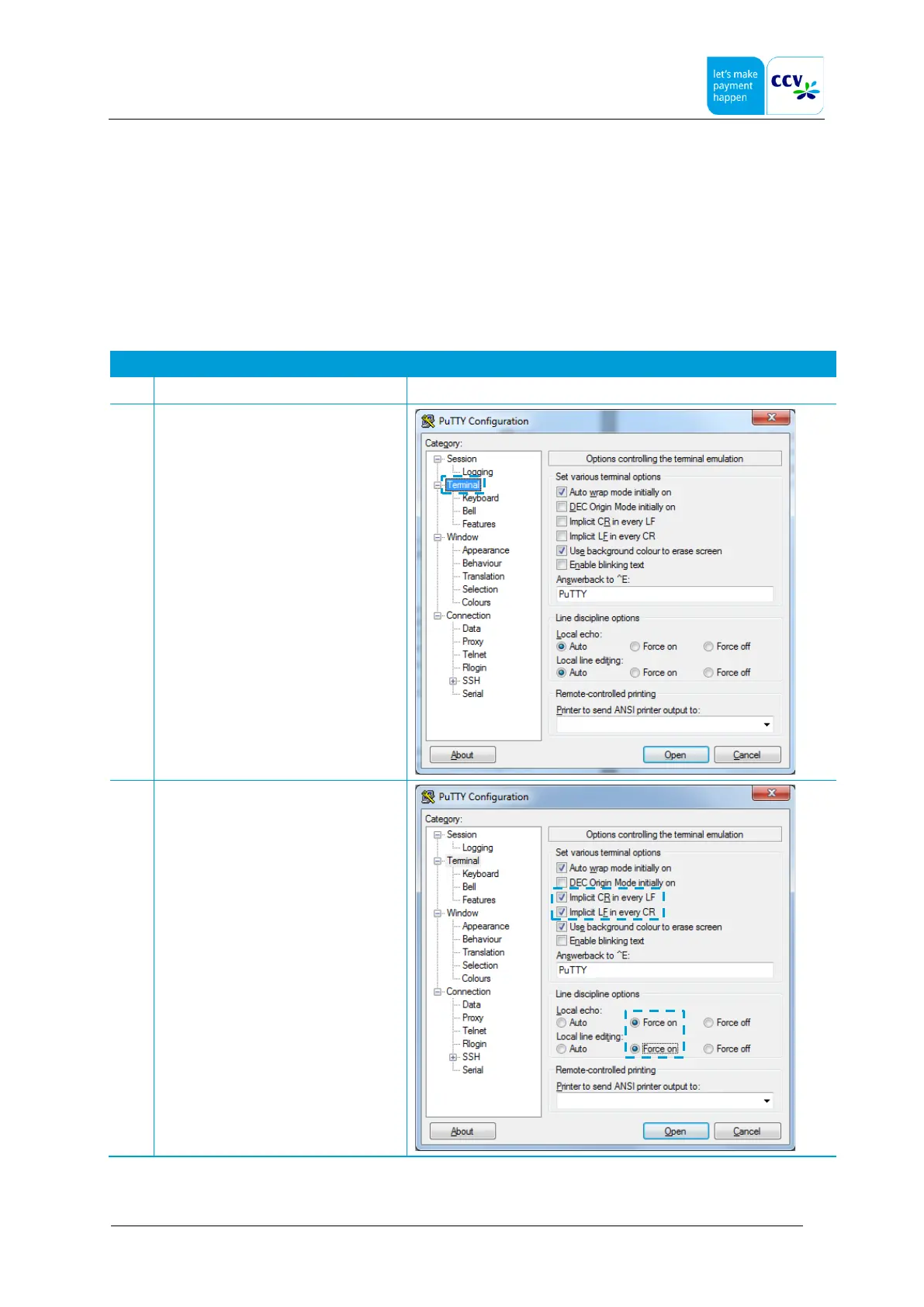
4.4 Step 3 - Configure the TCP/IP settings (Putty)
During this step you configure the TCP/IP settings of the terminal. To configure these settings you will have to send
commands from your computer to the terminal. In order to do so you need a terminal emulation program to establish a
connection between the terminal and your computer. Examples of terminal emulation programs are:
• Hyper Terminal
• PuTTy
• Tera Term
The terminal emulation program PuTTy is used in this instruction. Complete the following steps to configure the settings for
PuTTy first.



 To Next Page