4
OPERATING INSTRUCTIONS
A. On/Off
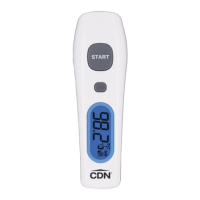
1. Press the POWER button ( )
to turn the
thermometer on.
2. Forehead is the default mode. The Forehead
icon ( ) appears on the display and two beeps
sound when ready.
3. Press the POWER button ( )
for 5 seconds to
turn the thermometer off.
4. The THD2FE will automatically turn off after
1 minute of inactivity.
B. Temperature Scale
Note: When the temperature scale is changed, the memory is cleared.
To select temperature reading in Fahrenheit or
Celsius:
1. Power off the unit.
2. Press and hold the START button, then press
and hold the POWER button for 3 seconds.
3. The °F symbol changes to the °C symbol on
the display or vice versa.
C. LCD Backlight
The backlight will turn on automatically for
5 seconds when a reading is taken.


 To Next Page