6
display.
iii. Press the Power button again to cycle
through all of the previous readings
starting with the most recent.
E. Surface Mode
Note: The surface mode shows the actual and unadjusted surface
temperature which is different from the body temperature. It can
help you monitor if the object temperature is suitable for the baby or
patient, for example the baby’s milk.
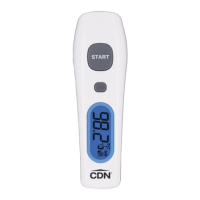
1 Turn the thermometer on
2. Press and hold the POWER button and press
the START button once to enter Surface mode.
3. The surface icon ( )
appears on the display.
4. Aim the sensor lens at the target and press
the START button to display the surface
temperature.
5. Press and hold the START button to get
continuous measurements.
Note: Applications include temperature measurements for water,
milk, cloth, skin or other objects.
Note: This mode shows the actual and unadjusted surface
temperature which is different from the body temperature.
Important: HAND WASH AND DRY. DO NOT IMMERSE IN
LIQUID.


 To Next Page