EN EN
12
CDV-DDP-F, CDV-DDP-RH
2EASY 2-wire Video Door Station with Built-in Reader
9] USER CARD MANAGEMENT
This section explains how to congure the key fob function on CDV-DDP.
A key fob can be used to release the lock by presenting an enrolled fob to the panel
reader. A total of 320 key fobs can be registered within one door station. When presenting
the fob to the door station, the distance must be less than 3 cm.
Note: Key fobs must be registered to each door station on the system to open the local
door.
Key Fob Registration
All the registered key fobs are called User Cards. New cards need to be registered one
by one to the Door Station to become a valid User Card.
Every User Card is related to a certain Monitor Address (Flat code).
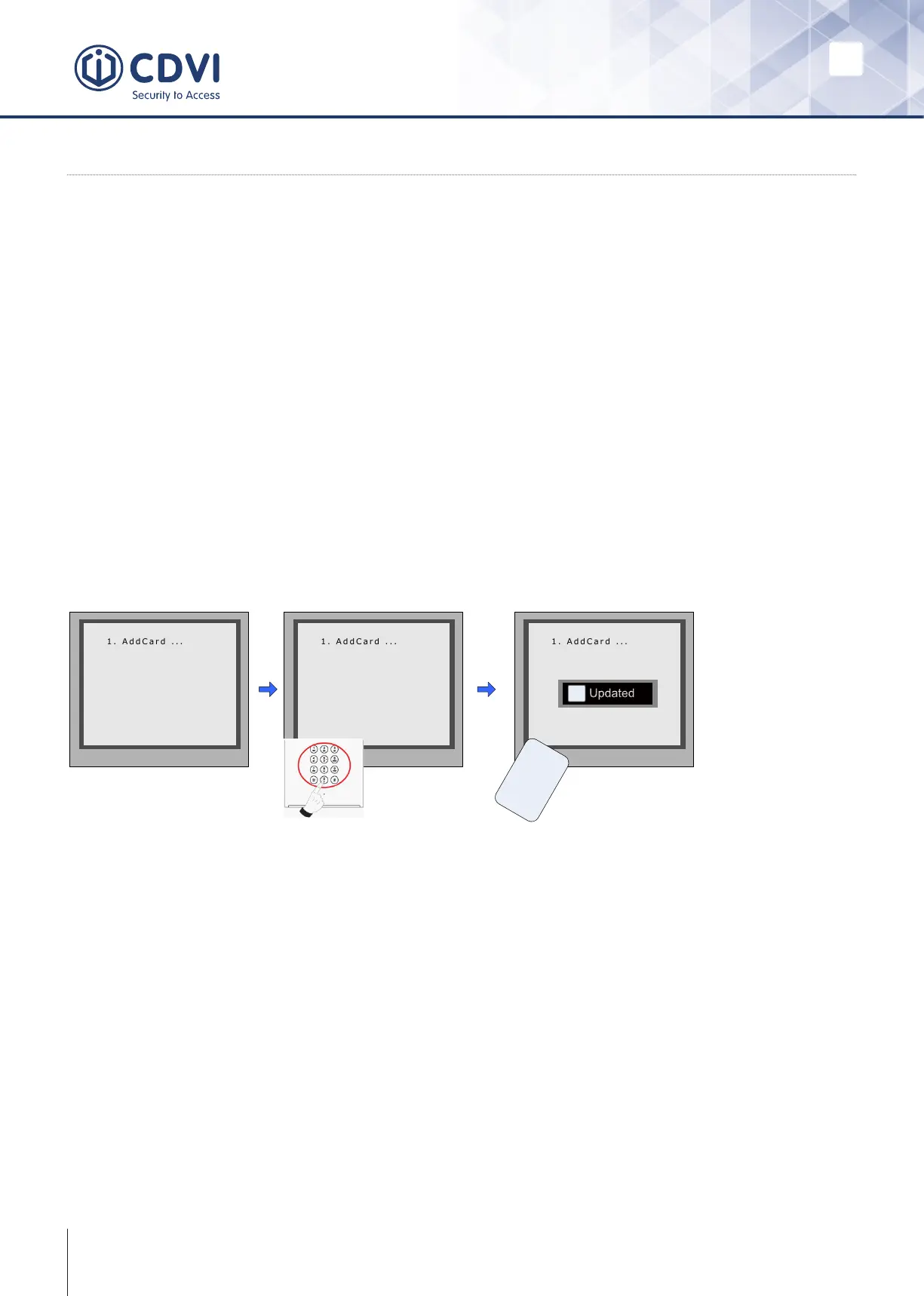
When the door station is in standby; press [#] --> [9008] --> Password ([66666666
by default]) to get into the Debug Mode Menu, then Press [1 #] --> [3] Card Manage
-->[1] Add Card to get into the Add Card page.
* Back # Save
Please Input Room Code
[ - - - ]
* Back # Save
Show the card
[ 0 0 1 ]
* Back # Save
[ 0 0 1 ]
C a r d numbs :
1 5 9 7 7 1 3 1
Show The Card
U
s
e
r
C
a
r
d
i
Updated
Enter ‘Add Card’ menu.
The Room code is asked.
Enter the Room/ Monitor
code.
Present the card that
you want to register.
Delete User Card
Registered User Cards can be deleted at the door station. Once deleted, the key fob
cannot open the door. They can be re-registered to become a valid User Card again.
There are two ways to delete User Card:
1. Delete by card: Present the unwanted card(s) when the Door station is in ‘Delete
Card’ mode.
2. Delete by room number: Delete all the registered User Cards related to that room.
number.



 To Next Page