2
ENGLISH
EN
Introduction 2
Control panel 2
Displaying the software version installed 3
Electrode welding (MMA) 3
TIG welding 4
TIG welding with the SPOT WELDING function on 4
TIG welding - Welding parameters 5
Activating the VRD device 5
Auxiliary functions 6
Factory default 6
Error and protection conditions 6
Introduction
This manual describes the functions on and how to use the fol-
lowing control panels:
• RW 21
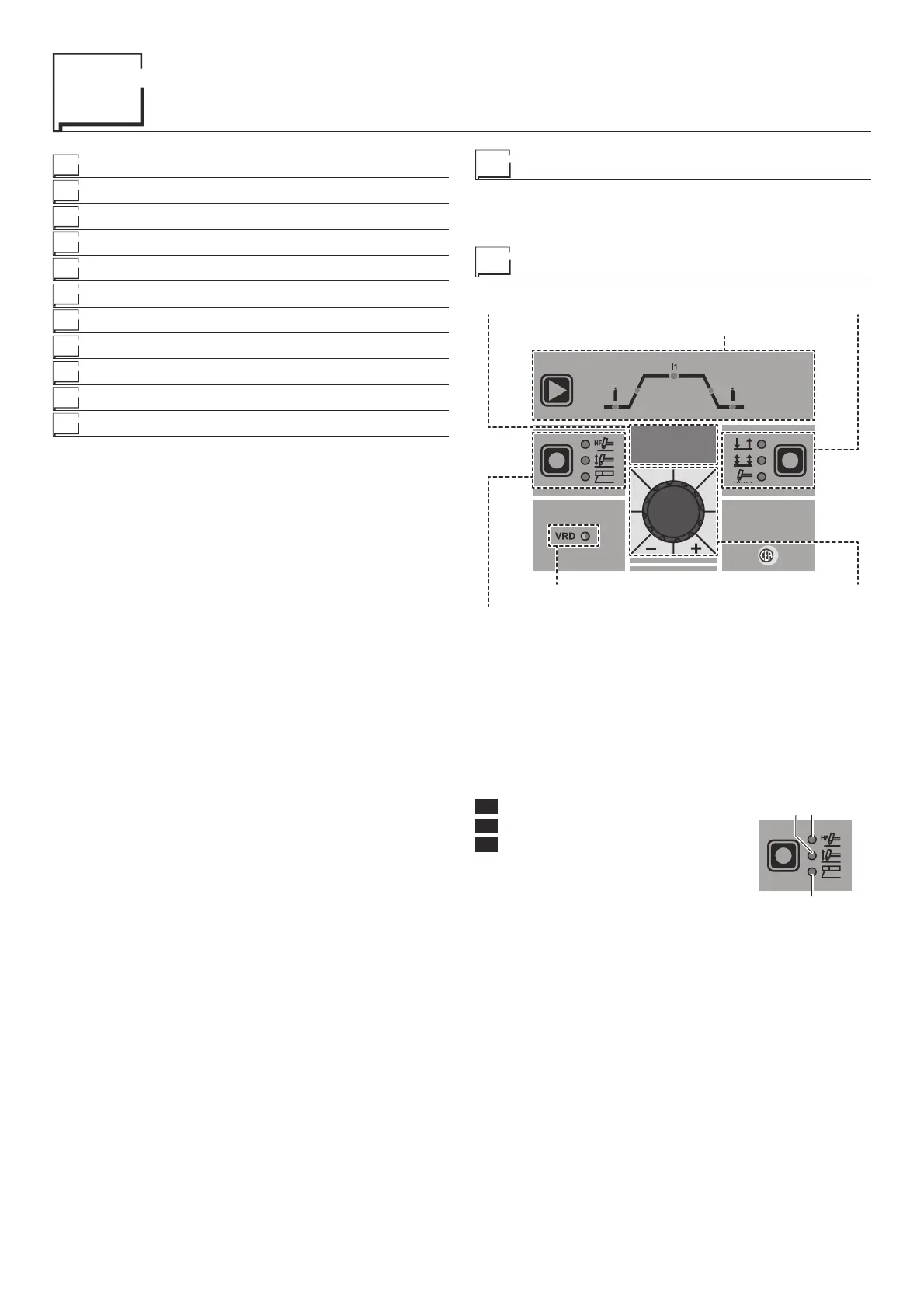
Control panel
RAINBOW
201 HF
WELDING PARAMETERS
WELDING PROCESS
VRD
DISPLAY WELDING MODE
ENCODER KNOB
■ DISPLAY
Displays the selections made using the various keys (with corre-
sponding LED on or flashing) and regulated using the ENCOD-
ER KNOB.
■ WELDING PROCESS
The RAINBOW HF welding machine offers 3 TIG/Electrode weld-
ing processes. Each time the button is pushed, the welding ma-
chine switches to select the welding process indicated by the LED
that stays lit, in the following order:
L1 TIG with HF ignition
L2 TIG with “Lift” type ignition
L3 ELECTRODE (MMA)
L1
L3
L2
■ VRD
The Voltage Reduction Device (VRD) is a safety device that re-
duces the voltage. It prevents voltages forming on the output ter-
minals that may pose a danger to people.
Two-tone LED (off - red - green) indicates enabling of the VRD
device.
The standard, preset settings for the firm do not activate the VRD
function on the welding machine and so this LED is normally off.
To activate the VRD device, see the relevant paragraph.











 To Next Page