CEBORA S.p.A. 17
3.300.181-A 10-03-2016
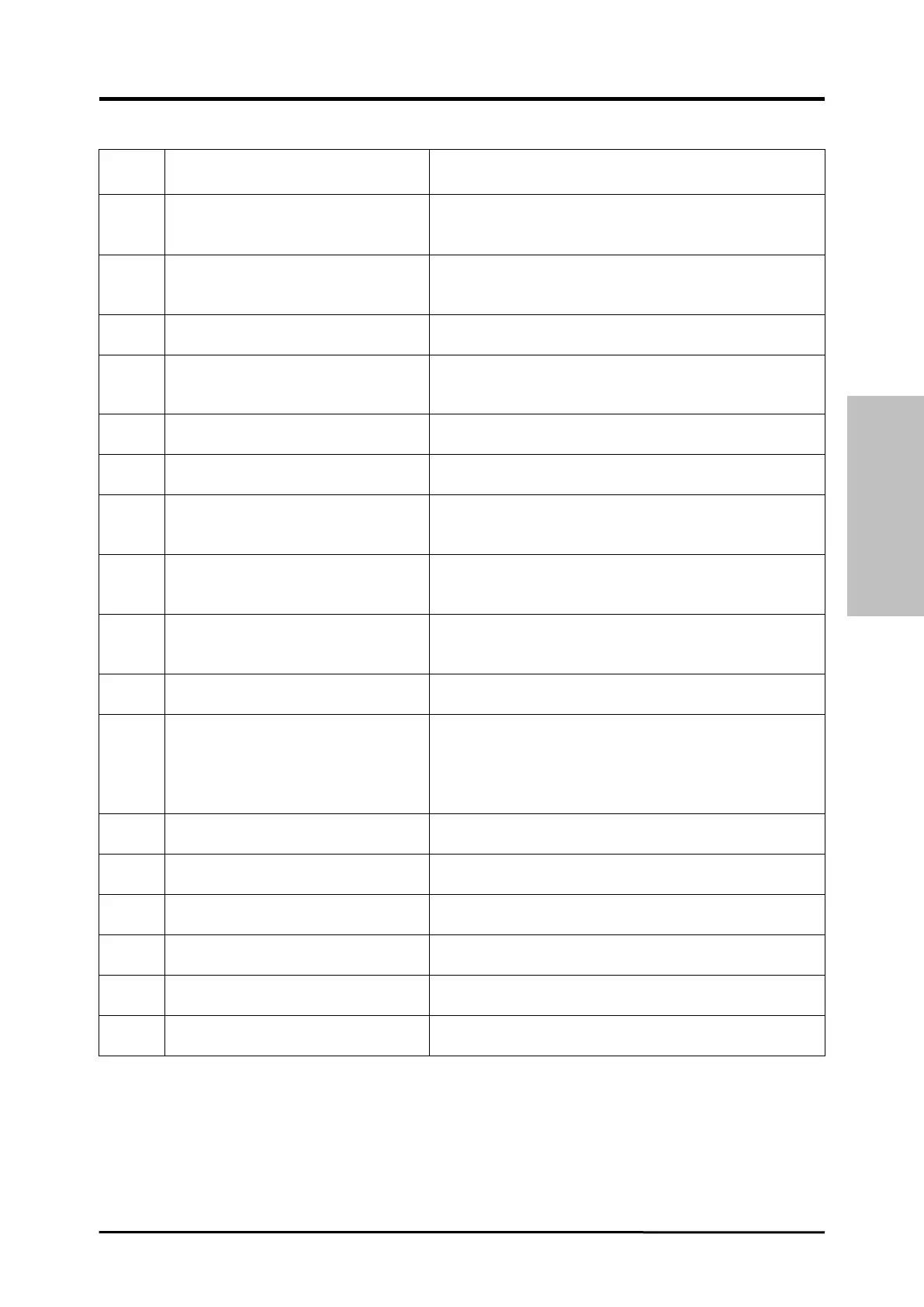
Output current presence at the Power
Source start up (short circuit
between torch and workpiece).
Check the power wiring between output Diode Group
and Power Source output terminals.
Replace Control board and/or Current Transducer.
Time-out max. Short circuit lasting
time excessive.
Check torch wearing conditions, power wiring between
Diode Group and Power Source output terminals.
Replace Control board and/or Current Transducer.
Excessive error Wire Feeder Motor
current.
Replace Wire Feeder Motor or Wire Feeder group
and/or Motor Control board.
Firmware versions misalignment
error.
Re-program Power Source with the right firmware
versions. Replace Control and/or Motor Control boards
and/or Control Panel.
Output Diode Group
overtemperature.
Replace Thermostat on Diode Group and/or Control
board.
Inverter Igbt overtemperature
(analogue signal).
Replace Power and/or Control boards.
Cooling liquid pressure low.
Check the wiring between Control board and connector
BN on the Power Source back panel.
Replace pressure switch on Cooling Unit.
Check the real gas pressure. Check the connections of
Gas Sensor with the Motor Control board.
Replace Motor Control board and/or Gas Sensor.
Check the real gas pressure. Check the connections of
Gas Sensor with the Motor Control board.
Replace Motor Control board and/or Gas Sensor.
Wire Feeder Motor carter open.
Replace carter switch and/or Motor Control board.
GAS Sensor not connected.
Check connections of the Gas Sensor with the Motor
Control board, and the presence of Jumper 11 on the
J10 strip on Motor Control board (see Kit Gas Sensor
Instructions Manual).
Replace Motor Control board and/or Gas Sensor
“Quality Control” test failed.
Emergency stop by Robot, or Robot
off.
Check Power Source - Robot connections and Robot
power supply and/or plant safety conditions.
Cut the wire or perform the “automatic wire detachment
procedure” (see Robot Interface Instructions Manual).
Mains supply missing (Power
Source power off).
Replace Power and/or Control boards.






 To Next Page