EasyManua.ls Logo

cecotec Conga 4690 - User Manual

cecotec Conga 4690
44 pages
Go to English
Print Icon
To Next Page IconTo Next Page
Loading...
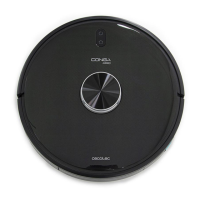
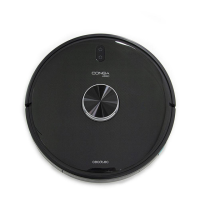
Conga 4690
Robotstøvsuger/
Robot vacuum cleaner
Brugermanual
Instruction manual
CONGA
4690

Questions and Answers

  • K
    Kirsten HinesAug 16, 2025
    Why my Cecotec Vacuum Cleaner does not clean efficiently or dust leaks from it?
    • G
      George HicksAug 16, 2025
      Inefficient cleaning or dust leaks from your Cecotec Vacuum Cleaner can occur if the dust tank is full, so empty it and clear the high-efficiency filter if it is blocked. Also, check if the high-efficiency filter is blocked and clear it. Another possible reason is that the main brush is tangled with foreign matter; if so, please clear it up.
  • S
    Susan HowardAug 22, 2025
    How to fix Cecotec Vacuum Cleaner that does not start up or does not clean?
    • R
      Richard LangAug 22, 2025
      If your Cecotec Vacuum Cleaner isn't starting or cleaning, it might be due to a low battery. Allow it to charge fully before use. Also, ensure the room temperature is between 0 ºC and 50 ºC, as the robot cannot operate outside this range.
  • S
    Sara BarnettAug 25, 2025
    What to do if Cecotec Vacuum Cleaner could not connect to Wi-Fi?
    • J
      Jordan MckinneyAug 26, 2025
      If your Cecotec Vacuum Cleaner is failing to connect to Wi-Fi, ensure the Wi-Fi signal is strong and stable. Try resetting your router and check for app updates. Also, deactivate your device’s mobile data to improve the binding process.
  • R
    Raymond ThomasAug 28, 2025
    Why my Cecotec Vacuum Cleaner emits a strange noise during cleaning?
    • T
      tonya88Aug 28, 2025
      If your Cecotec Vacuum Cleaner is making strange noises during cleaning, the main brush, side brush, or omnidirectional wheel may have foreign matters tangled. Stop the robot and clear it up.
  • A
    Alyssa KingAug 31, 2025
    What to do if Cecotec Vacuum Cleaner is always offline?
    • J
      James ObrienAug 31, 2025
      If your Cecotec Vacuum Cleaner is always offline, make sure it is successfully connected to the network and always within range of the Wi-Fi signal.
  • R
    Rebecca AndersonSep 3, 2025
    What to do if Cecotec Vacuum Cleaner does not resume cleaning?
    • M
      Michelle GarciaSep 3, 2025
      If your Cecotec Vacuum Cleaner does not resume cleaning, ensure it is not in Sleep mode, as it will not resume cleaning in this mode. Also, it won’t resume cleaning when it is placed manually on the charging base.
  • R
    roynicoleSep 6, 2025
    Why Cecotec Vacuum Cleaner did not carry out the scheduled cleaning task?
    • G
      George VazquezSep 6, 2025
      If your Cecotec Vacuum Cleaner didn't perform a scheduled cleaning, check if the robot is in Night mode and switch mode. Also, ensure the robot is connected to the network.
  • D
    Dana RichmondSep 8, 2025
    What to do if connection between the mobile phone and Cecotec Vacuum Cleaner failed?
    • K
      Katherine MillerSep 9, 2025
      If the connection between your mobile phone and the Cecotec Vacuum Cleaner fails, ensure that both the robot and the charging base are in an area with a good Wi-Fi signal. If the problem persists, reset the router and try connecting them again.
  • M
    Michael SandersSep 10, 2025
    What to do if my Cecotec Vacuum Cleaner cannot charge or return to the charging base?
    • S
      Sarah CherrySep 12, 2025
      If your Cecotec Vacuum Cleaner is having trouble charging or returning to the base, try these steps: * Relocate the charging base to an area free of obstacles. * Clean the charging terminals. * Ensure the power switch is turned on. * Place the robot closer to the base. * Ensure there is enough free space around the charging base.
  • H
    Haley WilsonSep 12, 2025
    Why Cecotec Vacuum Cleaner does not return to the charging base after spot cleaning or after changing starting position?
    • R
      Raymond NguyenSep 12, 2025
      The Cecotec Vacuum Cleaner will map and calculate a new route after operating under spot cleaning or after having changed its starting position. If the charging base is very far away from the robot, it will not be able to charge back automatically. Put the robot back on the charging base manually.

Summary

Safety Instructions

Parts and Components Overview

Details robot parts, sensors, and accessories like charging base and mop attachments.

Before Use

Installation

Robot and Charging Base Installation

Guides on connecting the charging base, placement, and understanding charging indicators.

Tank Installation

Instructions for filling and properly installing the Wet & Dry tank and dust compartment.

Operation

Robot Buttons and Cleaning Modes

Explains robot buttons, Auto, Edge, and Back home modes, detailing their functions and operation.

Remote Control Operation

Explains how to use the remote control for power levels, manual control, and activating modes.

Scheduling and Time Settings

Guides on setting the current time and scheduling cleaning tasks using the remote control.

Mobile App and Wi-Fi Connection

Instructions for connecting the robot to Wi-Fi and using the mobile app for control and mapping.

Cleaning and Maintenance

Brush Care

Procedures for cleaning and recommended replacement intervals for the main, silicone, and Jalisco brushes.

Tank and Filter Maintenance

Instructions for emptying and cleaning the dust tank and Wet&Dry tank.

Sensor and Filter Cleaning

Guidance on cleaning the high-efficiency filter, side brushes, and free-fall sensors.

Battery Replacement and Charging

Troubleshooting

Technical Specifications

Disposal of Old Electrical Appliances

Technical Support and Warranty

cecotec Conga 4690 Specifications

General IconGeneral
ModelConga 4690
CategoryRobot Vacuum Cleaner
Suction Power2200 Pa
Battery TypeLithium-Ion
Battery Capacity2600 mAh
Navigation TechnologyLaser
ConnectivityWi-Fi
App ControlYes
Wet MoppingYes
Scheduled CleaningYes
Auto RechargeYes
Smart Area CleaningYes
Room ManagementYes
Charging TimeApproximately 4 hours
Voice ControlYes (Google Assistant, Alexa)
Filter TypeHEPA Filter
Virtual WallsYes
Operating ModesAuto, Spot, Edge, Manual

Related product manuals