Run ADAUtil software and select Configuration => Communication on left panel and on right select COM port used for changing
software. Then select Configuration => Communication => ADA-401WP and press button Change Firmware, window will open in
which can be selected and opened file *.bin. Software will be load to ADAUtil buffer storage and will be checked. If the ADAUtil not
detect errors in loaded file, module software can be changed. Process of software changing is visualized by ADAUtil in use of
Progress Window and after proper changing confirmed by correct message.
Attention! Do not turn off the power during the firmware updating.
After that set micro switch SW1 to RUN mode as shown in the table below.
SW1-1 SW1-2
OFF OFF
Yellow LED will be OFF.
5.8. FACTORY DEFAULT
In the case, were the module has malfunction as a result of:
- missing communication in the configuration mode,
- value visualization of temperature measurement with the 0,5°C accuracy,
- transmission errors on the 1-WIRE bus,
restore factory default and reset register.
Set the SW1 microswitch as in the table below.
SW1-1 SW1-2
OFF ON
Then turn off the power and after while, turn on the power of the module. After that to internal registers of the module will be loaded
factory default.
After successful restart of module sw1 switch to RUN mode as in the table below.
SW1-1 SW1-2
OFF OFF
6. DIAGNOSTICS
6.1. GENERAL MODULE DIAGNOSTICS
Set the switch SW1 to configuration mode as shown in the table below.
SW1-1 SW1-2
ON OFF
Yellow LED will blink with frequency 1 Hz (the yellow LED is located alongside the SW1 switch, under the upper terminal block
connector cover).
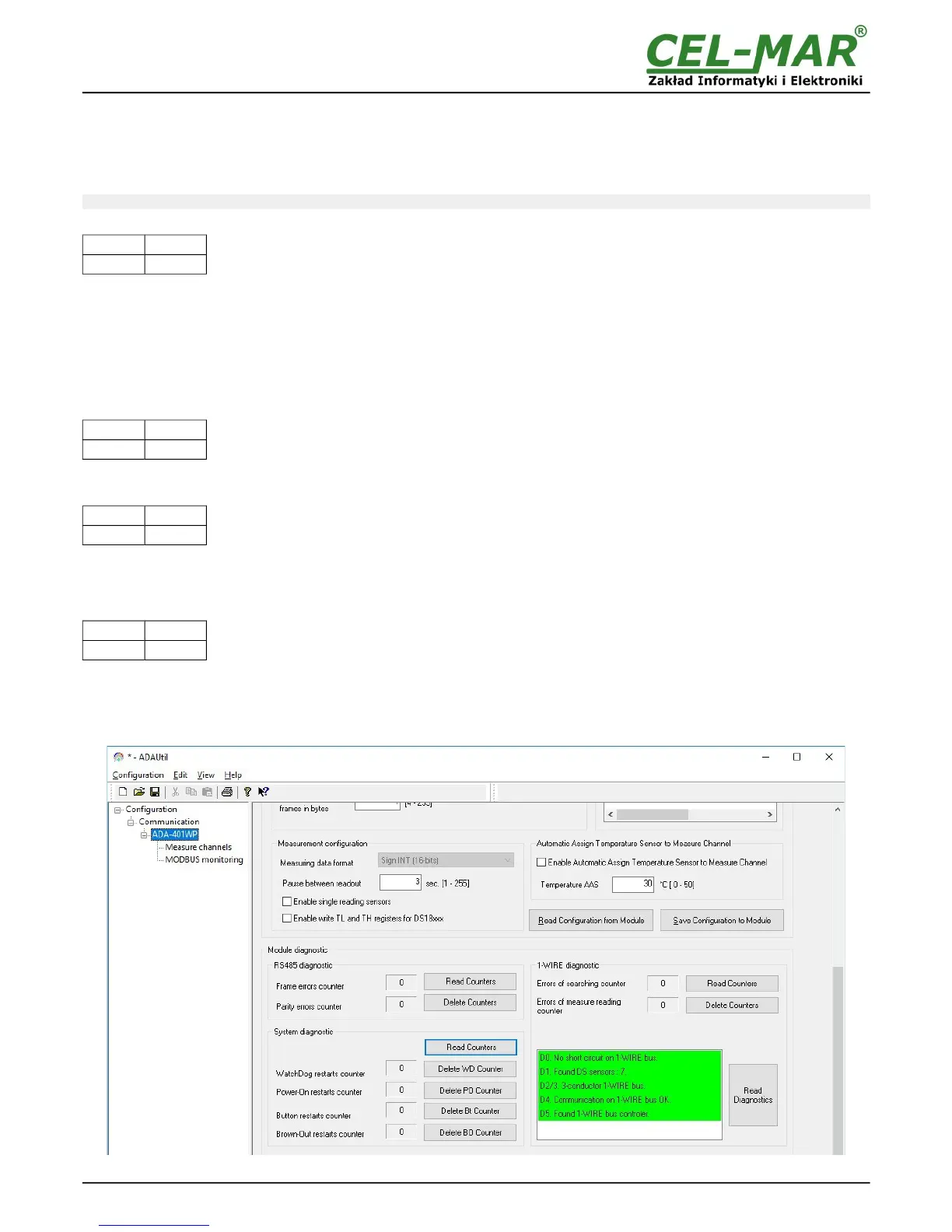
Start the ADAUtil software and in left window select branch Configuration => Communication => ADA-401WP.
In the following sections diagnostic module can be checked correctness of transmission data by RS458 and 1-WIRE interfaces and
stability of functioning of module.
Fig 12. View of main diagnostics of module
16



 To Next Page