20 | CELESTRON ORIGIN
INSTRUCTION MANUAL
8. OneSky
Origin can connect to Simulation Curriculum’s OneSky
database. Here, you can see which astronomical objects
other people are observing with Origin (and other apps from
Simulation Curriculum) and how many observers are currently
studying each object. This can help you select the best objects
to observe and lets you know that others are observing at the
same time you are!
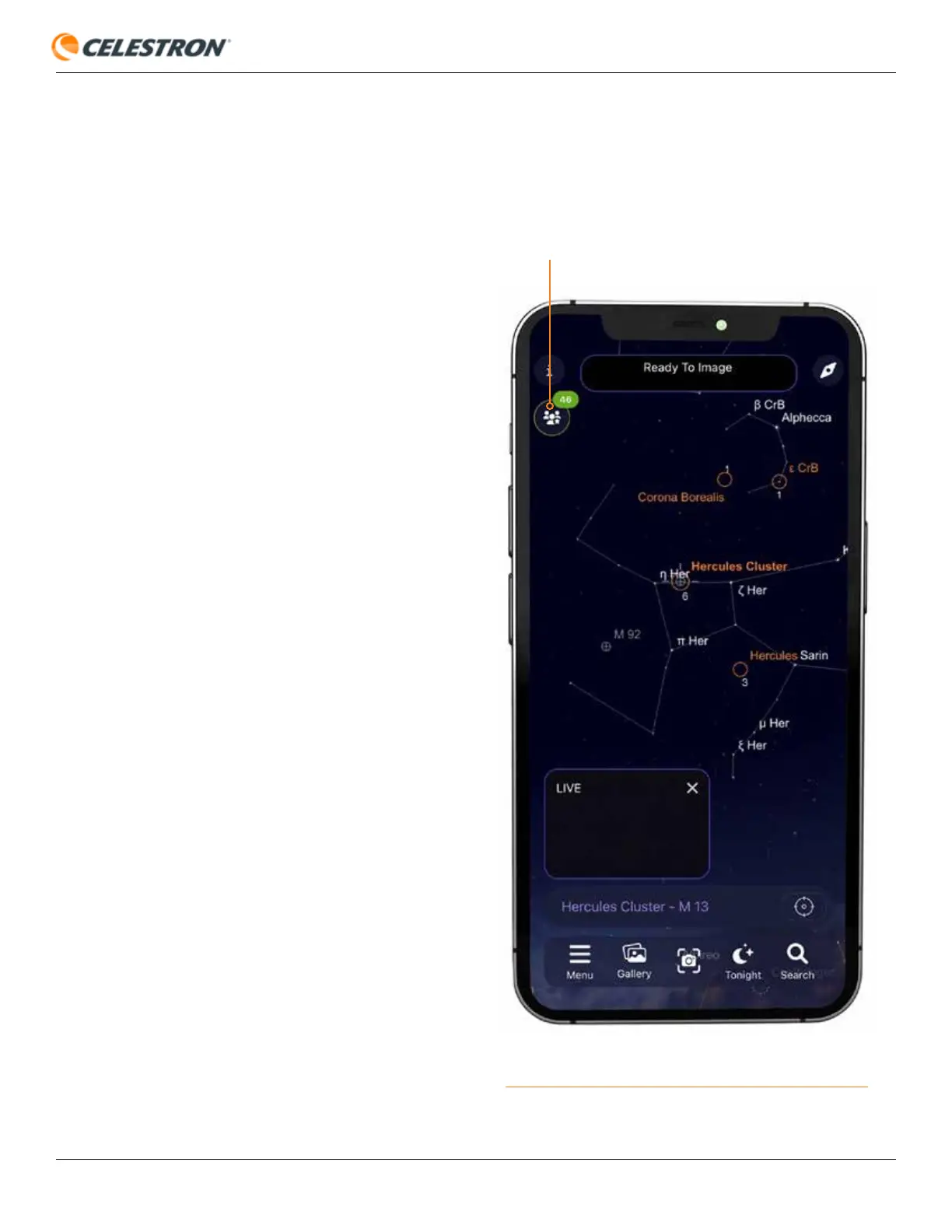
To enter OneSky, select Menu>OneSky. When you connect
to OneSky, you’ll see objects highlighted and a number
below each. The highlighted objects are the ones others are
observing, and the number denotes the current number of
observers for that object. Tap the OneSky icon in the upper
left corner for more options (Figure 22).
Fig: 22: After entering OneSky, press the OneSky icon for more options.
ONESKY ICON









 To Next Page