24 | CELESTRON ORIGIN
INSTRUCTION MANUAL
11. Other Menu Options
In this section, we’ll review all the options under the menu icon
in the Planetarium View.
Night Vision
• This will turn the screen red to preserve your night vision.
OneSky
• Refer to Section 8 of this manual.
Imaging Schedules
• This is where you can download images from previously
run Tonight’s Imaging Schedules. Refer to Section 7 of this
manual for more details.
Tonight’s Schedule
• This is the main interface for performing scheduled imaging.
Refer to Section 7 of this manual for more details.
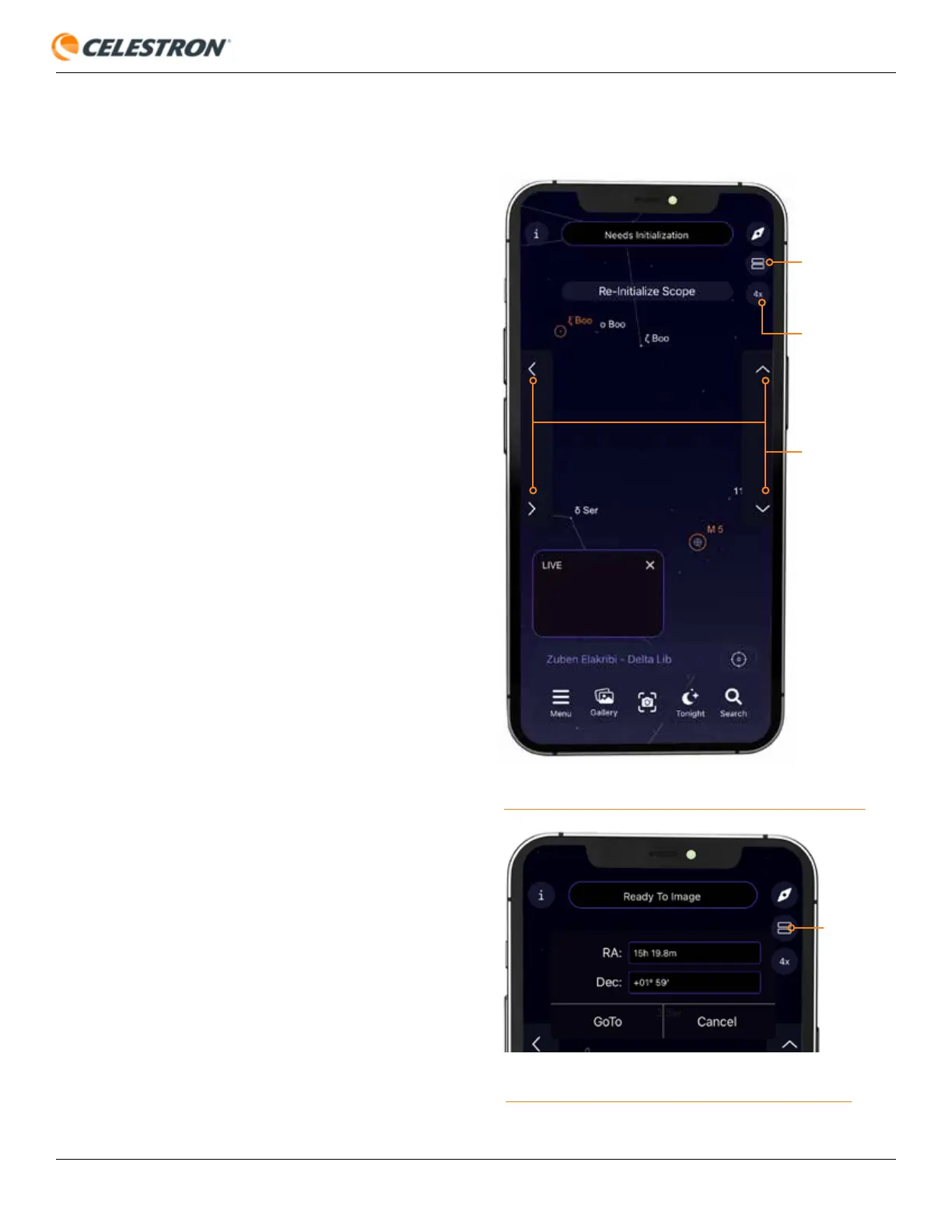
Show Scope Controls
• Selecting this option displays the manual telescope slew
controls in the Planetarium View. You can use the up/down/
left/right direction buttons to move Origin manually or change
the slew rate by tapping the rate button (Figure 24).
• Selecting this option also allows you to enter coordinates
manually. Tap the “two boxes” icon that appears just under
the Compass icon, and the coordinate entry interface will
appear (Figure 25). Enter the RA and Dec coordinates, then
press “GoTo” to slew Origin to the desired coordinates.
FIG 25: When Show Scope Controls is selected, pressing the two boxes icon
gets you to the manual coordinate interface.
RATE
BUTTON
TWO BOXES
ICON
MANUAL
SLEW
CONTROLS
FIG 24: Show Scope Controls gives you manual slew controls in the
Planetarium View. Use the Rate button to change the slew rate.
TWO
BOXES
ICON









 To Next Page