8
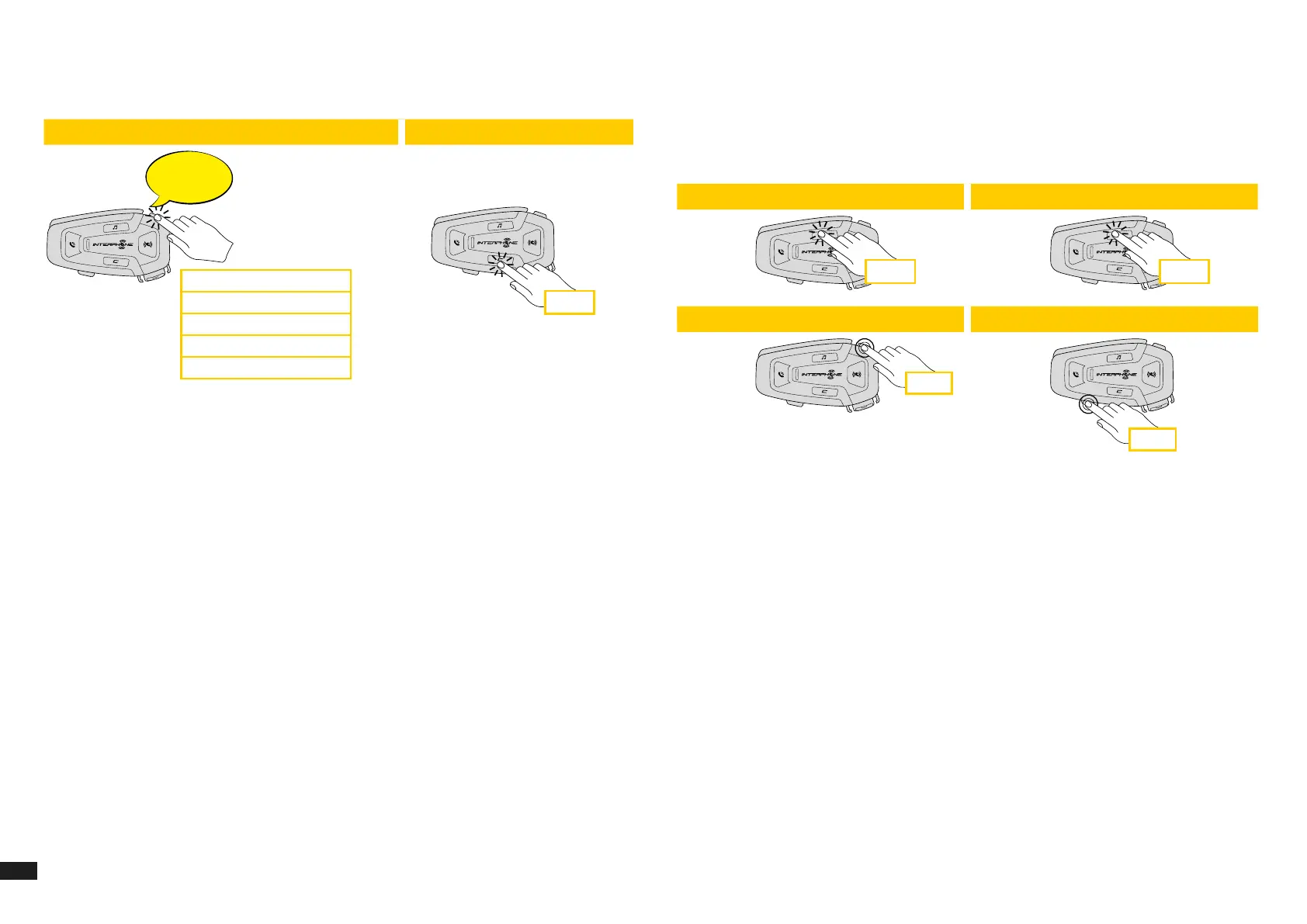
2. Navigate between the Speed Dial Preset with VOLUME + or VOLUME –
buttons, as indicated in picture here below. Select the wanted feature
with CONFIRMATION button.
Select one function Conrm selected funcion
Last number redial
Speed dial #1
Speed dial #2
...
Last number redial
Speed dial #1
Speed dial #2
Speed dial #3
Cancel (exit from menu)
x 1
6. MUSIC
6.1 Playing Music with Bluetooth
®
Devices
Interphone U-COM 8R can play music from Bluetooth
®
devices (smartphones,
MP3 players, Motorcycle TFTs etc ...) equipped with the A2DP prole. To play
music you need to pair these devices to INTERPHONE U-COM 8R.
x 1 x 1
1 sec
1 sec
Phone
Beep
Beep
Incoming call answer End call Reject incoming call
Phone assistant trigger Speed dial
Music
Music play Music pause
Next track Previous track



 To Next Page