51
52
9. Settings
9. Settings
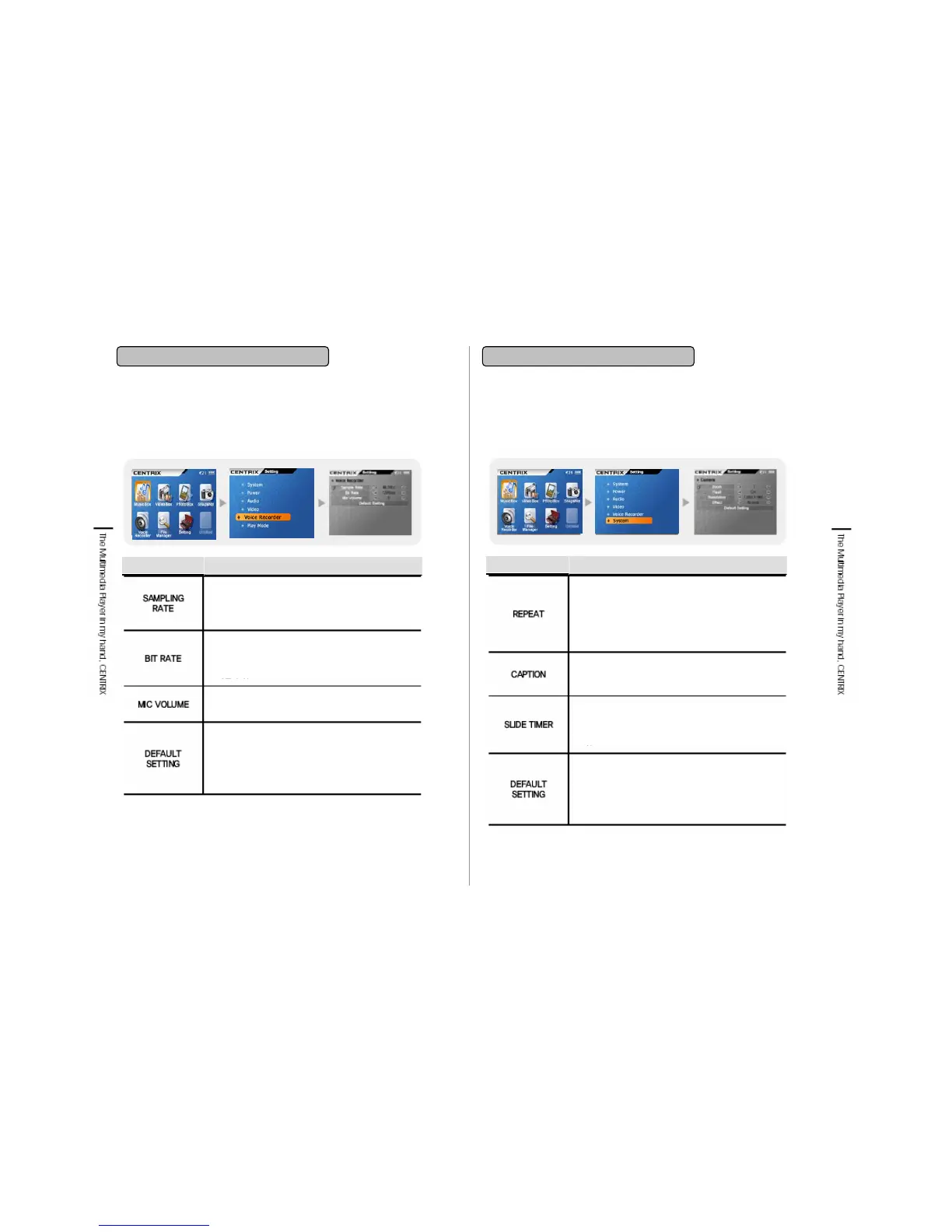
9-5. Voice Recorder
Item
Functions
Sampling Rate is to set the sound quality while
voice recording. You can select 32KHz & 44.1KHz
and with 44.1KHz.
Bit Rate is to select the compress rate while voice
recording. You can select 96Kbps & 128Kbps.
Mic Volume is to adjust the Gain value while
recording.
You can initialize Voice Recorder setting value.
The basic setting value is as below.
Sampling Rate: 44.1KHz
Bit Rate: 128Kbps
Mic Volume: 5
9-6. Play Mode
Item
Functions
Repeat is to set the playback mode while Music
Playing.
If you select No: No replay
If you select Single: Replay of one song selected
If you select Folder: Replay of one folder selected
If you select All: Replay of Music folder
Caption is to set the turn on or off of the video file
subtitle playback. The subtitle is displayed as the
same file name(*.smi) as video file.
You can set the timer while Slide show playing of
Image. You can set from 1 to 10 seconds. It is not
playable if you set as 0
You can initialize as a basic Play Mode setting
value. The basic setting value is as below.
Repeat: No
Caption: On
Slide Timer: 5


 To Next Page