
 Need help?
Do you have a question about the Centron Technologies CM735 and is the answer not in the manual?
Details the key features and capabilities of the Blood Collection Mixer CM735.
Lists and illustrates the items that are included with each unit of the Blood Collection Mixer CM735.
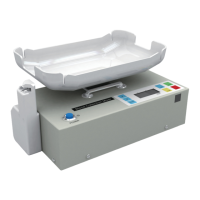
Identifies and labels all components visible from the top view of the Blood Collection Mixer.
Details components and connection ports located on the rear of the Blood Collection Mixer.
Explains the function and operation of each button and the display on the control panel.
Describes the various indicators and information displayed on the LCD screen.
Provides an illustration and description of the tube clamp module and its parts.
Illustrates and describes the battery charger unit and the AC power adaptor.
Step-by-step guide for unpacking and preparing the mixer before its first use.
Detailed procedures for setting target volume, starting, monitoring, and ending collection.
Explains the different sounds and their meanings for alarms like low battery or slow bleed.
Instructions for recharging the battery pack both inside and outside the main unit.
Procedure for repositioning the tube clamp module to the left or right side of the mixer.
Identifies common problems like no display or clamp issues and provides solutions.
Guides users through calibrating the weight measurement accuracy of the device.
Instructions on how to adjust the tray to ensure it is properly leveled.
Information on when and how to contact the distributor or manufacturer for assistance.
 General
| Brand | Centron Technologies |
|---|---|
| Model | CM735 |
| Category | Mixer |
| Language | English |

 To Next Page