21
CM73522UMC.0112
5-4. Recharging the Battery
The battery pack can be recharged in two ways. It can be recharged in the mixer unit, or
with the battery charger unit included.
Recharging the battery pack while still in equipment
(1) Plug the AC power adaptor into the jack on the rear panel of the main unit.
(2) Plug the AC cord plug into a wall outlet.
(3) Leave plugged in for several hours. Battery will take about 10 hours to fully
recharge from a low voltage indicator.
* Battery is recharged even if equipment power switch is in OFF position.
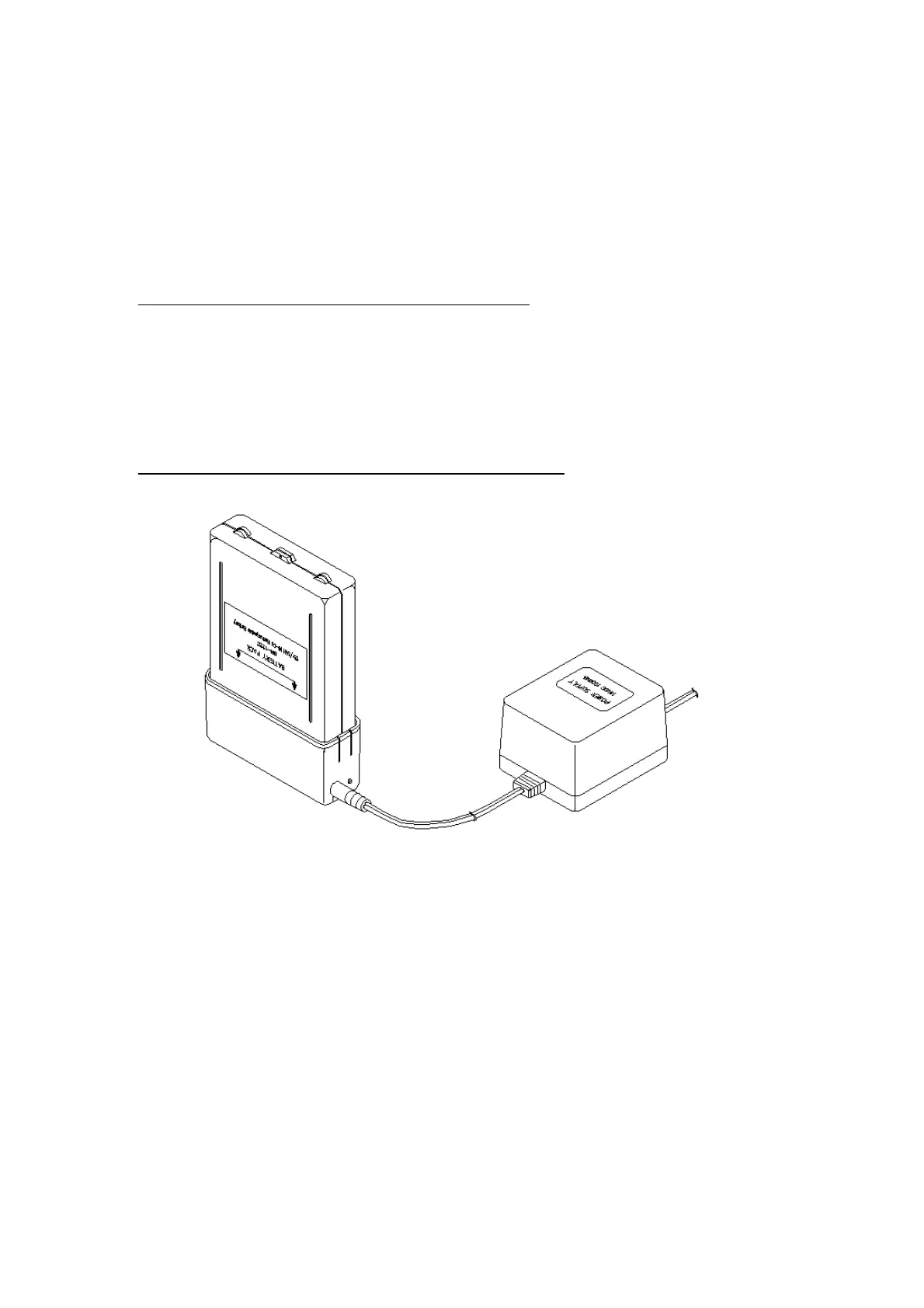
Recharging the battery pack with the battery charger unit
(1) Plug the AC power adaptor into the jack on the battery charger unit.
(2) Plug the AC cord plug into a wall outlet.
(3) Put the battery pack in the charger unit. The charging indicator lamp will be lit.
* Battery pack doesn’t have polarity. Any direction of installation will be good.
(4) Leave plugged in for several hours. Battery will take about 10 hours to fully
recharge from a low voltage indicator.
(5) Unplug the AC cord plug and disconnect battery from charger unit after 10 hours.


 To Next Page