REGIONAL MODE ON:
AF switching or PI SEEK is implemented to the stations which have all PI codes the same as the current
station.(PI CODE is checked when AF CHECK is in progress)
REGIONAL MODE OFF:
The regional code in the format of PI code is ignored when AF switching or PI SEEK is implemented (PI
CODE and COVERAGE AREA is not checked when AF CHECK in progress).
DISC BASIC OPERATION
TO TURN ON TO PLAY
1. Connect the DVD player into a monitor and adjust the monitors COLOUR, BRIGHTNESS and so
on to the desired levels.
2. Press the POWER button on the remote control or the front panel of the DVD player to turn on
the DVD player, then DVD VIDEO will displayed (if in disc mode).
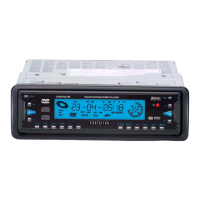
3. Press the OPEN button on the front panel of the DVD player to flip down the front panel, then
insert a disc into the slot with the the label side facing upward. When the disc is inserted halfway, it
is automatically pulled into the unit. The monitor will show DISC LOADING, then PLAY in the
upper left corner and the DVD LCD will show a disc rotation indicator, DVD/CD/VCD/MP3
(depending on the disc type) indicator, playing indicator (depending on disc type) title number
indicator (depending on disc type) chapter number indicator (depending on disc type) and disc playing
time indicator. Some discs may automatically start playback from the first chapter /track. Some discs
will automatically start playback by displaying the disc title menu.
* After inserting a disc into the compartment and before playback, press the BAND button
repeatedly to select NTSC or PAL system setting.
4. When the DVD title menu is displayed, press the PLAY/PAUSE button on IR remote control or on
the front panel of the DVD player to play the defaulted first track/chapter; or press the JOG buttons
to select a track/chapter in the DVD title menu and then press the ENTER button on the IR remote
control or PLAY/PAUSE button on the IR remote controller or on the front panel of the DVD player
to play the selected track/chapter.
CENDVDLFM Page 11


 To Next Page