EasyManua.ls Logo

Centurion CENDVDLFM - Troubleshooting

Centurion CENDVDLFM
28 pages
Print Icon
To Next Page IconTo Next Page
To Previous Page IconTo Previous Page
Loading...
TROUBLESHOOTING
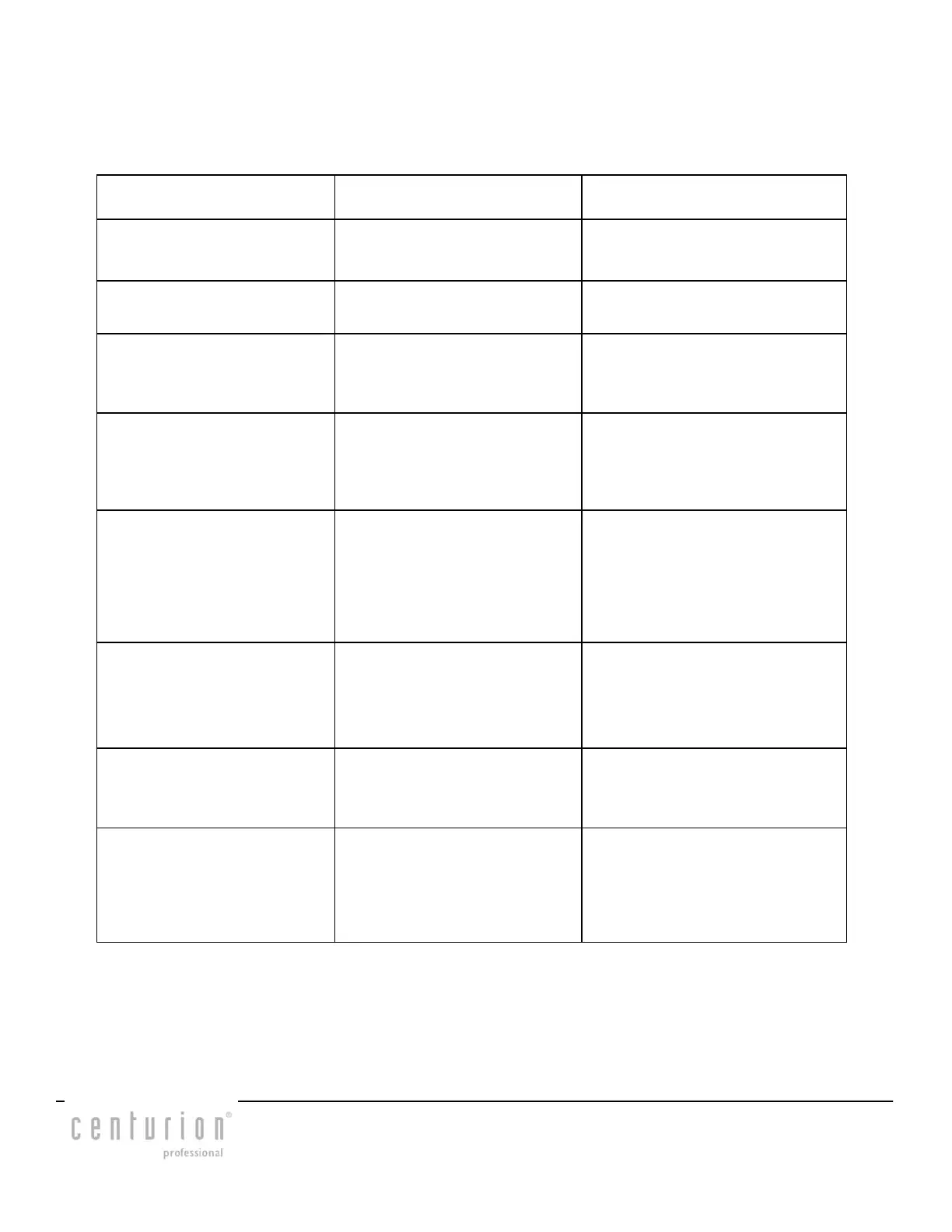
Symptom Cause Solution
Power does not
turn on
IR Remote not
functioning.
Check the IR remote
battery.
DVD Disc does
not insert.
Another disc is
Already in the unit.
Eject the first disc and insert
another into the unit.
The disc is ejected
as soon as it is
inserted.
The disc has
been inserted
Upside down.
Insert the disc with the label
side up.
Sound skips or
is noisy.
Disc is dirty.
Disc is seriously
scratched or warped.
Clean the disc with a soft
cloth.
Replace the disc with a new
one.
Sound quality is
poor when power
is turned on.
Condensation may
have formed on the
Internal lens when
the car is parked in
a humid place.
Let dry for about
one hour with the
power turned on.
Error2 A DVD/CD is
caught inside the
deck and will not
Eject.
Consult your dealer
at the store of
purchase.
Error3 A DVD/CD can not
be played due to
scratches, etc.
Replace with a
non-scratched,
non-warped disc.
Error6 A DVD/CD is
loaded upside-
Down.
Eject the disc and
reload it properly.
CENDVDLFM Page 23

Other manuals for Centurion CENDVDLFM