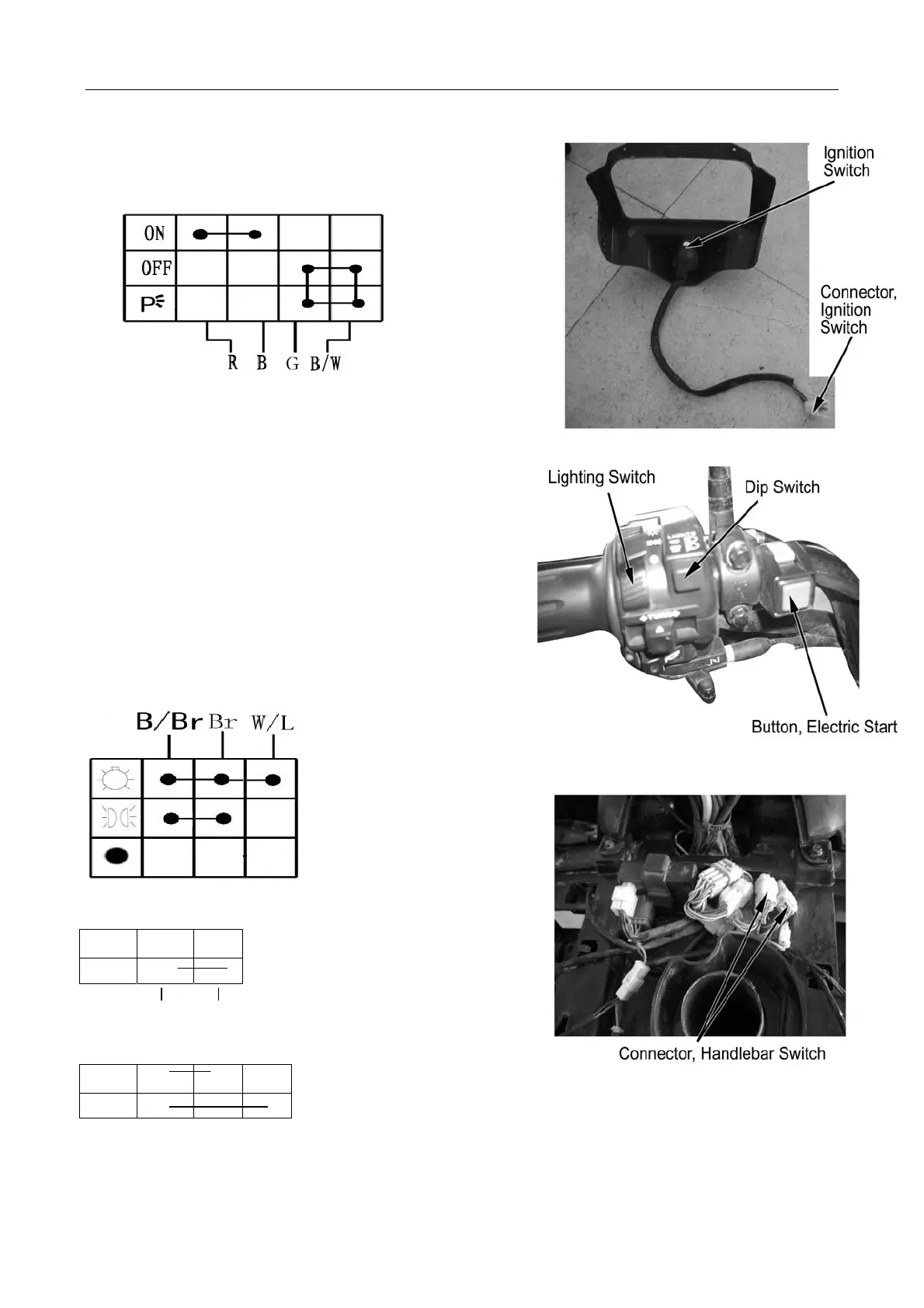
10. Lighting, Instruments, Switches
Check according to the following table if the
connector terminals are in continuity.
● ----●means proper continuity
Remove:
Remove front cover of dashboard (→6-12)
Remove rear cover of dashboard (→6-14)
Disconnect 4P connector of ignition switch
Remove bolt and ignition switch
Reverse the removal procedure for
Handlebar Switch
Remove front top cover (→2-4)
Disconnect left and right handlebar switches Check
according to the following table the continuity of the
terminals.
Lighting Switch
Start Switch
OFF
ON
● ●
B/Br Gr/R
Dip Switch
OFF
● ●
ON
●
●
W/L W L
10-7



 To Next Page