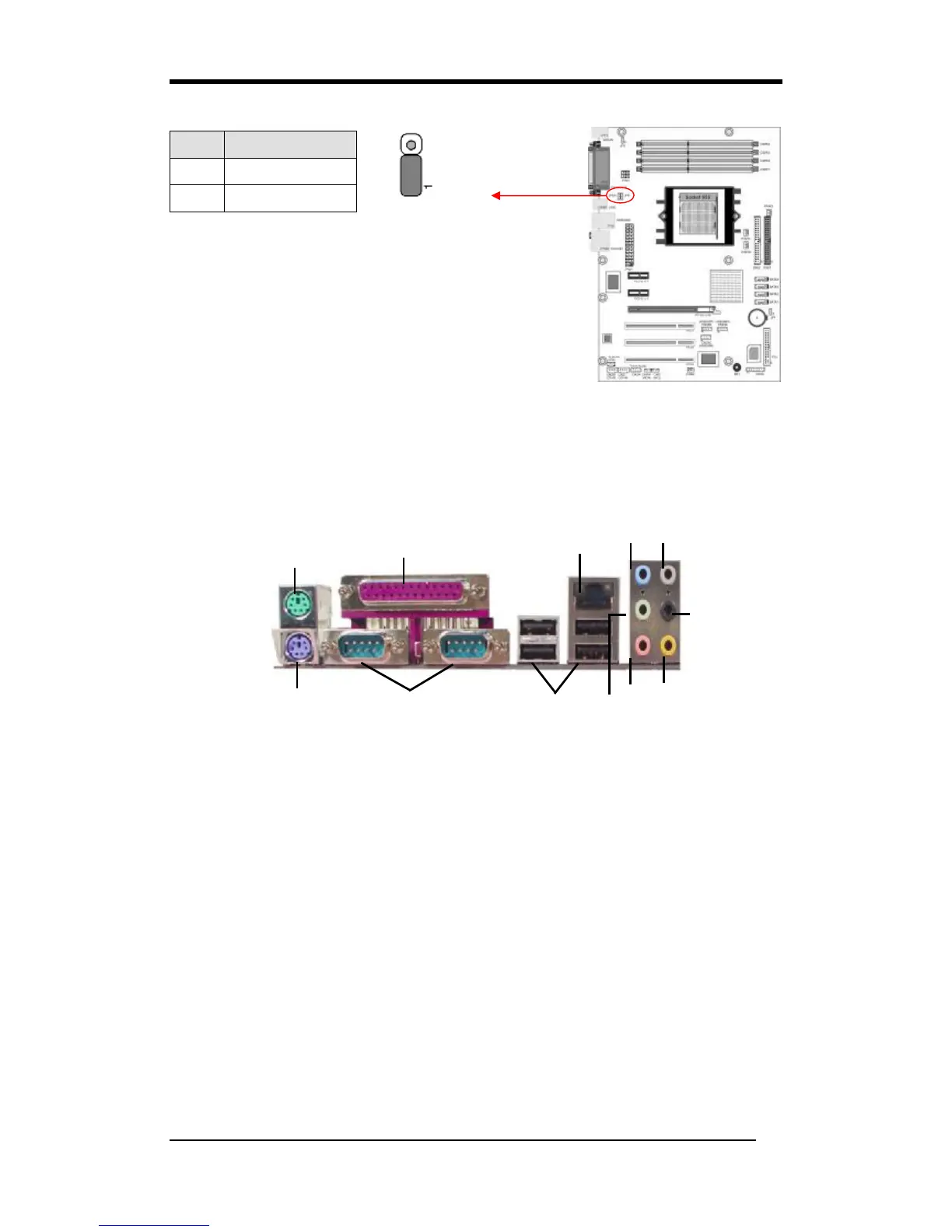
JP6/6A (USB Power On)
A USB keyboard hot key or a USB mouse-click can
activate this motherboard. To use this function, select a
hot key of your choice at the USB Resume from S3
option under Wake Up Events in the BIOS's Power On
Management screen. You must also set this jumper's cap
to pins 2-3 to use this function.
2-3 Connectors
Rear Panel Connectors
1. PS/2 mouse port. The green 6-pin connector is used to connect your PS/2 mouse.
2. PS/2 keyboard port. The purple 6-pin connector is used to connect your PS/2
keyboard.
3. Parallel port. The 25-pin port is used to connect the parallel devices such as the
printer or scanner.
4. Serial ports. The 9-pin ports are used to connect the serial devices.
5. USB 2.0 ports. The 4-pin Universal Serial Bus (USB) ports are used to connect
the USB 2.0 devices.
6. RJ-45 port. The port can be used to connect the Local Area Network (LAN) via
the network devices.
7. Line-In port. The blue port is used to connect the audio devices such as the tape
player. The port also serves as the Digital Optical Output, which can connect the
optical fiber for the audio use.
Pin Definition
1-2 Disable
2-3 Enable
○
1



 To Next Page