27
ADJUSTMENT
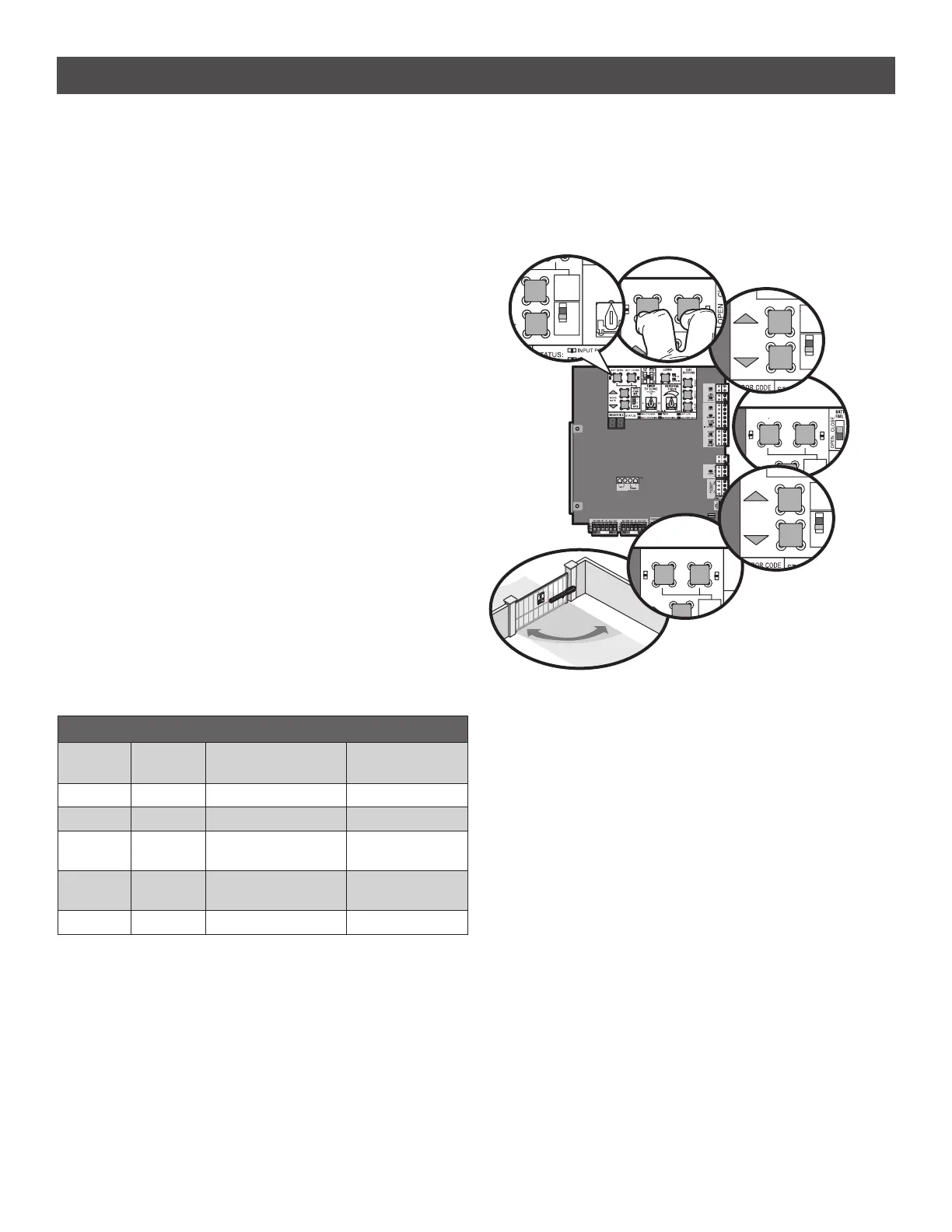
LIMIT SETUP LEDS
SET OPEN
LED
SET CLOSE
LED
OPERATOR MODE EXPLANATION
OFF OFF NORMAL MODE Limits are set.
BLINKING BLINKING LIMIT SETTING MODE Limits are not set.
BLINKING ON LIMIT SETTING MODE Open limit is not
set.
ON BLINKING LIMIT SETTING MODE Close limit is not
set.
ON ON LIMIT SETTING MODE Limits are set.
For dual gate applications the limits will have to be set for each
operator. The gate MUST be attached to the operator before setting the
limits and force.
INITIAL LIMITS AND FORCE ADJUSTMENT
If a mistake is made while programming the limits press the reset button
to start over.
1. Set the GATE switch to the 1 position.
2. Press and release the SET OPEN and SET CLOSE buttons
simultaneously to enter limit setting mode.
3. Press and hold the MOVE GATE buttons to move the gate to the open
or close limit.
4. Press and release the SET CLOSE or SET OPEN button depending on
which limit is being set.
5. Press and hold the MOVE GATE button to move the gate to the other
limit.
6. Press and release the SET CLOSE or SET OPEN button depending on
which limit is being set. The operator will exit limit setting mode.*
7. Cycle the gate open and close using the TEST BUTTONS. This
automatically sets the force.
8. For dual gates set the Gate switch to the 2 position and repeat steps
2-7.
When limits are set properly the operator will automatically exit limit
setting mode.
*
Dual Gates ONLY: When the limits are set on the secondary gate first
the control board will not exit the limit setting mode until the limits are
set on the primary gate.
LIMIT AND FORCE ADJUSTMENT continued...
SET OPEN
SET CLOSE
(SE
TI
TO
PRESS &
RELEASE
TO BEGIN
SETUP
LIMIT
SET OPEN
SET CLOSE
(SE
TI
TO
PRESS &
RELEASE
TO BEGIN
SETUP
LIMIT
MOVE
GATE
PRESS &
RELEASE
TO BEGIN
SETUP
1
GATE
LIMIT
2
SET OPEN
SET CLOSE
B
D
PRESS &
RELEASE
TO BEGIN
SETUP
LIMIT
E
E
OFF
5
10
(SECONDS)
OFF
TIMER
TO CLOS
PRESS &
RELEASE
TO BEGIN
SETUP
1
GATE
LIMIT
2
MOVE
GATE
PRESS &
RELEASE
TO BEGIN
SETUP
1
GATE
LIMIT
2
3
1
2
4
5
6
7













 To Next Page