16
Programming
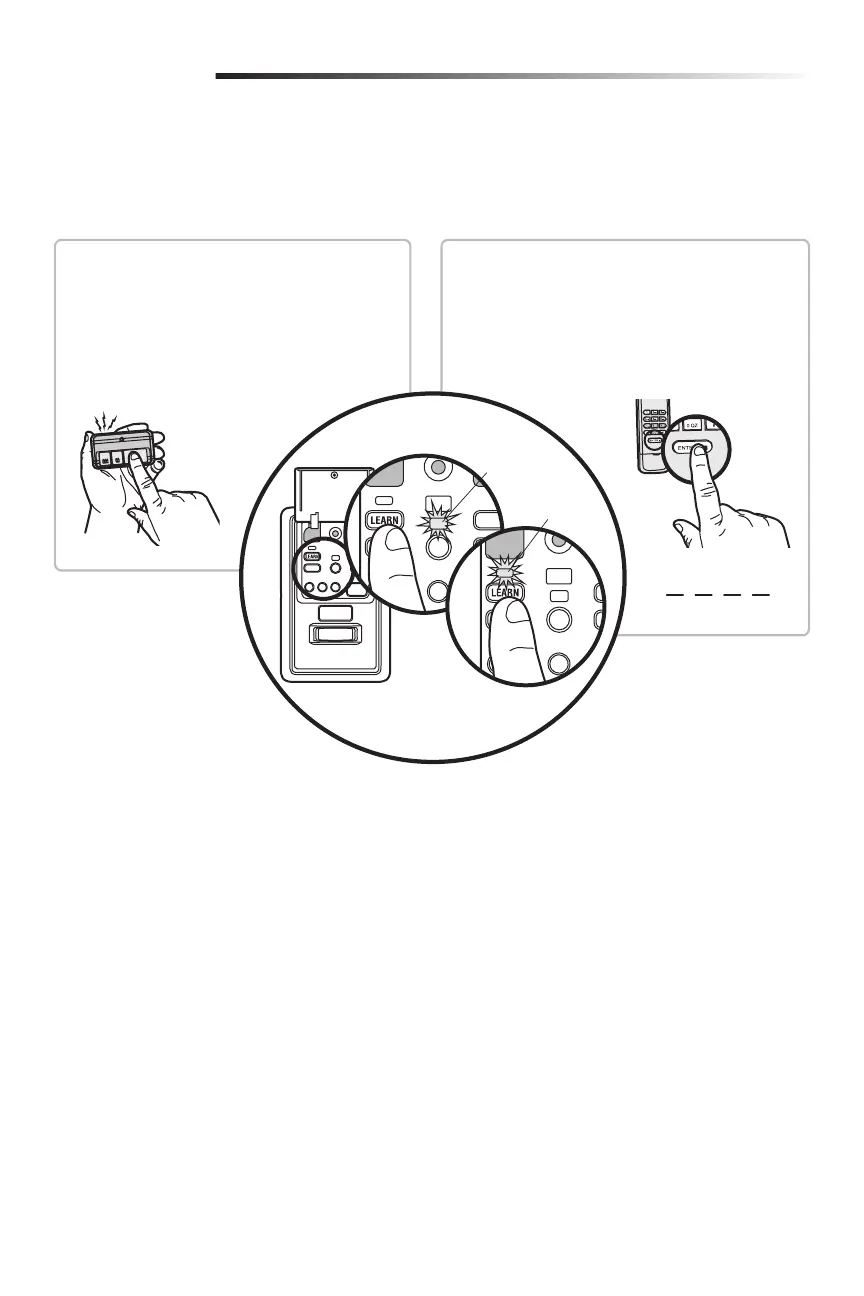
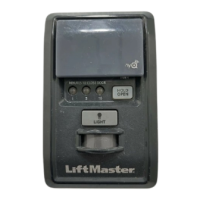
Your hand-held remote control (model 950ESTD) has already been programmed to the door control (Motion-Detecting Control Panel)
at the factory. Below are instructions for programming additional remote controls, keypads, and myQ
®
enabled accessories to the door
control.
PIN
?
?
? ?
REMOTE CONTROL
1. Press the control panel LEARN button twice, and
the red learn LED will turn on.
2. Press the button on the remote control that you
wish to operate your garage door.
3. The garage door opener lights will flash (or two
clicks will be heard) when the code has been
programmed.
1. Press the control panel LEARN button twice, the red
learn LED will turn on.
2. Enter a 4-digit personal identification number (PIN) of
your choice on the keypad. Then press the ENTER
button.
3. The garage door opener lights will flash (or two clicks
will be heard) when the code has been programmed.
MODEL 940ESTD KEYPAD
Command
LED (yellow)
Learn LED
(Red)





 To Next Page