9
InstallationProduct Manual - CryoDoser FleX
™
LN
2
Dosing System
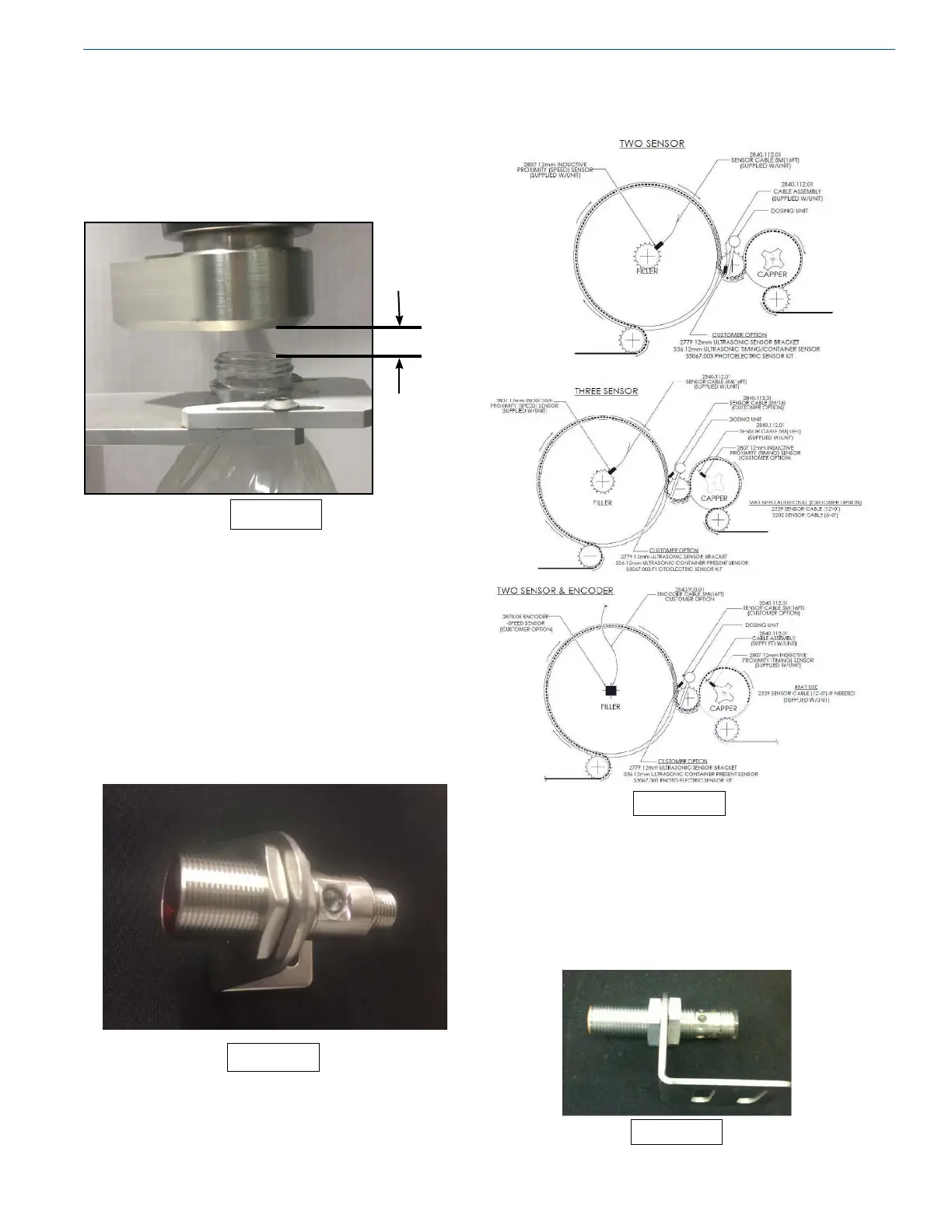
Positioning the Dosing Head
The dosing head should be directly over the container
opening. The dosing head is typically installed 1/2” - 3/4”
above the container opening. The CryoDoser FleX unit
must be manually adjusted to accommodate different sized
containers running on the same production line.
Installing the Container Detect Sensor
The container detect sensor must be a PNP type sensor and
is used to detect if containers are present on the line. Chart
provides a container detect sensor with the CryoDoser FleX
system (Image 13). Ideal sensor placement is about four
to six pockets from the dosing head. If the sensor does not
detect a container for the user dened number of seconds,
the CryoDoser FleX unit will stop dosing. See the Inputs/
Outputs and Container Sensor sections for additional
information.
The diagram below shows three different ways of positioning
the sensor.
Installing the Timing Sensor
The timing sensor is installed to identify container location
and must be installed for the CryoDoser FleX system to
operate properly. Chart provides a PNP 12mm inductive
proximity sensor with the CryoDoser FleX system. Ideal
sensor placement must provide a one-to-one signal.
Image 15
Image 12
0.75in. (19mm)
Image 13
Image 14


 To Next Page