Configuring Through a Web Browser
40
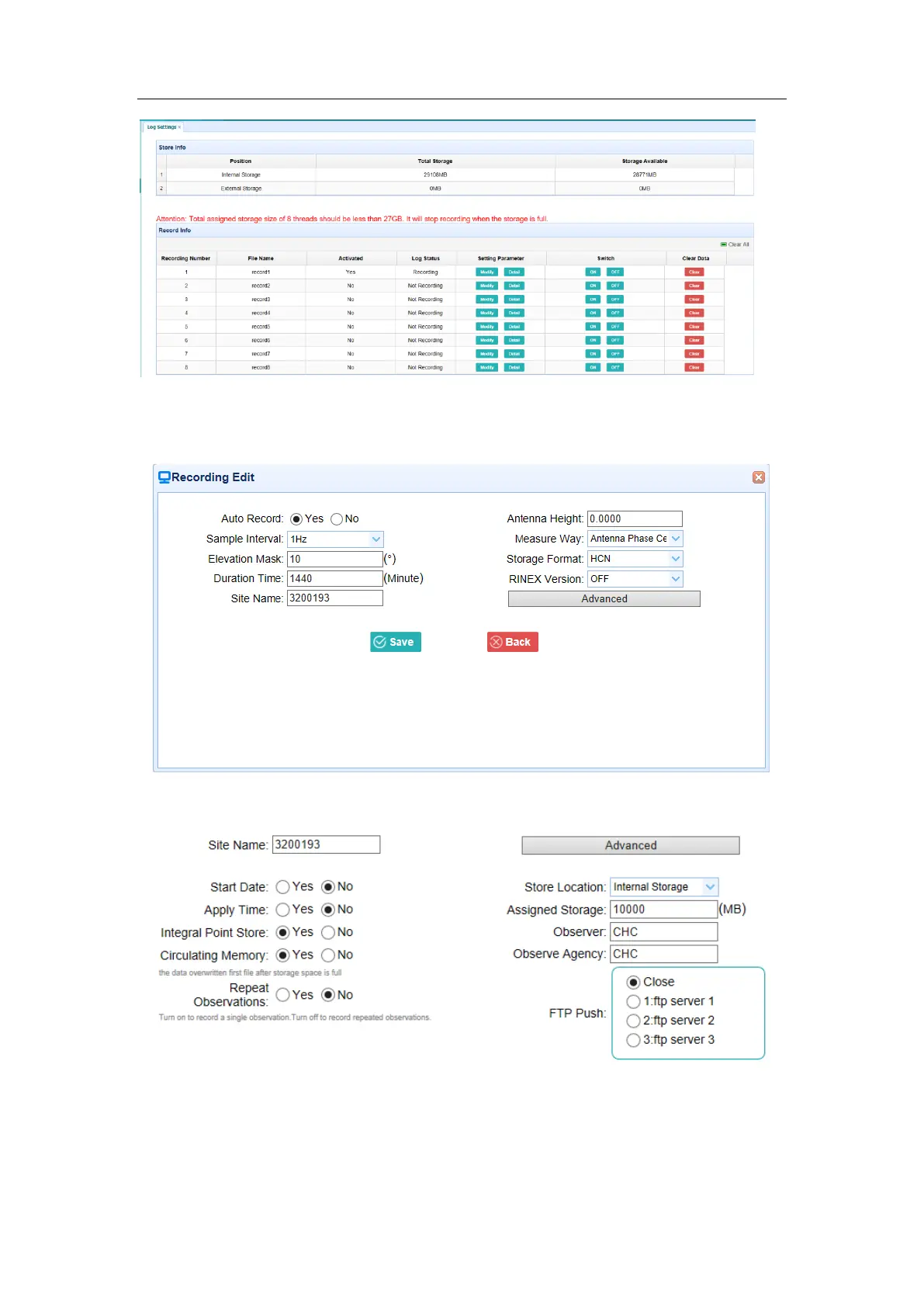
To edit the settings of each session, click the Modify button to the right of the required
session, and then the Recording Edit screen appears:
Click advanced to see more settings.
In this screen, you can configure all the data logging parameters, and determine
whether the recording files will be affected by the FTP Push. The parameters are



 To Next Page