CHD 3050U User Manual
© Computer Hardware Design 21
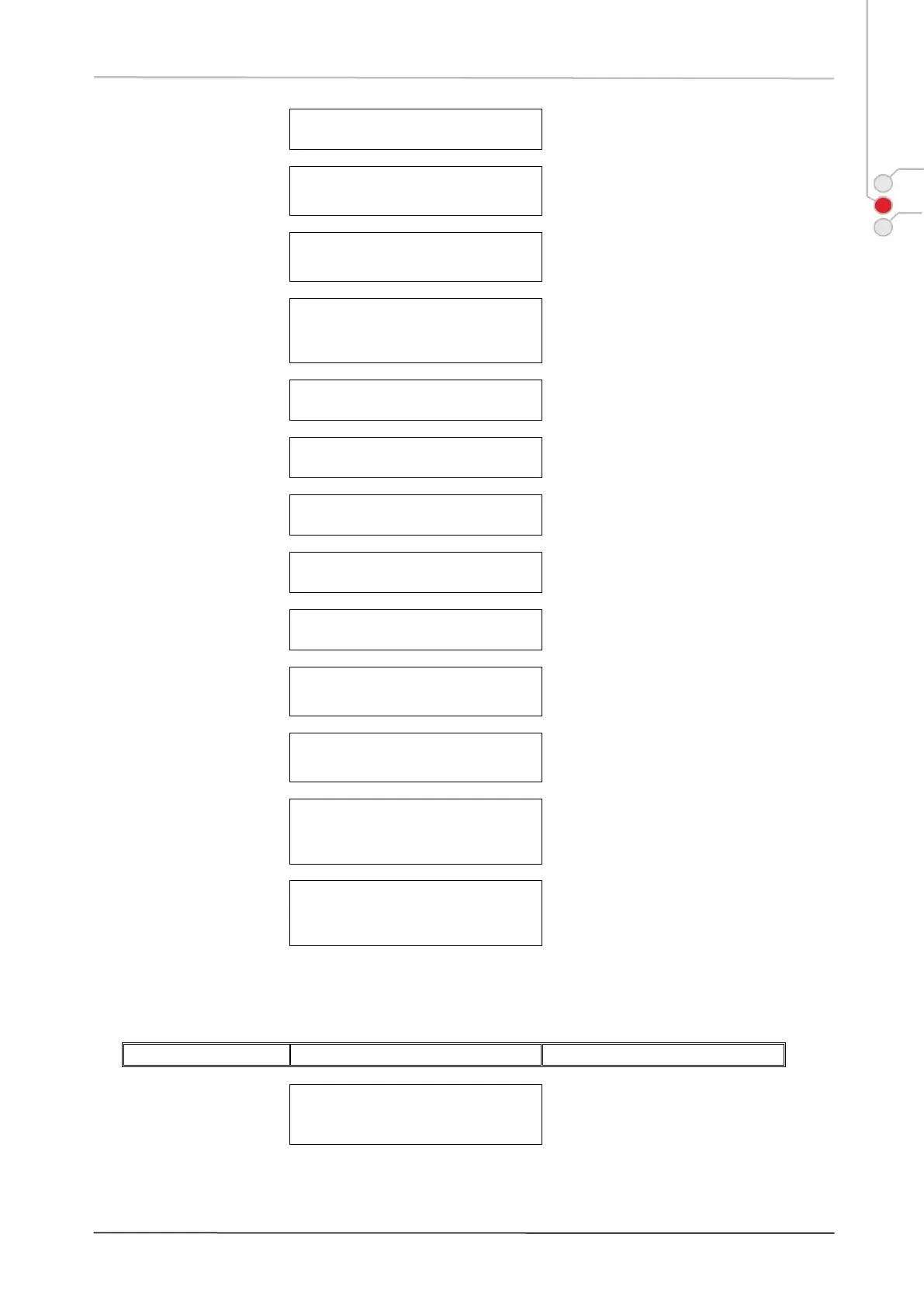
Switch to 3
rd
price level
Proceed with item registration.
Press [CLEAR] to escape.
Keyboard layout
switching to 2
nd
function
level
Proceed with function key or press
[CLEAR] to return to REG layout.
Keyboard layout
switched for text entries
Enter text comments, press [NS] to
return to REG layout. Press
[CLEAR] to escape.
Keyboard layout
switched for
supplementary
character entries
Enter text, press [NS] for return to
REG layout. Press [ALPHA] to
return to [ALPHA] keyboard layer;
press [CLEAR] to escape.
All ECR operations enabled.
Receipt printing
suppressed
ECR operations in RECEIPT OFF
mode are available.
Enter valid password to proceed.
Press [CLEAR] to escape.
Number of Day closures
(Z reports) available
Available memory space for day
closures. ECR will be blocked, when
day closure counter is full.
ECR requires time to
successfully
transfer/update data
ECR cannot be operated while this
message is displayed.
Press [CLEAR] to proceed with
other ECR operations. Note:
Message text can differ according to
ECR application.
Journal data is not
stored to SD card due
to SD card absence or
failure
Data not stored on SD
card
Journal data is in ECR internal
storage ready for transfer to SD
card.
4.1 OPERATION WARNINGS
Clerk ID number or
Clerk key required or
wrong ID entered
Enter valid Clerk ID or attach clerk
key to proceed.


 To Next Page